17
EN
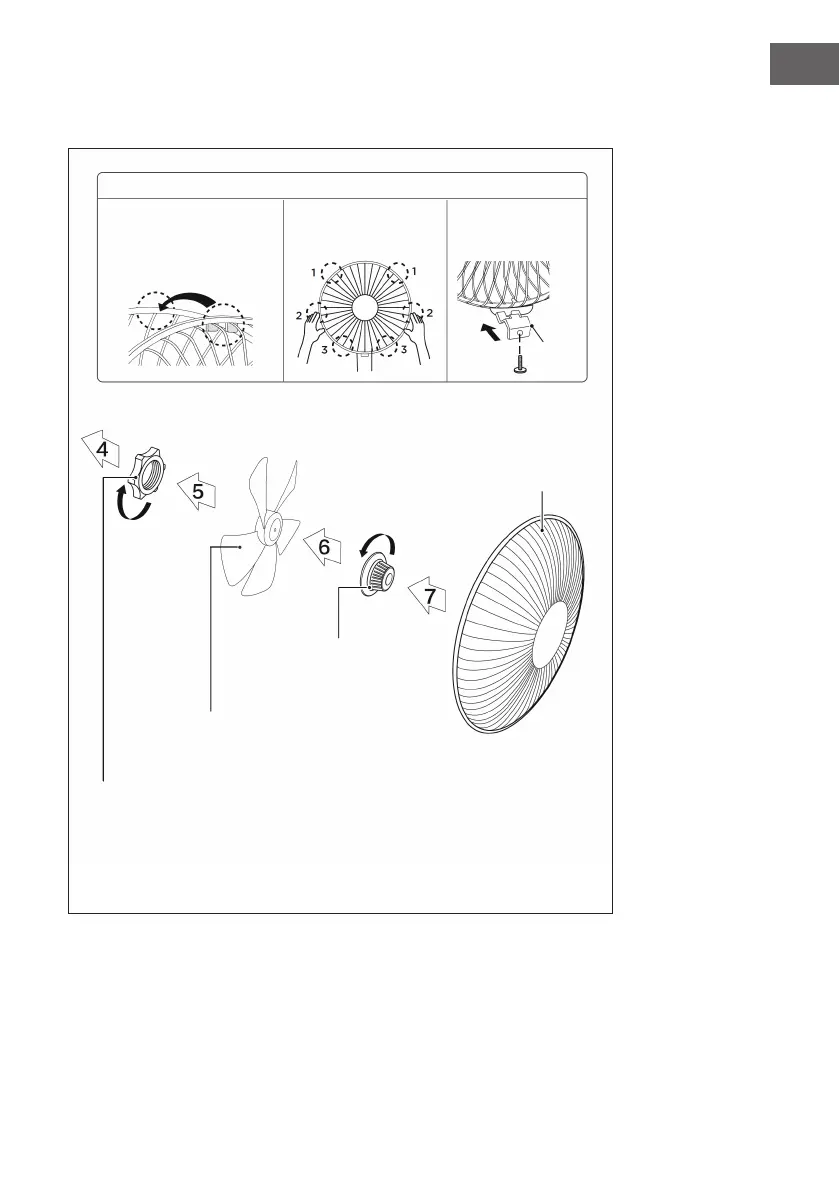
Attaching the front and rear guards
(1)
Front
grille
Align the locking device of the
front protective grille with the
position of the rear protective
grille shown.
Press the guards one after
the other with both hands.
Installation of the
protective shutter (1).
Lock nut of the grille
Screw the grille lock nut clockwise and in the
meantime secure the rear grille.
Impeller
After installation, turn the impeller to ensure that it can
move freely.
Lock nut
Tighten the lock nut counterclockwise
and then mount the front grille.




 To Next Page