20
EN
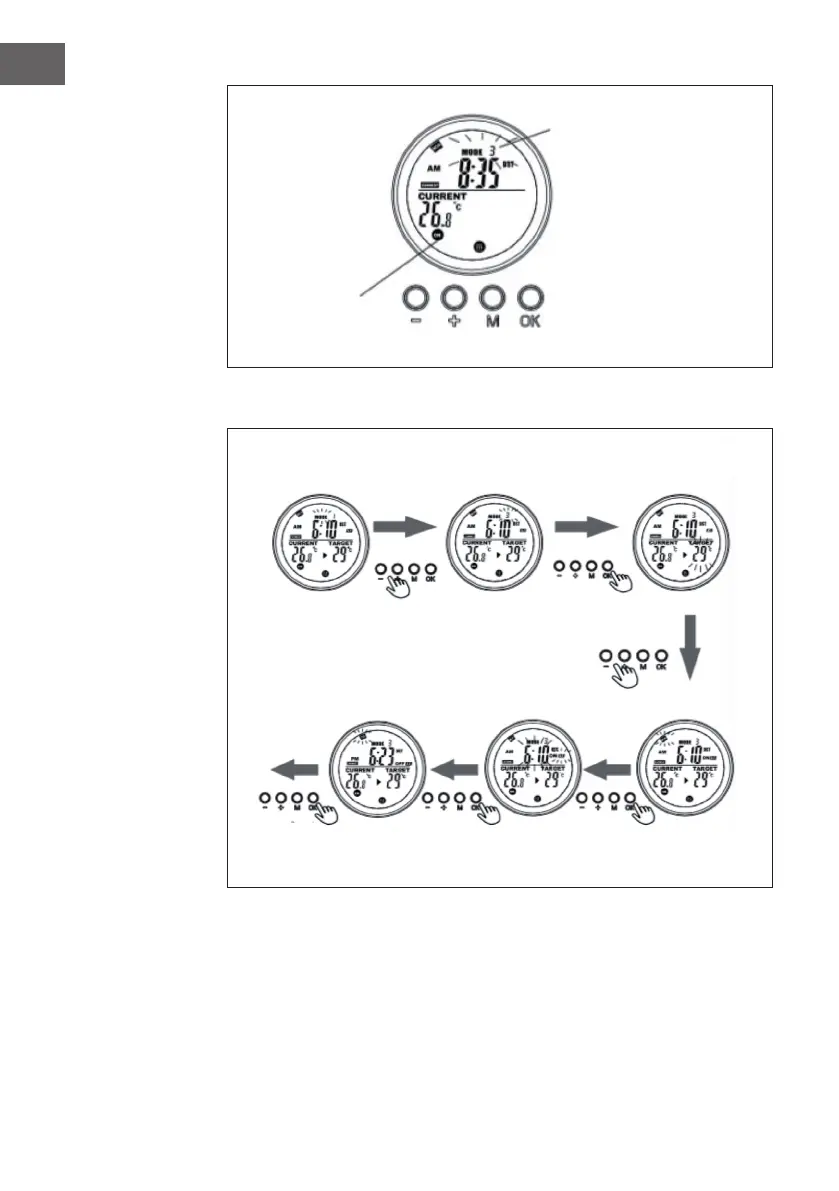
Display on System page when program is on-the-run
The ashing MODE symbol
indicates that the preset
program for slot 3 is currently
active.
The ashing
ON/OFF symbol
indicates that the
heater is currently
controlled by a
program.
Weekly
program
Slot
program
In thermostat mode,
press [+] or [-].
Set the day of the week
for the start time (ST)
with +/-.
Set the exact start time
(hour and minutes) with
+/-.
Set the day of the week
for the end time (ET)
to +/-.
Select the programme
position to be programmed
and conrm with [OK].
Press [+] or [-] and conrm the
target temperature with [OK].






 To Next Page