19
EN
QUICK START
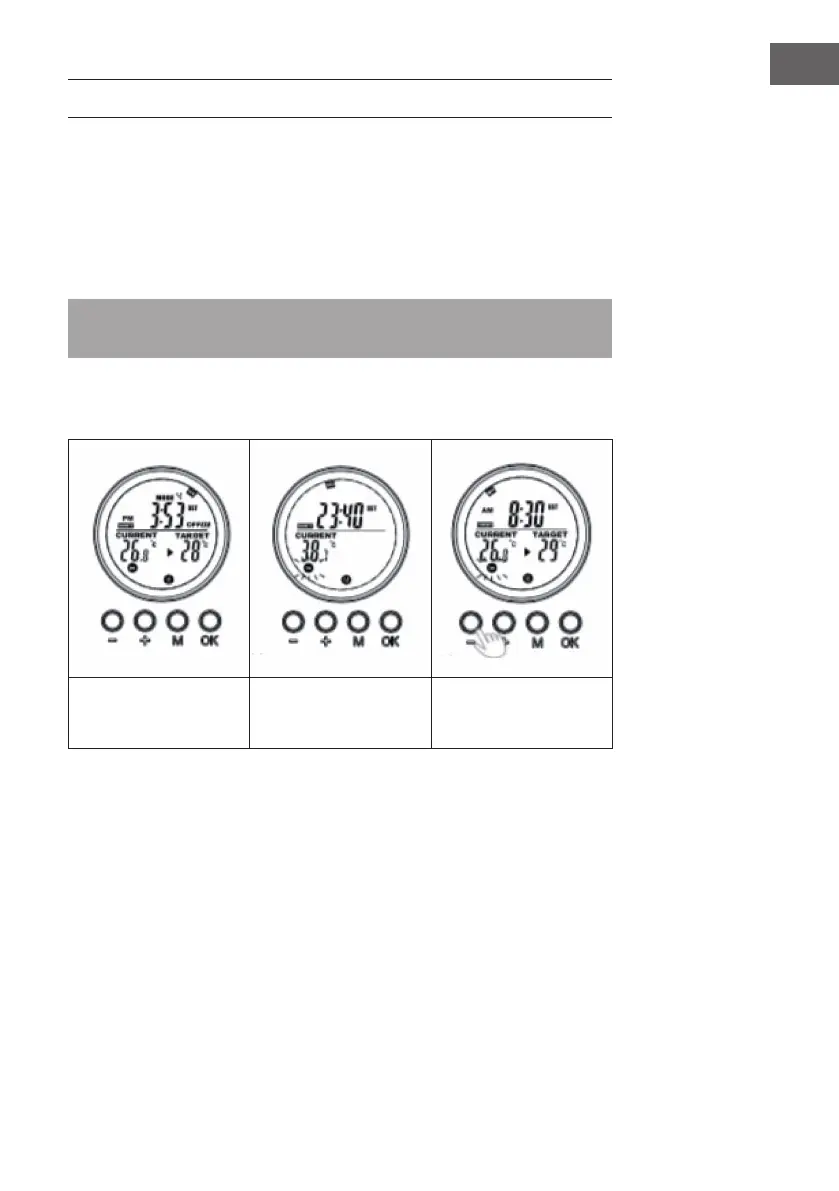
Manual Override
Press the [OK] button repeatedly to select one of the following functions:
• Manual temperatur setting
• OFF
• ON
Note: Manual operation override all slot programs, and set all running slots into OFF
status. Vice verse, turning on slots program will erase all manual setting.
Manual operation will features in the switch ON/OFF icons stay on while slot program
will feature in the ON/OFF icons ashing.
Manual switch-off of the
system (the symbol lights
up continuously)
Switching on the system
manually (the symbol
lights up continuously)
Manual setting of the
temperature (the symbol
lights up continuously)
Program on-the-run
Activate either of the slots program will erase the manual setting, and execute the slot
program instead.






 To Next Page