EasyManua.ls Logo

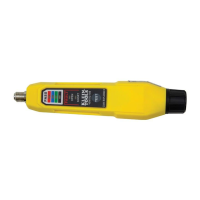
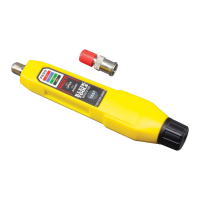
Klein Tools Coax Explorer 2 VDV512-100 - User Manual

Klein Tools Coax Explorer 2 VDV512-100
3 pages
Print Icon
To Next Page IconTo Next Page
Loading...
FIG. 1





®
4
!
w
 
 

 
 
 
 
 
 



VDV512-100 Instructions










°

°

°

°


°

°

°

°







1. 

 

 



1. 

 

 




 
 
3. 
 





WARRANTY

DISPOSAL/RECYCLE


A 

Test Equipment Depot - 800.517.8431 - 99 Washington Street Melrose, MA 02176 - TestEquipmentDepot.com

Question and Answer IconNeed help?

Do you have a question about the Klein Tools Coax Explorer 2 VDV512-100 and is the answer not in the manual?

Summary

General Product Specifications

Cable Testing and Mapping Procedures

Testing an Uninstalled Cable

Connect test remote to one end and F-connector to the other. Press TEST button to check cable status via LEDs.

Battery Replacement and Maintenance

Battery Replacement Steps

Unscrew cap, replace two AAA batteries with positive side facing tester, then screw cap back.

Storage Guidelines

Remove batteries for prolonged storage. Avoid extreme temperatures and humidity.

Warranty and Disposal Information

Warranty Details

Information about the product warranty is available on the Klein Tools website.

Disposal and Recycling Instructions

Properly dispose of equipment and accessories according to local regulations.

Summary

General Product Specifications

Cable Testing and Mapping Procedures

Testing an Uninstalled Cable

Connect test remote to one end and F-connector to the other. Press TEST button to check cable status via LEDs.

Battery Replacement and Maintenance

Battery Replacement Steps

Unscrew cap, replace two AAA batteries with positive side facing tester, then screw cap back.

Storage Guidelines

Remove batteries for prolonged storage. Avoid extreme temperatures and humidity.

Warranty and Disposal Information

Warranty Details

Information about the product warranty is available on the Klein Tools website.

Disposal and Recycling Instructions

Properly dispose of equipment and accessories according to local regulations.

Klein Tools Coax Explorer 2 VDV512-100 Specifications

General IconGeneral
CategoryTest Equipment
ModelVDV512-100
ManufacturerKlein Tools
TypeCoax Cable Tester
ConnectorsF-Connector
Power SourceBattery
Test TypesContinuity
Cable TypesCoaxial
DisplayLED
FeaturesLED indicators

Related product manuals