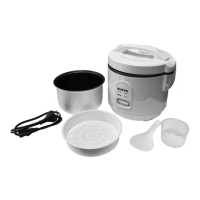
How to use your Kleva® 1 Button Cooker Plus
Step 5 - Switch down to COOK. The Cook Indicator Light will illuminate
red to indicate the rice/dish is cooking.
Step 6 - Ensure that you keep an eye out for how long your dish
should be cooking for. The Kleva® 1 Button Cooker Plus Cook mode is
based on the liquid content, if there is no more liquid the unit will
automatically switch to warm mode and illuminate orange indicating
that the cooking process has been completed and will now be kept in
“WARM” mode. If your dish requires further cooking wait 5 mins, then
push down on the switch button to go back to cook mode. If the dish
requires more liquid it can now be added. The “WARM” function will
continue until the unit is switched “OFF”. The recommended "WARM"
leave time after cooking is 2-4 hours. After use, switch the Kleva® 1
Button Cooker Plus power button to “OFF” position on the left hand
side of unit and unplug the power cord from wall socket.
Step 7 - Open the Kleva® 1 Button Cooker Plus by holding down on the
lock button located on the handle of the lid and pull up on the lid to
open. Be sure to open the lid facing away from you to avoid any hot
steam. Ensure food is cooked thoroughly before eating. When opening
the lid, hot water may disperse down from the lid and into the
condensation catching tray. To empty the water condensation tray on
the right corner under the lid, place 1 finger on each side of the
catching tray and pull out.
Warning: After cooking, the Lid and whole unit can be very hot and can cause
injury and burn. Please ensure that you handle it with care. The condensation
and steam can be very hot. Always ensure that an oven mitt or heat
protectant item is used when handling and hot items.


 To Next Page
 Loading...