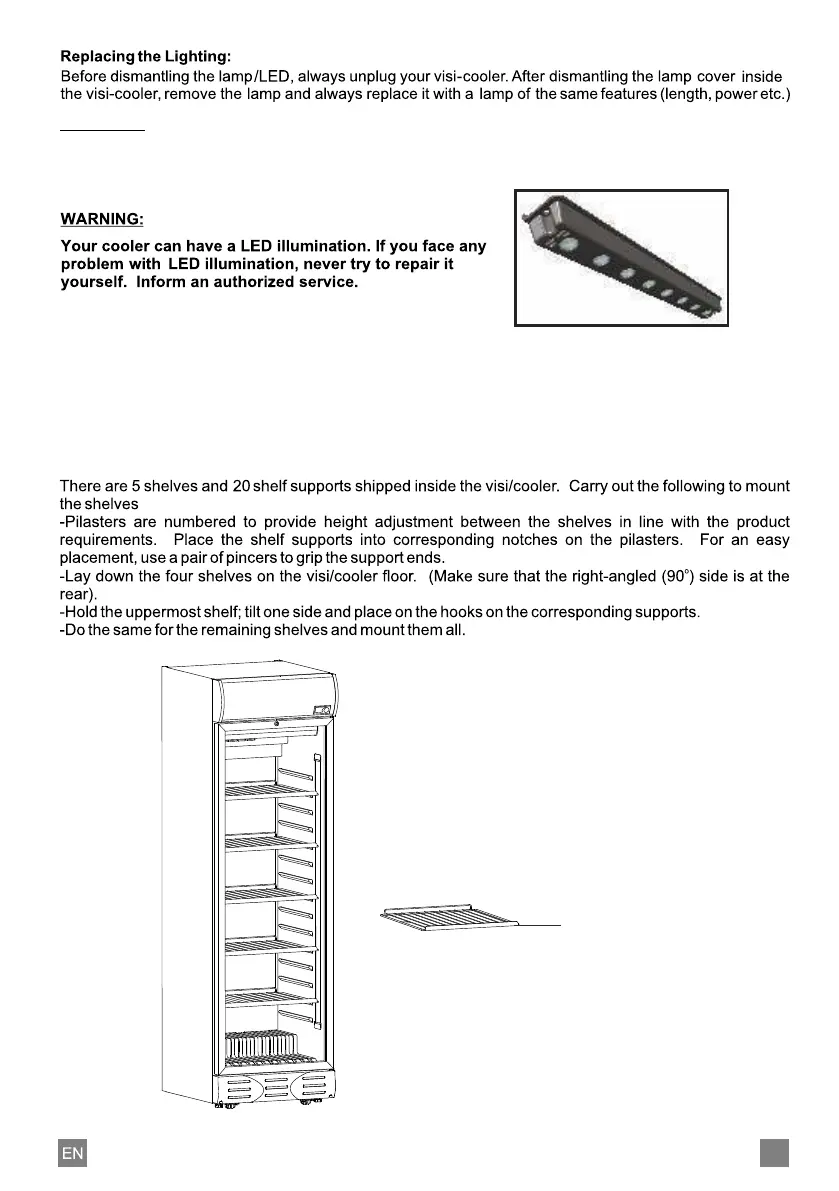
PLEASE INSERT SHELVES AS
SHOWN, KEEPING PRICE LOGO
STICKER STRIP IN FRONT.
STICKER STRIP
Mounting the Shelves:
There are 5 shelves provided with the models ; 3 with ; 2 with S 149 and
S 88 SC; and 1 with S 56 SC. First insert the uppermost shelf in the uppermost hooks in the body Insert the
others correspondingly with the same method. Chilling process in the body takes place through the internal
air circulation. Therefore do not place the shelves very close to one another.
D 372, D 148, SC 505 TF S 240 SC
For models SC 505 HP , SC 505 STD, SC 600, S 650 :
WARNING :
Your cooler can have a fluorescent lamp. If the fluorescent lamp don't illuminate or start to blinking,
please call techical service to repair it in a short while. Please do not remain your cooler with non
working lighting system.
10



 To Next Page