from the above description
in APP.
the robot, reset
your robot as a new device.
the WiFi, and add
15
4.Instruction for Use
4.3 APP Connection
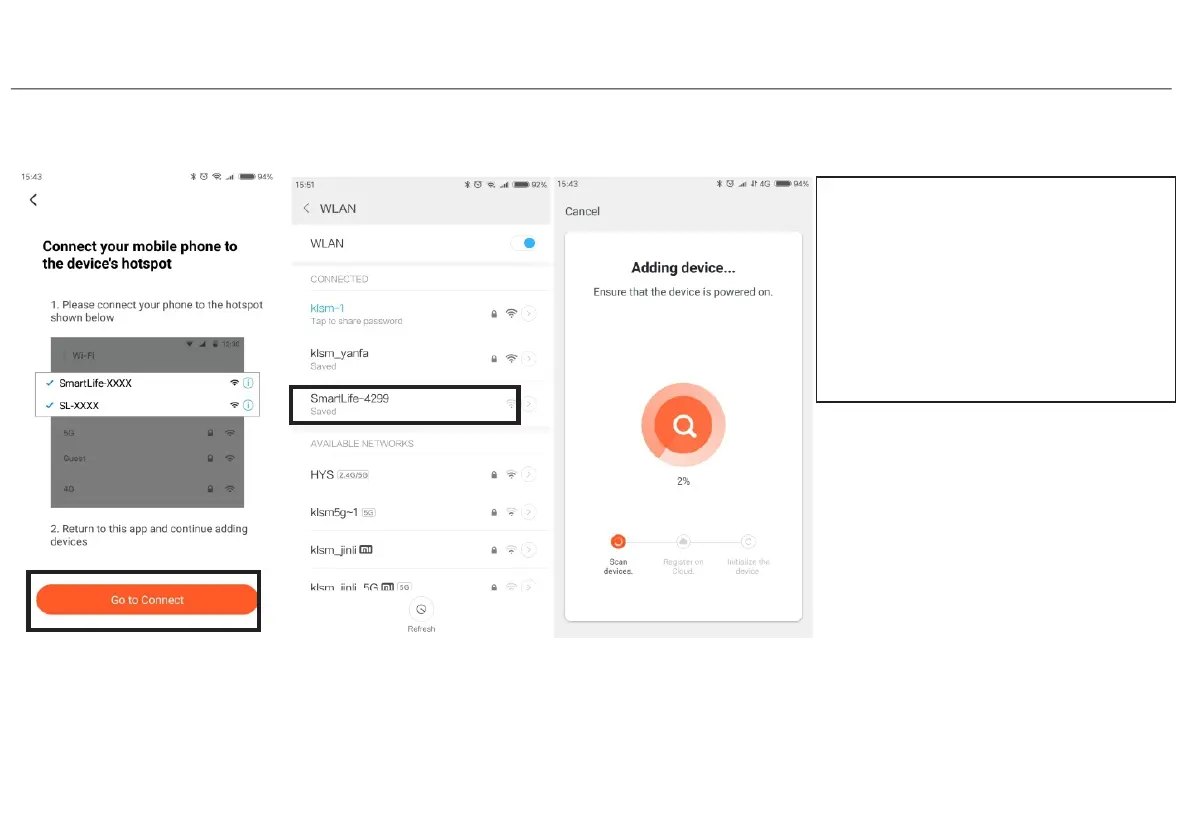
Choose wifi hotspot
Step 9
Step 8
Go to connect
corresponding wifi hotspot
SmartLife-XXXX(xxmeans
a wifi hotspot,each robot with
differ hotspot
Step 10
After connect wifi hotspot
back to APP
wait for connection
Note:
a. Due to ongoing app development,
the actual process may differ slightly
Always follow the instruction given
b. Only support 2.4GHz WiFi.
c. If you can't connect your phone to


 To Next Page