4.Instruction for Use
4.4 Function Use
16
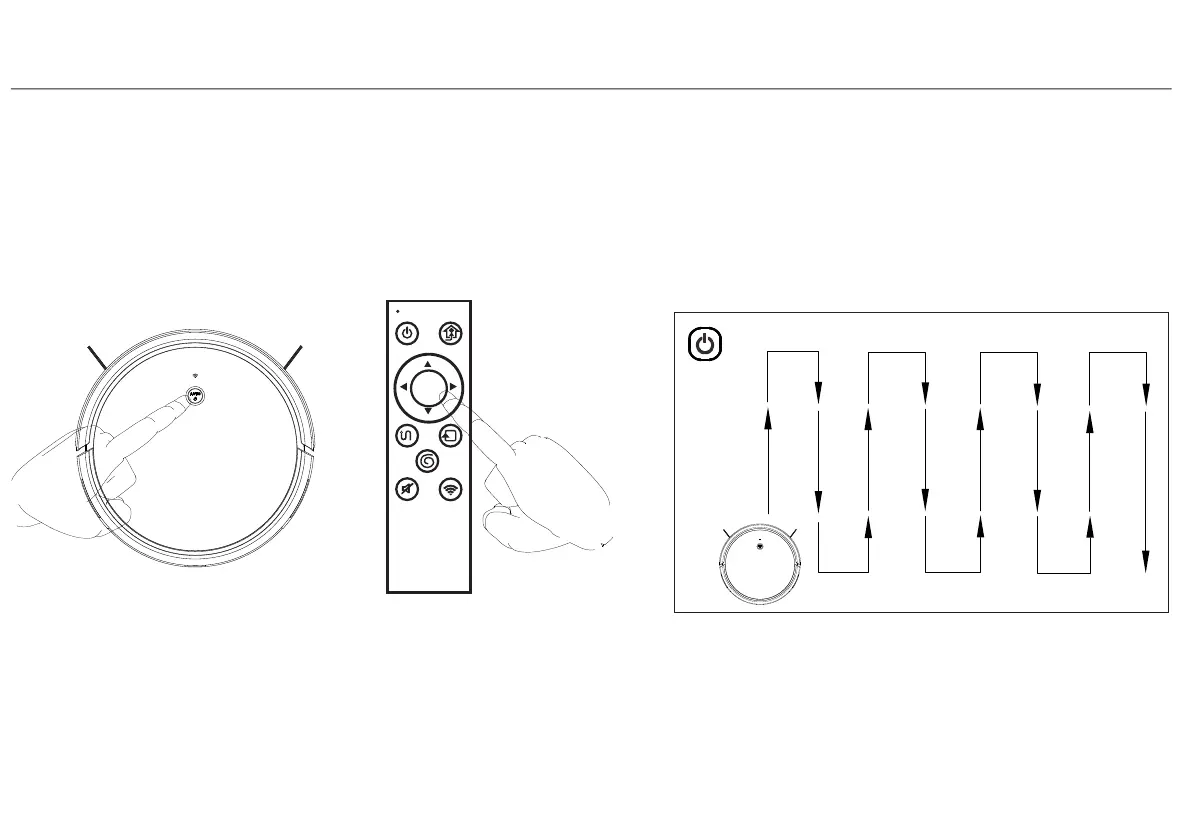
1.Auto Clean Mode
Turn on robot, press robot button or remote control OK button or auto button in APP, the robot will start
auto clean mode. Please close the door if only clean one room, robot will back to start place after
cleaning finish.
Note:
In auto mode, robot start with smart zigzag cleaning route, please do not move or control
the robot , otherwise, robot will restart cleaning route and repeat clean the area.
Robot may stop when working for thinking and judging the missing area or planning clean route
The number of pauses and time depends on the complexity of the home environment
SPOT
sleep/wake/stop
charge
OK
AUTO EDGE
MUTE WIFI
return


 To Next Page