EasyManua.ls Logo

Klipsch HD THEATER SB 3 - User Manual

Klipsch HD THEATER SB 3
11 pages
Print Icon
To Next Page IconTo Next Page
Loading...
ipsch
®
HD
THEATER
SB
3
Owner's
Manual

Other manuals for Klipsch HD THEATER SB 3

Question and Answer IconNeed help?

Do you have a question about the Klipsch HD THEATER SB 3 and is the answer not in the manual?

Summary

Important Safety Instructions

FCC and Canada EMC Compliance

EU Compliance Information

WEEE Notice

Wireless Transmitter Compliance

National Restrictions

Country-specific restrictions for wireless transmitter operation.

Packing List

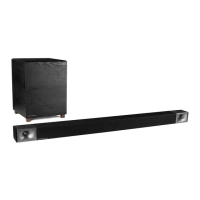
Soundbar and Subwoofer Overview

Subwoofer Rear Panel

Identifies controls and connections on the subwoofer's rear.

Soundbar Front Panel

Identifies controls and status lights on the soundbar's front.

Status Lights

Explains the meaning of the soundbar's and subwoofer's status indicators.

Soundbar Rear and Side Connections

Details the input/output ports on the soundbar's rear and side.

Placement and Installation

Soundbar Placement

Guidance on positioning the soundbar on a surface or wall.

Subwoofer Placement

Instructions for optimal subwoofer placement for bass output.

Connection Guide

Connecting the Soundbar to TV

Methods for connecting the soundbar to your TV, including optical, RCA, and headphone jack.

Connecting Subwoofer to Soundbar

Steps to connect the subwoofer to the soundbar wirelessly.

Remote Control Programming

Operating the System

Initial Setup and Volume Adjustment

Turning off TV speakers and adjusting volume for optimal sound.

Subwoofer Volume Balancing

How to balance the subwoofer sound with the soundbar.

3 D Surround Mode

Troubleshooting Guide

Soundbar Power Issues

Steps to resolve issues when the soundbar fails to power on.

No Sound Troubleshooting

Steps for when no audio is output from the soundbar or subwoofer.

Subwoofer Pairing Issues

Solutions for when the subwoofer fails to wirelessly connect.

Remote Control Programming Issues

Guidance for programming the remote control for TV/Cable/Satellite boxes.

Care and Cleaning

Summary

Important Safety Instructions

FCC and Canada EMC Compliance

EU Compliance Information

WEEE Notice

Wireless Transmitter Compliance

National Restrictions

Country-specific restrictions for wireless transmitter operation.

Packing List

Soundbar and Subwoofer Overview

Subwoofer Rear Panel

Identifies controls and connections on the subwoofer's rear.

Soundbar Front Panel

Identifies controls and status lights on the soundbar's front.

Status Lights

Explains the meaning of the soundbar's and subwoofer's status indicators.

Soundbar Rear and Side Connections

Details the input/output ports on the soundbar's rear and side.

Placement and Installation

Soundbar Placement

Guidance on positioning the soundbar on a surface or wall.

Subwoofer Placement

Instructions for optimal subwoofer placement for bass output.

Connection Guide

Connecting the Soundbar to TV

Methods for connecting the soundbar to your TV, including optical, RCA, and headphone jack.

Connecting Subwoofer to Soundbar

Steps to connect the subwoofer to the soundbar wirelessly.

Remote Control Programming

Operating the System

Initial Setup and Volume Adjustment

Turning off TV speakers and adjusting volume for optimal sound.

Subwoofer Volume Balancing

How to balance the subwoofer sound with the soundbar.

3 D Surround Mode

Troubleshooting Guide

Soundbar Power Issues

Steps to resolve issues when the soundbar fails to power on.

No Sound Troubleshooting

Steps for when no audio is output from the soundbar or subwoofer.

Subwoofer Pairing Issues

Solutions for when the subwoofer fails to wirelessly connect.

Remote Control Programming Issues

Guidance for programming the remote control for TV/Cable/Satellite boxes.

Care and Cleaning

Klipsch HD THEATER SB 3 Specifications

General IconGeneral
Audio decoders-
RMS rated power- W
Audio output channels- channels
Tweeter diameter20 mm
Mid-range driver diameter89 mm
Number of tweeter drivers2
Tweeter diameter (imperial)0.78 \
Mid-range driver diameter (imperial)3.5 \
Subwoofer includedYes
Subwoofer connectivityWireless
Cables includedRCA
Product colorBlack
Frequency range28 - 20000 Hz
Apple docking compatibilityNot supported
Soundbar dimensions (WxDxH)1117 x 117 x 79 mm
Subwoofer dimensions (WxDxH)330 x 368 x 343 mm
Subwoofer driver diameter (imperial)10 \
Power consumption (typical)300 W
Connectivity technologyWired
Digital audio optical in1
Weight and Dimensions IconWeight and Dimensions
Soundbar weight5700 g
Subwoofer weight11300 g

Related product manuals