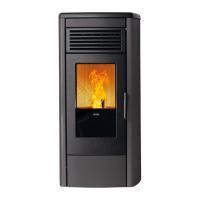
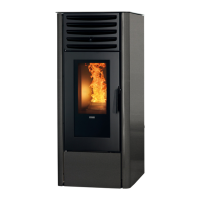
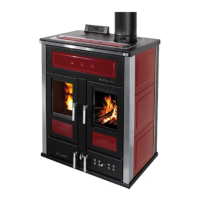
The KLOVER pellet stove is a heating appliance designed for indoor use, utilizing wood pellets as fuel. It is available in several models, including AURA 80, CLASS 90, AURA 80 PLUS, AURA 100, AURA 120, REA 100, REA GLASS, OPERA, TWIN, OMEGA, OMEGA PLUS, and MISS.
Function Description
The KLOVER pellet stove operates by burning wood pellets to generate heat, which can be distributed to a room or ducted to multiple rooms depending on the model. It features a forced draught system for combustion products and is designed for efficient and controlled heating. The appliance is equipped with a control unit and a remote control for managing its various functions, including power settings, room temperature, and timer programs. Some models also include Wi-Fi connectivity for remote control via a smartphone app. Safety features such as a manual reset thermostat, smoke pressure switch, and micro-switches for doors are integrated to ensure safe operation.
Important Technical Specifications
The technical specifications vary by model, but common parameters include:
- Nominal heat input: Ranging from 7.0 kW to 12.1 kW (6,020 kcal/h to 10,406 kcal/h).
- Reduced thermal capacity: Ranging from 2.64 kW to 3.78 kW (2,300 kcal/h to 3,250 kcal/h).
- Nominal thermal output: Ranging from 6.4 kW to 11.1 kW (5,500 kcal/h to 9,546 kcal/h).
- Efficiency at nominal thermal power: Generally above 91%.
- Efficiency at reduced thermal power: Generally above 91%.
- CO at 13% oxygen: Very low, typically below 0.06%.
- Maximum power uptake: 400 Watt (during ignition cycle).
- Power uptake when running: 60-80 Watt.
- Nominal voltage/frequency: 230 V / 50 Hz.
- Flue outlet diameter: 80 mm.
- Air intake pipe diameter: 33 mm or 50 mm.
- Minimum chimney draught: 8.7 Pa to 10.5 Pa.
- Combustion gas mass: 2.7 g/s to 7.5 g/s.
- Ventilated pellet tank capacity: 14 kg to 24 kg (some models specify ducted capacity).
- Average exhaust flue gas temperature: 72°C to 144.7°C.
- Minimum safety distance from flammable materials: 200 mm (side/rear) / 800 mm (front).
The appliance requires wood pellets with a diameter of 6 mm, maximum length of 35 mm, 8-9% humidity content, 100% wood (additive-free), and maximum ash residue of 1.1%. Pellets should comply with international standards like EN14961-2.
Usage Features
The KLOVER pellet stove offers several user-friendly features:
- Remote Control: A remote control with a display allows users to adjust room temperature, operating power, and navigate menus. Keys are provided for increasing/decreasing values, setting options, and switching the appliance on/off.
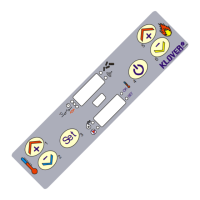
- Support Panel: A physical support panel on the appliance provides basic control functions, including switching on/off, modifying operating power, and checking Wi-Fi status via LED indicators.
- Display: The remote control display shows the operating status, room temperature, clock, and current power setting.
- Menu System: A comprehensive menu system allows access to various settings:
- STAND-BY (Menu 01): Enables or disables automatic switch-off or modulation when the set room temperature is reached.
- TIMER (Menu 02): Allows setting daily, weekly, and weekend timer programs with specific switch-on/off times, power settings, and room temperatures.
- DATE AND TIME (Menu 03): For setting the current day, date, and time.
- LANGUAGE (Menu 04): To select the display language (Italian, English, French, German, Spanish).
- SETTINGS (Menu 05): To adjust display illumination, brightness, contrast, and key beep sounds.
- INITIAL LOAD (Menu 06): Enables pellet pre-loading for 90 seconds, useful after emptying the tank or for first-time ignition.
- FIREPLACE STATUS (Menu 07): Provides detailed operating conditions and device status, primarily for technical assistance.
- USER CALIBRATION (Menu 09): Allows limited calibration of pellet load and flue gas extraction speed (for expert users only).
- SET ROOM. DUC. (Menu 12): For models with ducted outlets, allows setting room temperatures for different zones and adjusting ducted air fan speeds (manual or automatic).
- Ignition Cycle: A multi-step ignition process (CHECK UP, PELLET LOADING, FLAME STAND-BY, STABILISATION) ensures proper and safe start-up, typically lasting 20-25 minutes.
- Working Mode: The appliance operates at a set power level and can enter "MODULATION" (economy mode) when the desired room temperature is reached.
- Wi-Fi Connectivity: Equipped with a Wi-Fi board for remote control via the "KLOVER HOME" App on smartphones or tablets.
Maintenance Features
Regular and systematic maintenance is crucial for the appliance's performance and longevity:
- Routine Cleaning: Recommended every 30 hours of operation or after 6-8 ignition cycles. This includes:
- Removing the flame arrester.
- Cleaning the air heat exchanger with a dedicated hook.
- Emptying the ash drawer.
- Removing the ring covering the brazier and cleaning combustion residues.
- Vacuuming ash from and around the brazier using a suitable ash vacuum device with a fine mesh filter.
- Non-Routine Cleaning: Recommended every 30 days. This involves:
- Removing the cast iron top and inspection plates.
- Cleaning the right and left flue gas conduits with a brush.
- Removing the front panel below to access and clean the inspection vent and compartment residues.
- Removing sawdust from the base of the pellet tank (at least once every 30 days, and completely at the end of each season).
- Vermiculite Cleaning: Gently dust with a brush if required; avoid abrasive sponges or direct vacuum cleaner contact.
- Ceramic Glass Cleaning: Clean when the appliance is off and cool, using a damp cloth or specialized detergent. Avoid abrasive sponges or cleaning when warm to prevent breakage.
- Flue Cleaning: The flue must be cleaned at least once a year, at the beginning of winter, and whenever necessary, to prevent obstructions and ensure proper operation.
- Professional Maintenance: Qualified staff should perform a check at least once a year at the beginning of the season. Seals should be periodically checked and replaced if worn or damaged.

 Need help?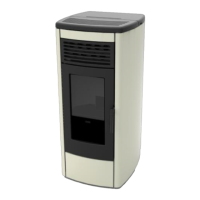

 To Next Page

 General