This document is an instruction manual for the "Easy Cool Portable Air Conditioner." It provides comprehensive information on the device's features, installation, operation, maintenance, troubleshooting, and Wi-Fi connectivity.
Function Description:
The Easy Cool Portable Air Conditioner is a versatile appliance designed for indoor use, offering cooling, dehumidification, and fan functions. It also supports continuous water drainage. The unit features an LCD display on its control panel and comes with a remote control for convenient operation, which can be stored on the back of the unit. The design incorporates handles on both sides for easy portability and an ergonomic body. A unique design element is the power cord wrapping structure on the back, which prevents the cord from hanging down, getting stained, or damaged. The outdoor interface is positioned high to facilitate heat pipe assembly and ensure smooth heat flow. The appliance also includes air filtration capabilities and a timing switch function. For safety and longevity, it has a protection function that automatically restarts the compressor after three minutes in case of power loss, along with other protective features.
Important Technical Specifications:
The manual does not explicitly list detailed technical specifications such as power consumption, cooling capacity (BTUs), or dimensions. However, it mentions that the exhaust pipe length is between 280-1,500mm (11-59 inches), and advises against using extension tubes or replacing it with different hoses to prevent overheating. The appliance requires a flat and dry placement, maintaining at least 19 inches clearance from surrounding objects or walls.
Usage Features:
- Control Panel and Remote Control: The unit can be operated via an LCD control panel or a remote control. The remote control uses AAA 1.5VDC batteries.
- Modes: It supports Cooling, Dehumidifying, and Fan modes. A Heating mode is also mentioned.
- Temperature Settings: Users can increase or decrease the temperature settings. The display can switch between Celsius (°C) and Fahrenheit (°F) by simultaneously pressing the UP and DOWN keys.
- Fan Speed: In cooling, heating, and fan modes, users can select high or low fan speeds. This function is not available in SLEEP mode and DEHUMIDIFYING mode.
- Sleep Mode: A dedicated button activates sleep mode.
- Timer Function: The TIMER button allows users to set the unit to automatically turn ON or OFF, with hour increments programmable via the + and - buttons.
- Water Full Indicator: A "WATER FULL" light indicates when the internal water tank is full, at which point the unit stops working and requires drainage.
- Drainage: The unit supports both manual and continuous drainage. For manual drainage, a rotary knob and rubber stopper are removed to allow water to flow into a container. For continuous drainage (applicable in cooling and dehumidification modes), a drainage pipe can be connected to a bucket.
- Wi-Fi Connectivity (JHS Smart App):
- Download and Installation: Users can download the "JHS smart" app from the App Store or Google Play, or by scanning a QR code on the control panel.
- Registration: Register using a mobile number or email, verify with a six-digit code, and set a password.
- Adding a Device: Insert the power plug, then touch the Wi-Fi button on the unit panel for 5 seconds until the LED indicator flashes continuously. The app will then guide the user to add the new JHS smart unit by selecting the device type and entering the Wi-Fi password.
- Remote Control: Once connected, users can control the unit remotely to set room temperature, change working modes (Cool, Dry, Fan), adjust fan speeds, and program customized timers (schedules) for power ON/OFF.
- Special Functions: The app allows for modifying the device name, checking network status, and sharing control with family or friends (multi-user control). It also supports firmware updates.
Maintenance Features:
- Cleaning the Surface: The unit's surface should be cleaned with a wet, soft cloth. Harsh chemicals like benzene, alcohol, or gasoline should be avoided to prevent damage.
- Cleaning the Filter Screen: The filter screen should be cleaned every two weeks, or more frequently if clogged with dust, to maintain air conditioning effectiveness. The upper filter screen frame can be removed by unclasping the wedging block and unscrewing four screws to access the EVA filter screen. The filter screen should be washed in warm water with neutral detergent (around 40°C / 104°F) and dried in the shade.
- Postseason Storage:
- Drain all water from the water pan.
- Run the machine in low-wind ventilation mode until the drainage pipe is dry to prevent mildew.
- Turn off and unplug the machine, wrap the power cord around the wrapping post, and reinstall the rubber stopper and rotary knob.
- Remove and store the exhaust pipe safely.
- Cover the air conditioner with a plastic bag and store it in a dry place, out of reach of children, with dust control measures.
- Remove batteries from the remote control.
Important Safeguards and Troubleshooting:
The manual emphasizes several important safeguards, including proper grounding, avoiding extension cords, maintaining clear air inlets and outlets, gentle handling of wind-guide strips, and ensuring the unit is upright and drained when moved. It also warns against arbitrary disassembly or modification.
The troubleshooting section addresses common issues such as:
- The air conditioner does not work: Reasons include no electricity, overflow indicator "FL," ambient temperature too low or high, dehumidification mode, direct sunlight, open doors/windows, dirty filter screen, or blocked air inlet/outlet. Solutions involve checking power, draining water, changing temperature settings, closing doors/windows, cleaning filters, and clearing obstructions.
- Loud noise: The unit may not be on a flat surface.
- Compressor does not work: Overheat protection starts.
- The remote control does not work: Distance between unit and remote is too far, remote control not aligned with the direction of the receiver, or dead batteries. Solutions include moving closer, aligning, and replacing batteries.
- Displays "E1" error: Room temperature sensor is abnormal.
- Displays "E2" error: Pipe temperature sensor is abnormal.
The manual also includes a warranty registration card and contact information for customer service and parts.

 Need help?
 General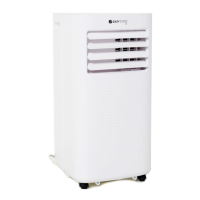

 To Next Page
