EasyManua.ls Logo

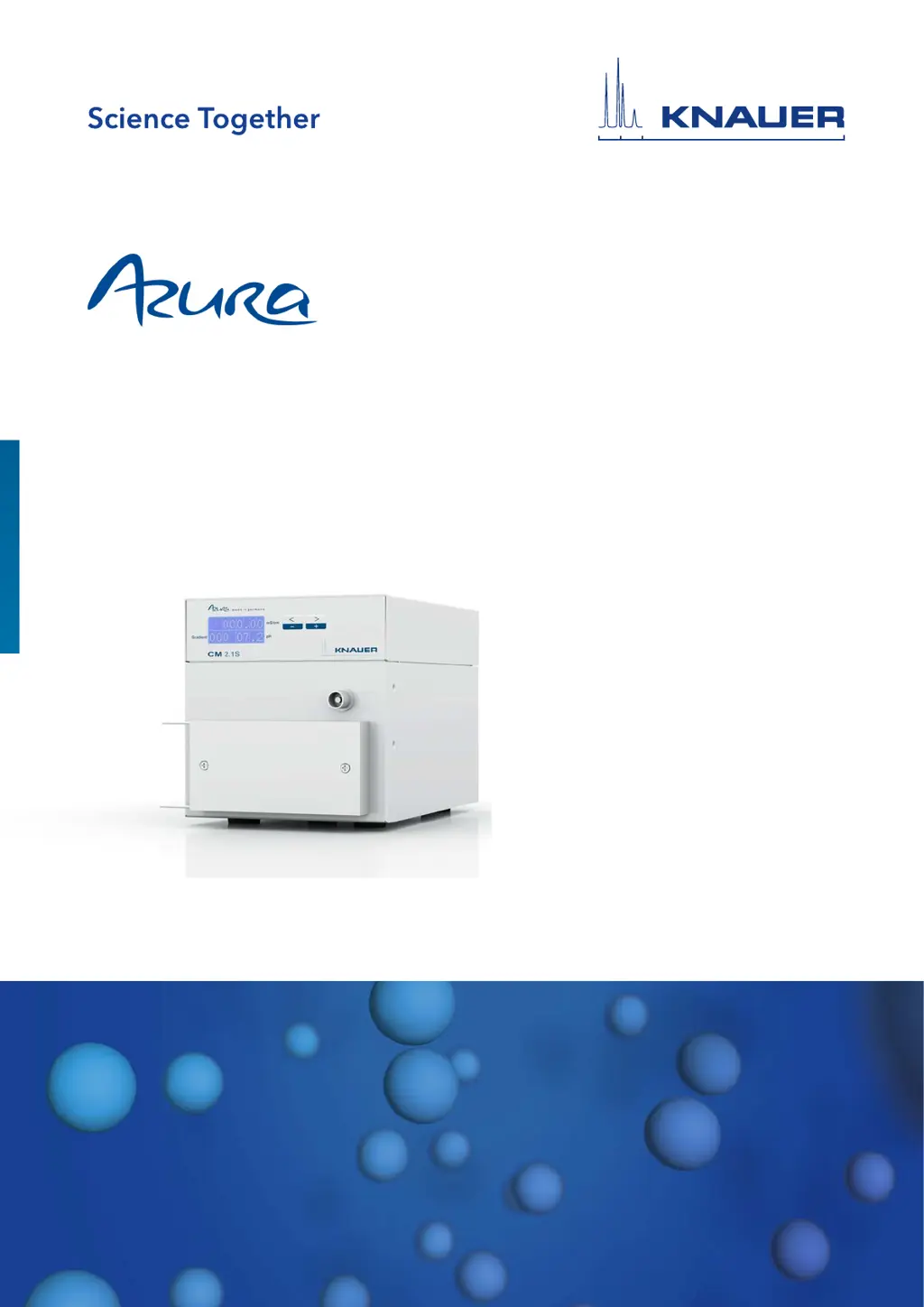
Knauer Azura CM 2.1S - User Manual

Knauer Azura CM 2.1S
49 pages
Print Icon
To Next Page IconTo Next Page
Loading...
Conductivity Monitor CM 2.1S
Instructions
Document No. V6710
HPLCHPLC

Table of Contents

Questions and Answers

  • E
    Eric DayAug 1, 2025
    Why are the conductivity values inaccurate in my Knauer Azura CM 2.1S Laboratory Equipment?
    • A
      Amy PhillipsAug 2, 2025
      Inaccurate conductivity values in Knauer Laboratory Equipment can occur due to several reasons. If you are working far above 100 mS/cm, conduct an adjustment with standards at higher conductivity values. If the instrument is polluted, flush the device. If the room temperature has changed, carry out a temperature correction.
  • P
    Paula AlvaradoAug 5, 2025
    What to do if there's leakage around the fittings in my Knauer Azura CM 2.1S?
    • Y
      Yolanda GillAug 6, 2025
      If you notice leakage around the fittings of your Knauer Laboratory Equipment, try tightening the fitting first. If the leakage persists, replace the fitting.
  • G
    gibsondavidAug 10, 2025
    What to do if the system pressure is increased in Knauer Azura CM 2.1S?
    • S
      Stephanie OlsonAug 10, 2025
      If the system pressure is increased in your Knauer Laboratory Equipment, flush the device.
  • C
    Christopher MoodyAug 14, 2025
    How to fix leakage around the pH probe in Knauer Laboratory Equipment?
    • M
      Michael YoungAug 14, 2025
      If you observe leakage around the pH probe of your Knauer Laboratory Equipment, start by tightening the pH electrode nut. If the leakage continues, replace the o-rings.
  • T
    tiffanysnowAug 18, 2025
    What to do if the desired conductivity measuring value is not reached in Knauer Azura CM 2.1S Laboratory Equipment?
    • J
      Julie WelchAug 18, 2025
      If the desired conductivity measuring value is not reached in your Knauer Laboratory Equipment, flush the device.
  • E
    Elizabeth HoffmanAug 23, 2025
    What to do if the capillaries of the flow cell are blocked in Knauer Azura CM 2.1S Laboratory Equipment?
    • D
      dominique89Aug 23, 2025
      If the capillaries of the flow cell are blocked in your Knauer Laboratory Equipment, flush the CM flow cell several times. If the issue persists, replace the CM flow cell.
  • P
    Paul RowlandAug 27, 2025
    How to resolve noisy or unstable readings in Knauer Azura CM 2.1S?
    • A
      Andrew BarryAug 27, 2025
      If you are experiencing noisy or unstable readings with your Knauer Laboratory Equipment, remove any air bubbles on the membrane of the pH flow cell, if necessary.

Summary

General Information

About These Instructions

Information about the document's purpose and usage.

Legal Information

Covers liability, transport, warranty, and conformity.

Basic Safety Instructions

Intended Use

Defines the device's intended applications and limitations.

User Qualification

Outlines the necessary knowledge and training for users.

Product Information

Features

Describes the conductivity monitor's non-contacting design and maintenance-free operation.

Device Views

Illustrates the front view of the device with labeled components.

Symbols and Signs

Explains device labels for electrostatic discharge and high voltage hazards.

Scope of Delivery

Lists the items included in the product package.

Eluents;Buffers

Lists compatible eluents and buffers for the flow cell and pH electrode.

Installation

Setup

General guidelines for device installation and location requirements.

Unpacking

Step-by-step process for safely removing the device from its packaging.

Integration into the FPLC;HPLC System

Instructions for connecting the monitor within an FPLC/HPLC system.

Attaching CM Flow Cell to Conductivity Monitor

Describes how to physically connect the CM flow cell to the monitor.

pH Monitor (Optional)

Information on installing and using the optional pH monitor.

Assembling pH Monitor and Attaching to Conductivity Monitor

Step-by-step guide for assembling and connecting the pH monitor.

Connecting pH Monitor to Capillaries

Details how to connect the pH monitor's capillaries in the system.

Connecting the Device to the Computer via LAN

Guide for establishing a LAN connection between the device and a computer.

Configuring the LAN Settings

Steps to configure network settings for LAN connectivity.

Connecting Devices with LAN

How to connect multiple devices within a LAN setup.

Configuring the Router

Instructions for setting up the network router.

Integrating LAN into Company Network

Process for incorporating the device's LAN into a larger company network.

Controlling Multiple Systems in LAN

Managing multiple systems on the same LAN by using different ports.

Analog Output

Explains the device's analog output signals for conductivity and pH.

Setting IP Addresses via Software

Instructions for setting IP addresses using the device's software.

Setting Static IP Address via Firmware Wizard

How to assign a fixed IP address using the Firmware Wizard.

Setting Dynamic IP Address via Firmware Wizard

How to assign a dynamic IP address using the Firmware Wizard.

Device Power Connection

Details the universal power supply and its connection.

Operation

Initial Device Start-up

Checks required before the initial start-up of the monitor.

Powering On the Device

Procedure for powering on the device.

Device Operating Elements

Describes the display and keypad functions of the device.

Menu Items and Factory Settings

Explains adjustable settings like OFFSET, TEMP-COR, and calibration factors.

Selecting PC Interface

How to select the interface for PC connection (LAN or RS-232).

Checking Device Operating Hours

How to view the device's operating hours via the GLP menu.

Temperature Compensation Settings

Explains how to activate and set temperature compensation for accurate measurements.

Adjusting Calibration Function

How to adjust calibration points for higher accuracy in specific ranges.

Specifying Offset Value

How to correct consistent measurement offsets using the OFFSET menu.

Calibrating the pH Electrode

Step-by-step guide for initial calibration of the pH electrode.

Switching Off the Device

Instructions for safely switching off and storing the device.

Functionality Tests

Installation Qualification (IQ)

Describes the free installation qualification service offered by KNAUER.

Operation Qualification (OQ)

Describes the free operation qualification service offered by KNAUER.

Functionality Test Intervals

Guidance on how often device testing should be performed.

Troubleshooting

Troubleshooting LAN Connectivity

Troubleshooting steps for establishing or resolving LAN connectivity issues.

Problem and Solution Guide

Lists common problems and their corresponding solutions for conductivity and pH readings.

Maintenance and Care

Cleaning the Device Exterior

Instructions for cleaning the exterior surfaces of the device.

Flushing and Cleaning CM Flow Cell

Procedures for flushing and cleaning the CM flow cell to prevent contamination.

Replacing the CM Flow Cell

Step-by-step guide for replacing the CM flow cell.

Flushing and Cleaning pH Monitor

Procedures for flushing and cleaning the pH monitor.

Cleaning the pH Electrode

Methods for cleaning the pH electrode to ensure accurate readings.

Cleaning the pH Flow Cell

Guidelines for cleaning the pH flow cell.

Replacing the pH Electrode

Procedure for replacing the pH electrode.

Transportation and Storage

Preparing Wetted Components

Steps for preparing wetted parts before transport or storage.

Disassembling the Device

Steps to disassemble the device and its components.

Disconnecting Power Supply

Instructions for safely disconnecting the device's power supply.

Removing CM Flow Cell

Procedure for removing the CM flow cell for transport or storage.

Disassembling the pH Monitor

Steps to disassemble and disconnect the pH monitor.

Storing the Device

Guidelines for storing the device and its components.

Storage: Monitor and CM Flow Cell

Ambient conditions for storing the monitor and flow cell.

Storage: pH Monitor

Instructions for storing the pH monitor and electrode.

Disposal

Disposing of Solvents and Materials

Guidelines for proper disposal of solvents and used materials.

Technical Data

Main Device Features

Overview of the device's primary technical specifications and capabilities.

Flow Cell Specifications

Technical specifications related to the flow cell, including connections and materials.

Permitted Ambient Conditions

Specifies the environmental conditions suitable for device operation.

Chemical Compatibility of Wetted Materials

General Chemical Compatibility

General information on chemical resistance and material durability.

Chemical Compatibility: Plastics

Details the chemical compatibility of plastic materials used in the device.

Chemical Compatibility: Non-metals

Information on the chemical compatibility of various non-metallic materials.

Chemical Compatibility: Metals

Details the chemical compatibility of metallic materials used in the device.

Repeat Orders

Device and Accessory Orders

Lists KNAUER devices and accessories with their order numbers for reordering.

Flow Cell Order Information

Lists specific flow cell models and their order numbers.

Knauer Azura CM 2.1S Specifications

General IconGeneral
Temperature measurementYes
Gradient CapabilityYes, binary gradient
DisplayIntegrated touch display
Number of measuring channels1
Cell volume2 μL
Digital communicationEthernet, USB
Analog output2 channels (0-1 V)
Power supply100-240 V AC, 50/60 Hz
Pump TypePiston pump
Gradient MixingNot applicable
Sample Loop VolumeNot applicable
Injection VolumeNot applicable
Data InterfaceEthernet
Software CompatibilityClarityChrom

Related product manuals