KneeRover
®
GO
Set Up Instructions:
Please follow the step by step instructions on the following pages to
properly assemble your KneeRover
®
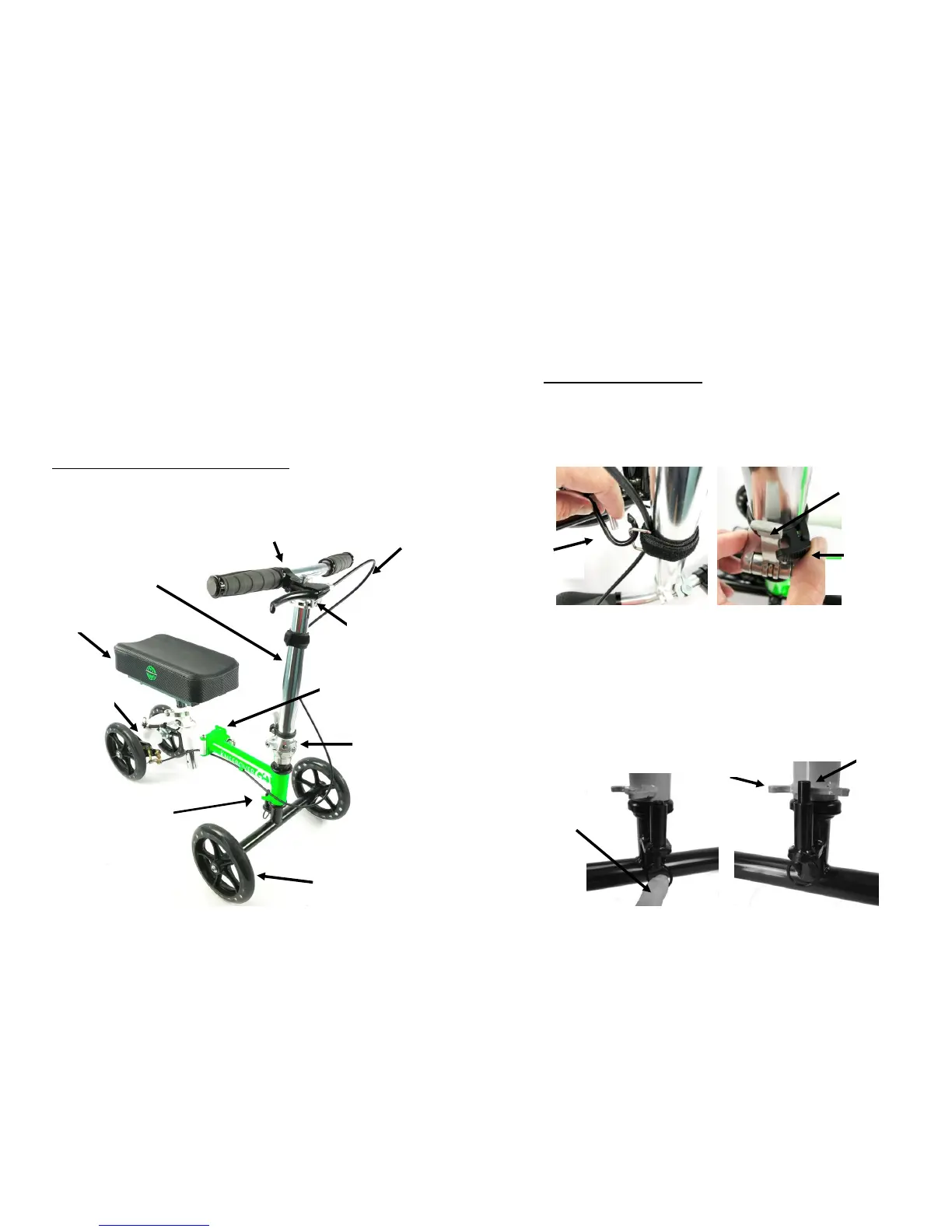
scooter. The diagram below
identifies the key components of the scooter to aid with assembly.
Visit kneerover.com for assembly videos.
Setup Instructions:
Step 1: Install Steering Column
Please carefully complete all steps before operating your new
KneeRover
®
scooter. Remove all packing materials and then unhook the
Transport Bungee hook from steering column (shown in left photo
below). Next, raise the steering column until it is vertical, and lift the
hinge lever completely so it is also vertical. Then slide the black latch to
the LEFT to secure the hinge lever in place (see right photo below).
Step 2: Rotate Front Wheels & Set Guide Pin
Pull down the guide pin ring (as shown below left), and turn the
handlebars counterclockwise so that the front wheels and brake handle
are facing forward. Release the guide pin so it sits between the guide
stops (see photo on right). Be sure that the brake cable is not twisted.
The front of the scooter should look similar to the picture on the previous
page.



 To Next Page
 Loading...