6
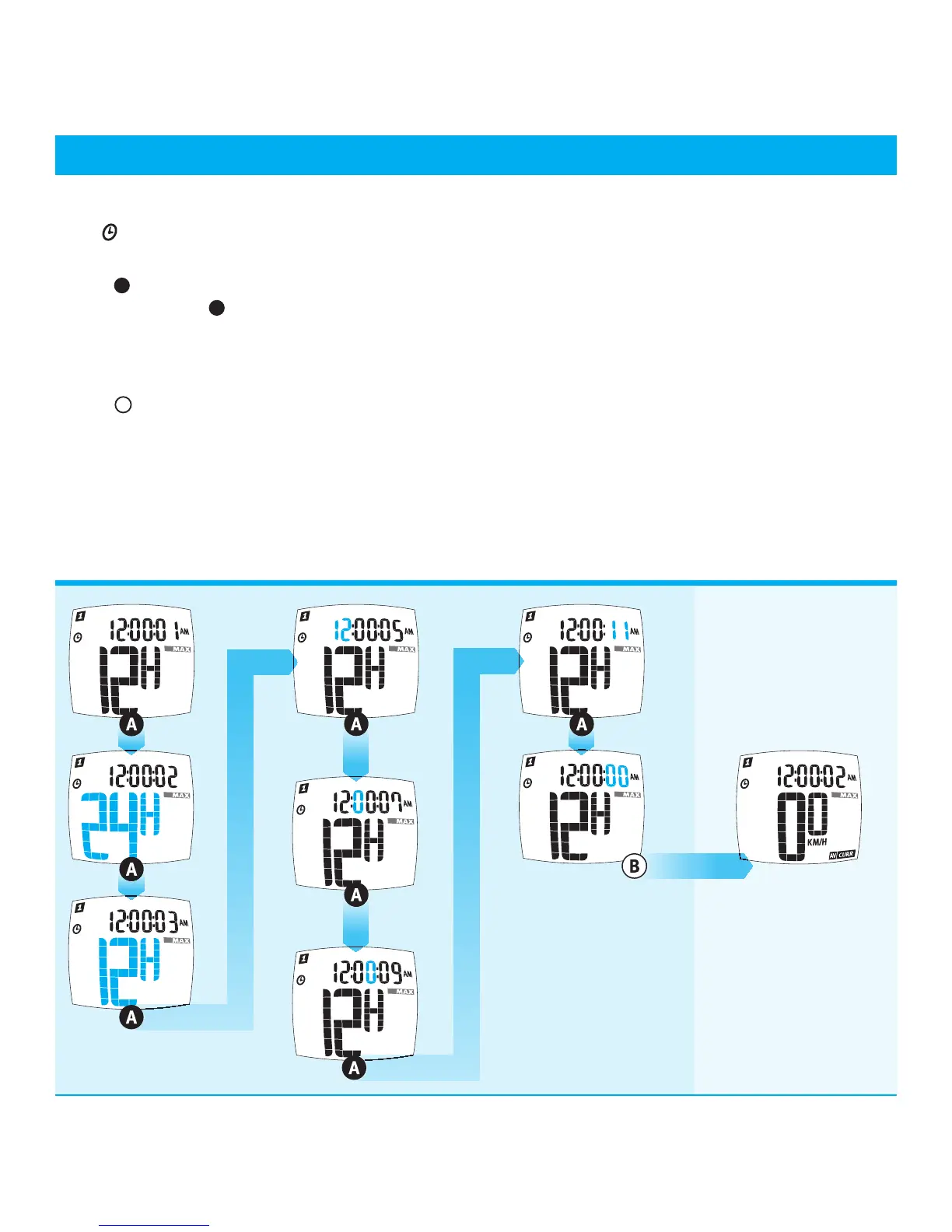
CLOCK SETTING (Fig 1.6)
1. The
symbol displays when setting the clock.
2. Select 12 hour AM/PM or 24 hour clock mode.
Press
A
to toggle between 12 hour AM/PM or 24 hour
format. Hold down
A
for 2 seconds to advance to the
time setting screen.
3. Adjust the clock data according to the Data Setting
Process. (Fig 1.1)
4. Press
B
to save the modified data and exit the clock
setting mode.
MAIN UNIT SETUP (cont.)
Fig 1.6
CLOCK SETTING PROCESS
2 seconds
2 seconds
2 seconds
2 seconds
2 seconds
* = N.E.R.D Wireless 12 Function Cycle Computer only


 To Next Page