11
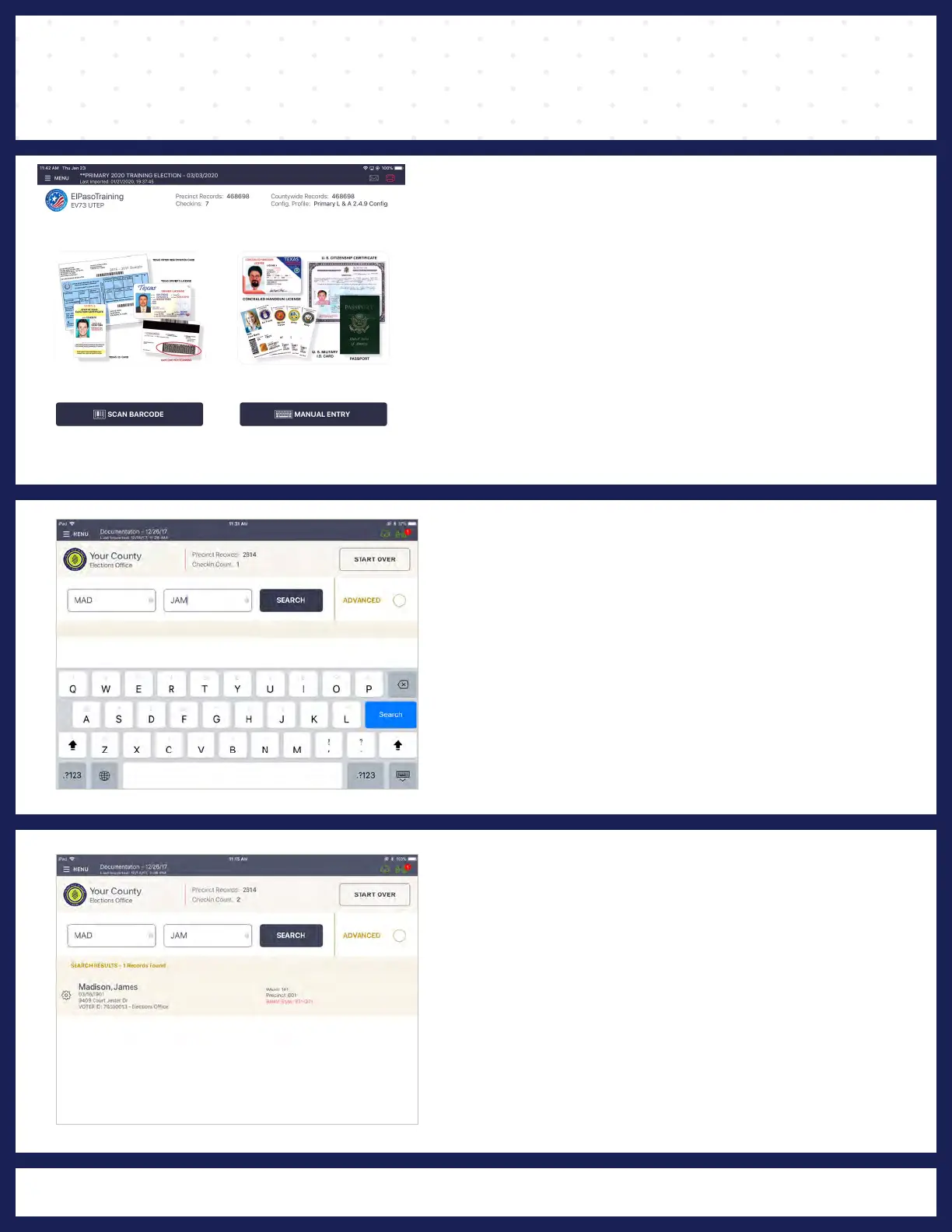
PROCESSING VOTERS | SEARCH BY MANUAL ENTRY
❶WHY SEARCH BY NAME?
Since not every voter has a proper form of
ID, which can be scanned, you may have to
locate the voter using his/her first and last
name.
❷ ENTER VOTER'S NAME
Using you stylus on the on-screen keyboard,
enter the first three (3)
and first name, and then
letters of the voter's last
press SEARCH.
❸ SELECT VOTER'S RECORD
Records matching the search criteria display on
screen. Locate the voter's record and verify it
does not contain any exceptions, then select the
voter by touching his/her record using your stylus.
andNOTE: Search results show both in-precinct out of
precinct voters. Out of precinct voters display in gray with
an indicator that reads, "Wrong Precinct."



 To Next Page