13
PROCESSING VOTERS | SEARCH BY MANUAL ENTRY
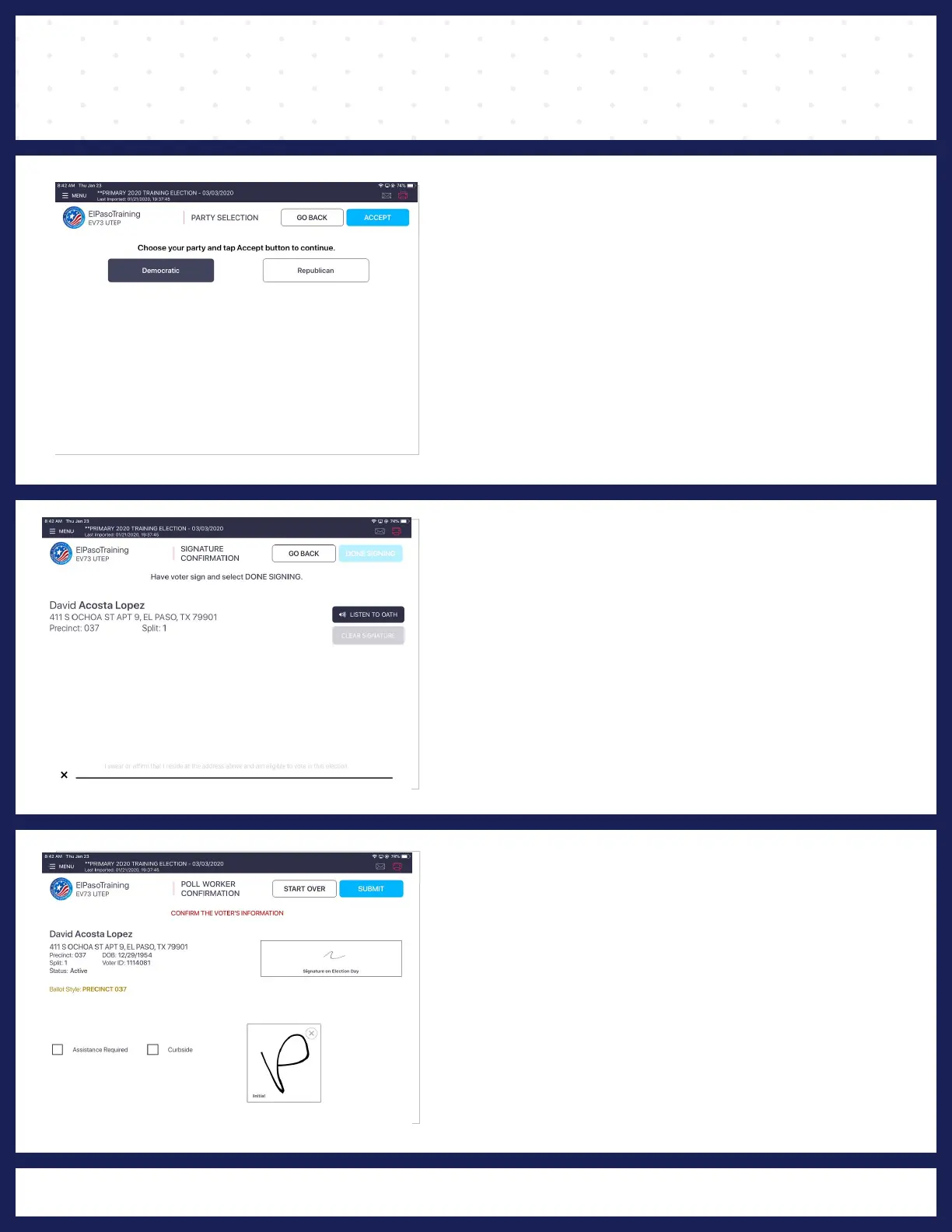
7 PARTY SELECTION
"PARTY SELECTION" screen displays and asks
the voter to choose their party. Once chosen,
press ACCEPT.
8
SIGNATURE CONFIRMATION
The "SIGNATURE CONFIRMATION" screen
displays and asks the voter to sign their name.
Rotate screen to caputre voter's signature, once
complete, rotate back and press DONE SIGNING.
9 POLL WORKER CONFIRMATION
The "POLL WORKER CONFIRMATION" screen
will display. Poll Worker will verify and confirm all
information is correct. If all information is correct,
Poll Worker will initial in the provided field and
press SUBMIT.



 To Next Page