15
PROCESSING VOTERS | SUSPENSE VOTER
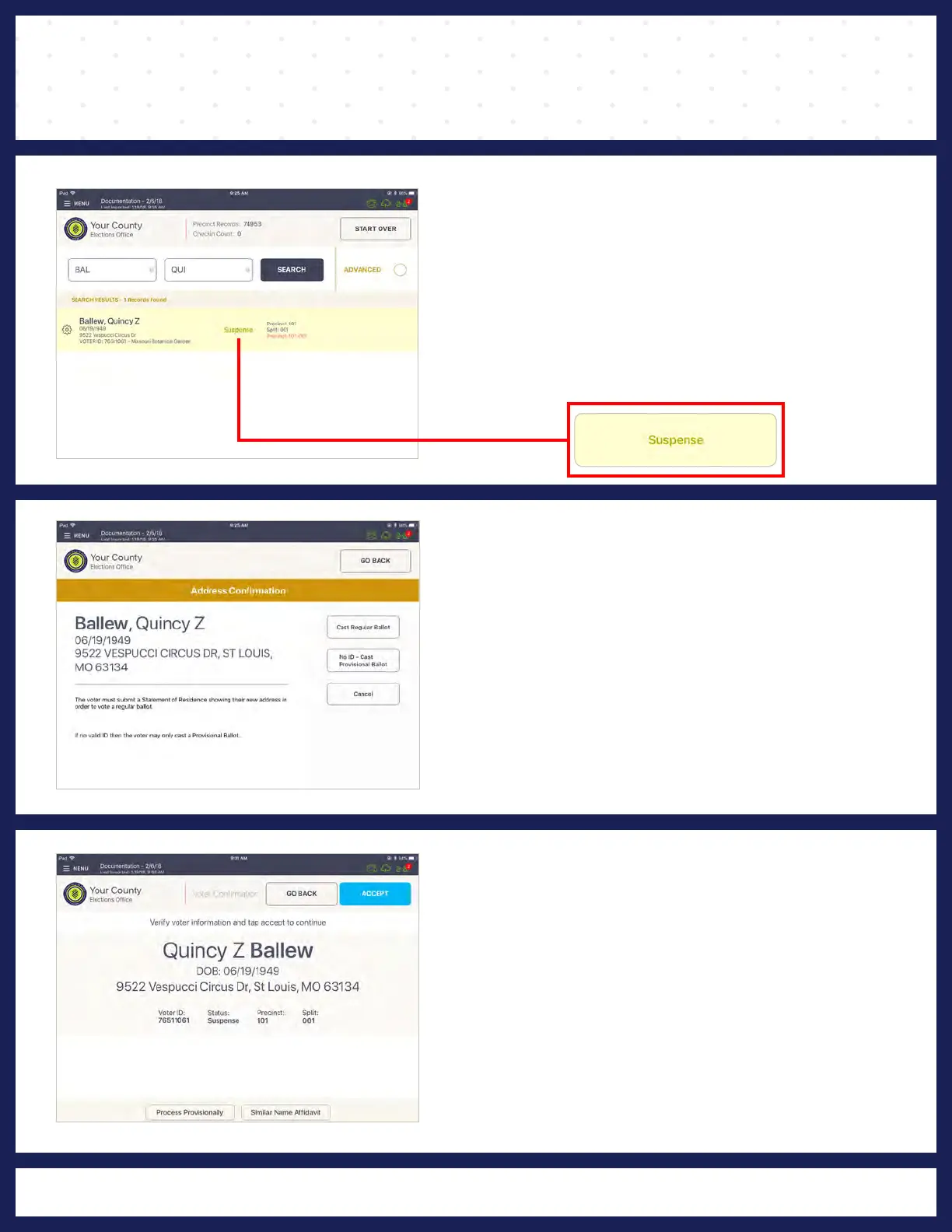
❷ FOLLOW PROMPT
A prompt will appear reading "ADDRESS
CONFIRMATION." Follow polling place protocol
for form of completion. Once form is completed,
and voter provides proper identification, press
CAST REGULAR BALLOT.
❸ VOTER CONFIRMATION
❶ LOOK UP VOTER
Look up the voter's record using either the Scan
Barcode or Manual Entry instructions. You will
notice the record contains a status, which reads,
"SUSPENSE." Press VOTER RECORD.
The "VOTER CONFIRMATION" screen displays
the voter's information. Verify voter information,
if all information is correct, press ACCEPT.



 To Next Page