16
PROCESSING VOTERS | SUSPENSE VOTER
❺POLL WORKER
CONFIRMATION
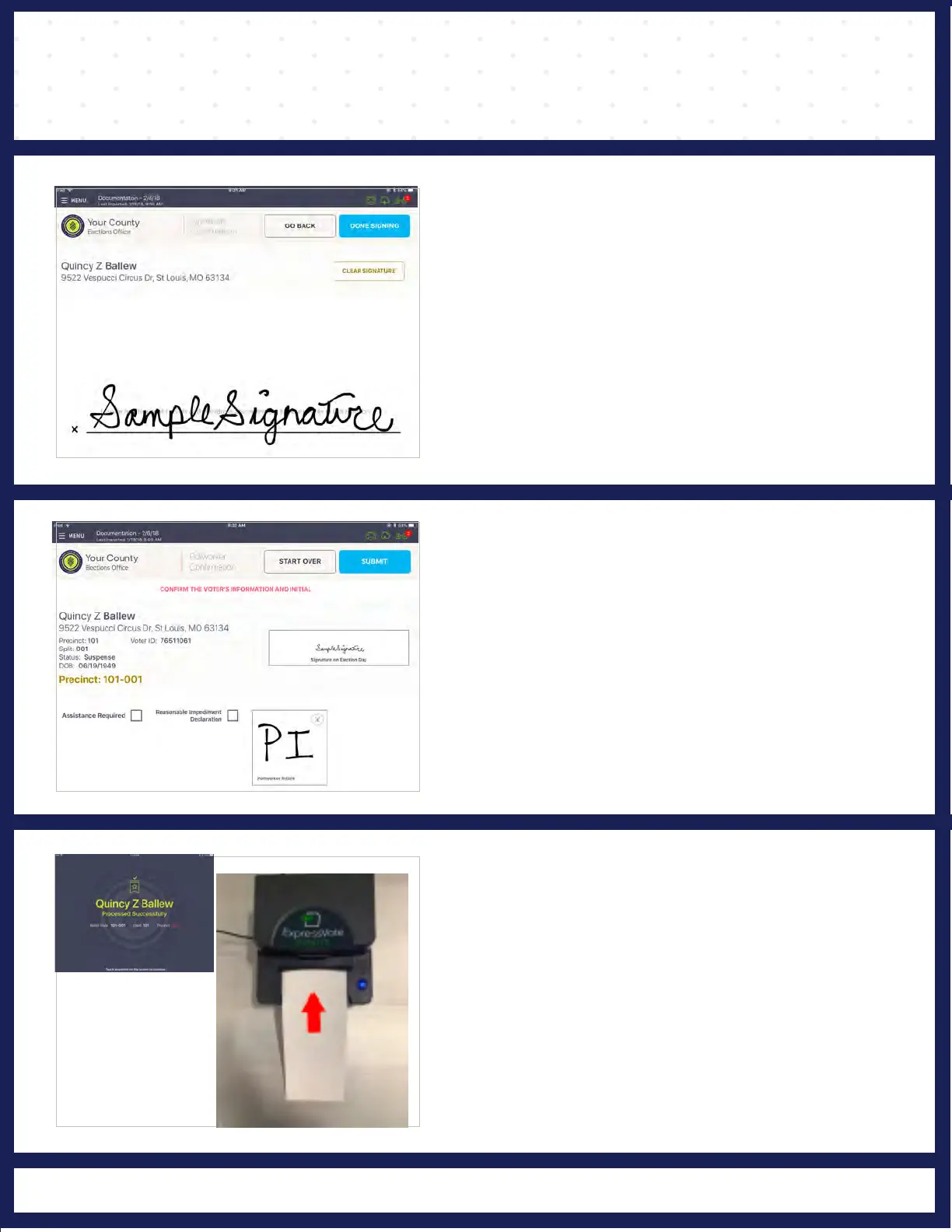
❹ VOTER SIGNATURE
6
PROCESSED VOTER
Good job! You successfully processed the voter.
Insert the activation card in the printer until it feeds
in automatically. The printer will print the ballot
style and barcode on the activation card.
The "VOTER SIGNATURE" screen displays and
asks for voter's signature. Rotate screen to
capture voter's signature. Once complete, rotate
back and press DONE SIGNING.
The "POLLWORKER CONFIRMATION" screen
displays. Poll Worker verifies and confirms that
all information is correct, and initials on the
provided field.
Then press SUBMIT on the top right.
Follow polling place protocol to direct voter to the
EXPRESSVOTE machine of his/her choice.



 To Next Page