20
PROCESSING VOTERS | PROVISIONAL VOTER
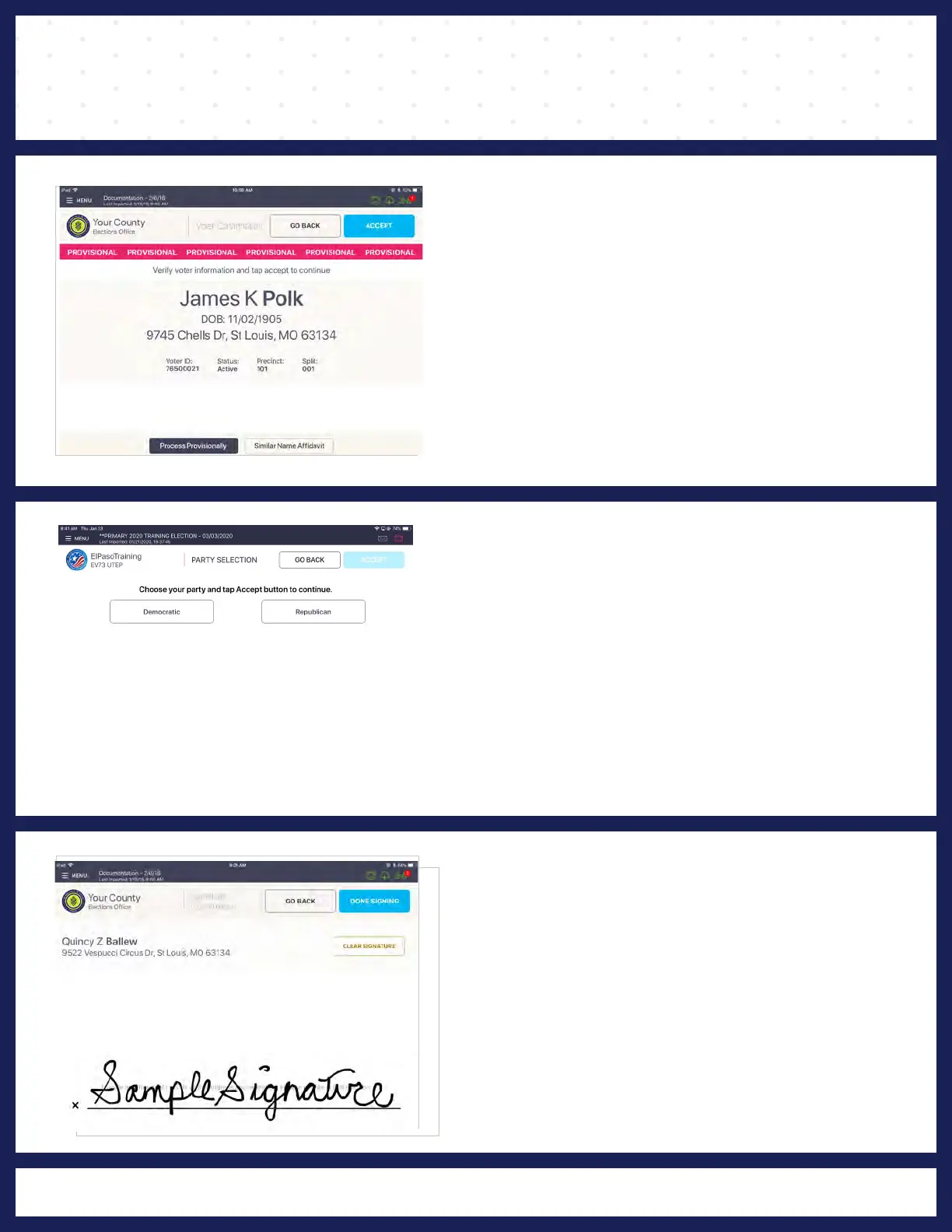
4 VOTER CONFIRMATION
"VOTER CONFIRMATION" screen displays.
Poll Worker confirms the information on screen. If
the voter record is correct, press ACCEPT to
continue voter check-in.
5 PARTY SELECTION
"PARTY SELECTION" screen displays and asks
the voter to choose their party. Once chosen,
press ACCEPT.
6
VOTER SIGNATURE
The "VOTER SIGNATURE" screen displays and
asks for voter's signature. Rotate screen to
capture voter's signature. Once complete, rotate
back and press DONE SIGNING.



 To Next Page