22
PROCESSING VOTERS | CURBSIDE VOTER
❶ LOOK UP VOTER
Scan
screen displays and
Lookup the voter's record using either
Barcode or Manual Entry instructions.
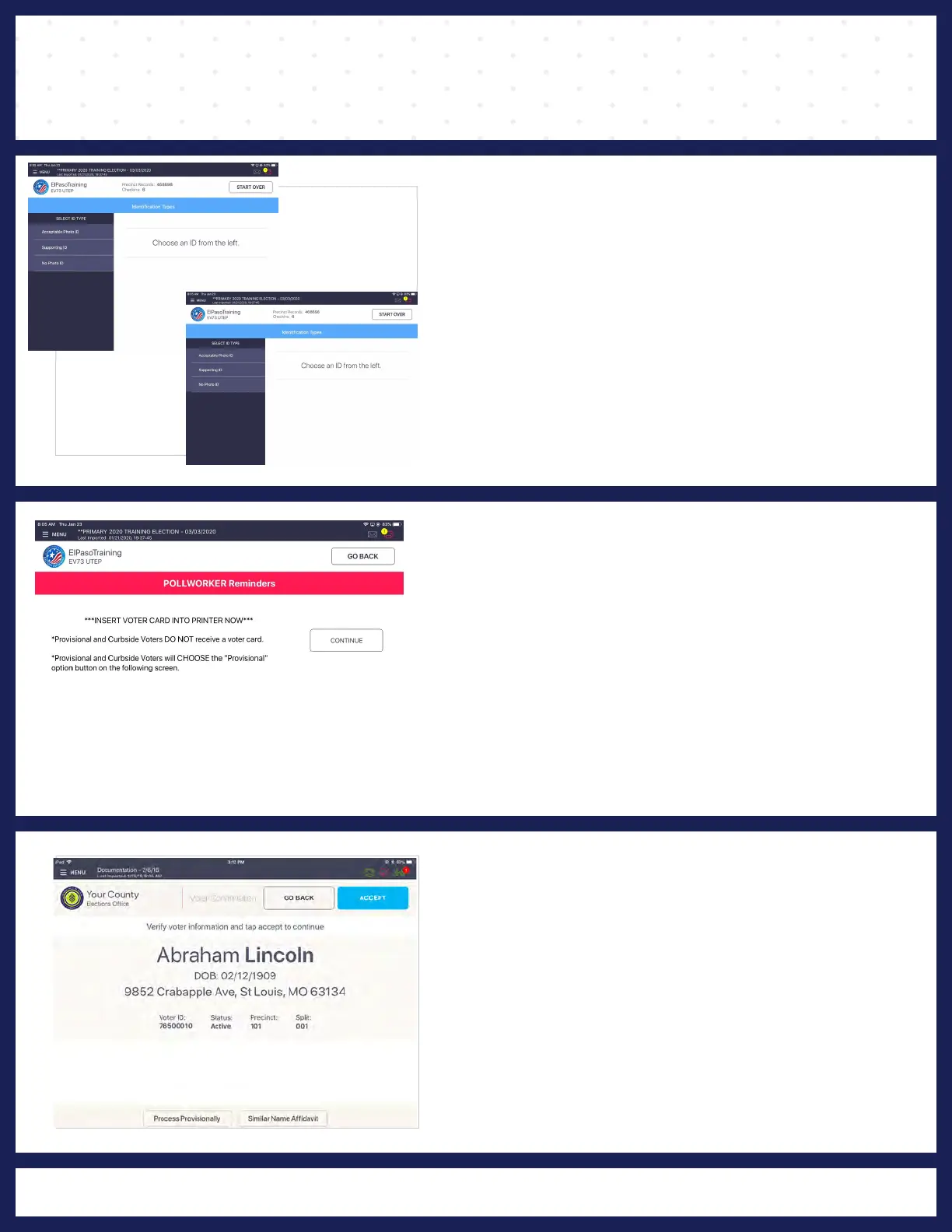
"IDENTIFICATION TYPES"
click on "PROCESS VOTER."
2 POLL WORKER REMINDER
"POLL WORKER REMINDER" screen displays
and instructs Poll Worker to insert activation card
into the printer, but instead Poll Worker will press
"CONTINUE" button.
Note: A
PROVISIONAL and CURBSIDE voter
DOES NOT receive a activation card.
3 VOTER CONFIRMATION
"VOTER CONFIRMATION" screen displays.
Poll Worker confirms the information on screen. If
the voter record is correct, press "PROVISIONAL."



 To Next Page