23
PROCESSING VOTERS | CURBSIDE VOTER
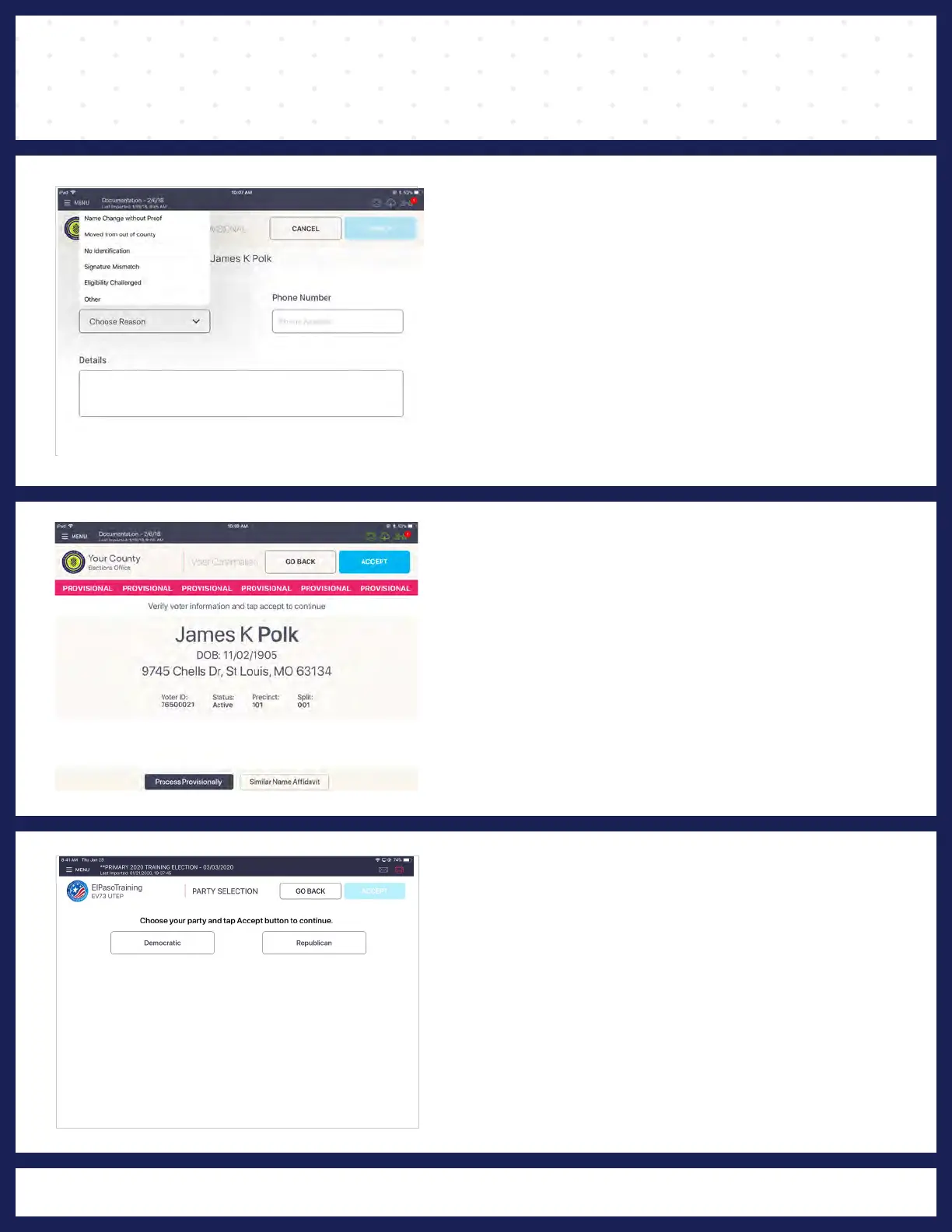
4 PROCESS PROVISIONALLY
Select reason "CURBSIDE
VOTER" from drop-
down menu and if available enter voter's phone
number. Phone number is NOT a required field.
When finished, press APPLY.
5 VOTER CONFIRMATION
"VOTER CONFIRMATION" screen displays.
Poll Worker confirms the information on screen. If
the voter record is correct, press
ACCEPT to
continue voter check-in.
Note: PROVISIONAL button is highlighted.
6 PARTY SELECTION
"PARTY SELECTION" screen displays and asks
the voter to choose their party. Once chosen,
press ACCEPT.



 To Next Page