24
PROCESSING VOTERS | CURBSIDE VOTER
7
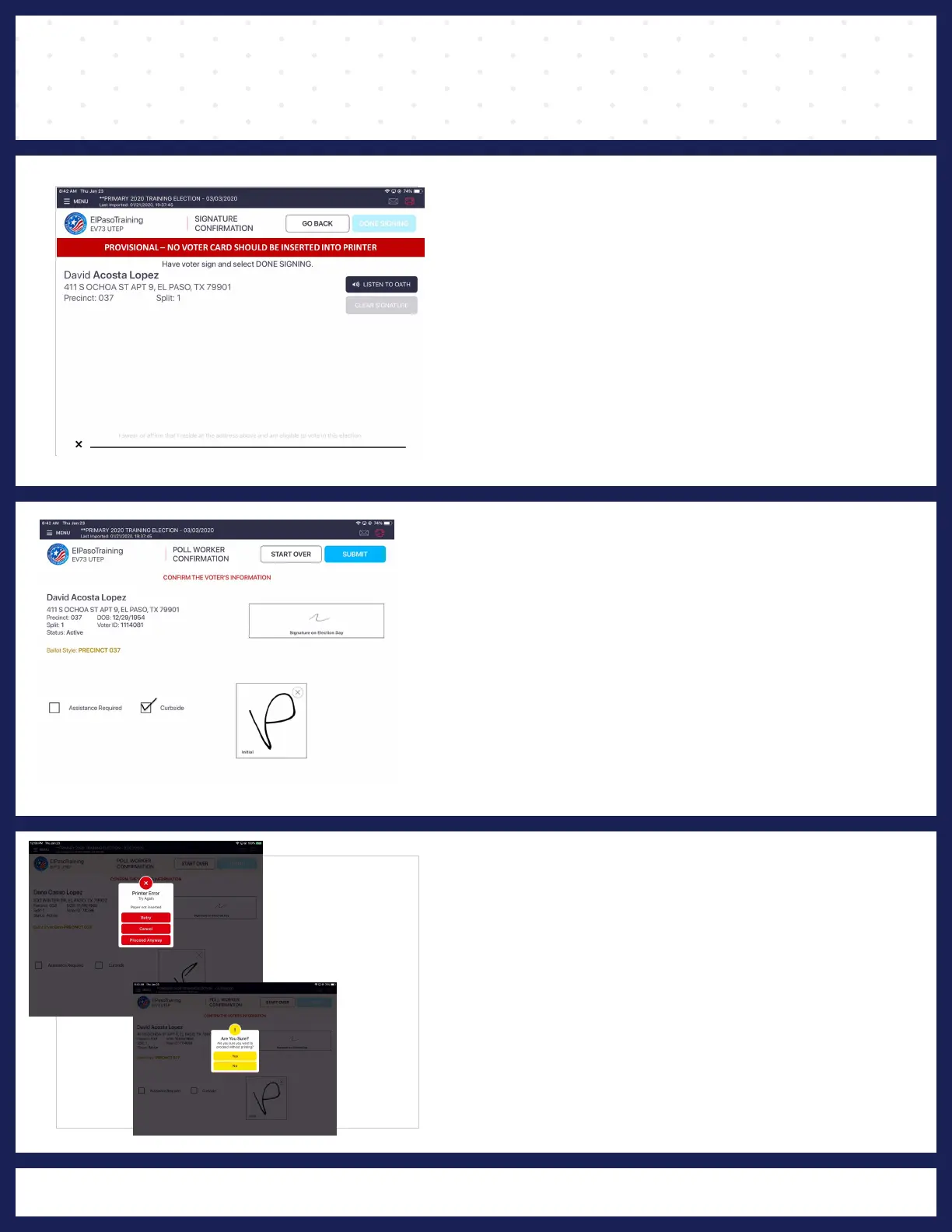
VOTER SIGNATURE
The "VOTER SIGNATURE" screen displays and
asks for voter's signature. Rotate screen to
capture voter's signature. Once complete, rotate
back and press DONE SIGNING.
8 POLL WORKER CONFIRMATION
CONFIRMATION" screen The "POLL WORKER
displays. Make sure everything is correct, select
the "CURBSIDE BOX" and "INITIAL" on the field
provided, then click "SUBMIT."
9
ARE YOU SURE?
"PRINTER ERROR" screen displays, it's just informing
there is no paper inserted in printer, and you will click you
on "PROCEED ANYWAY."
8
"ARE YOU SURE?" screen displays and you will click on
"YES."



 To Next Page