EasyManua.ls Logo

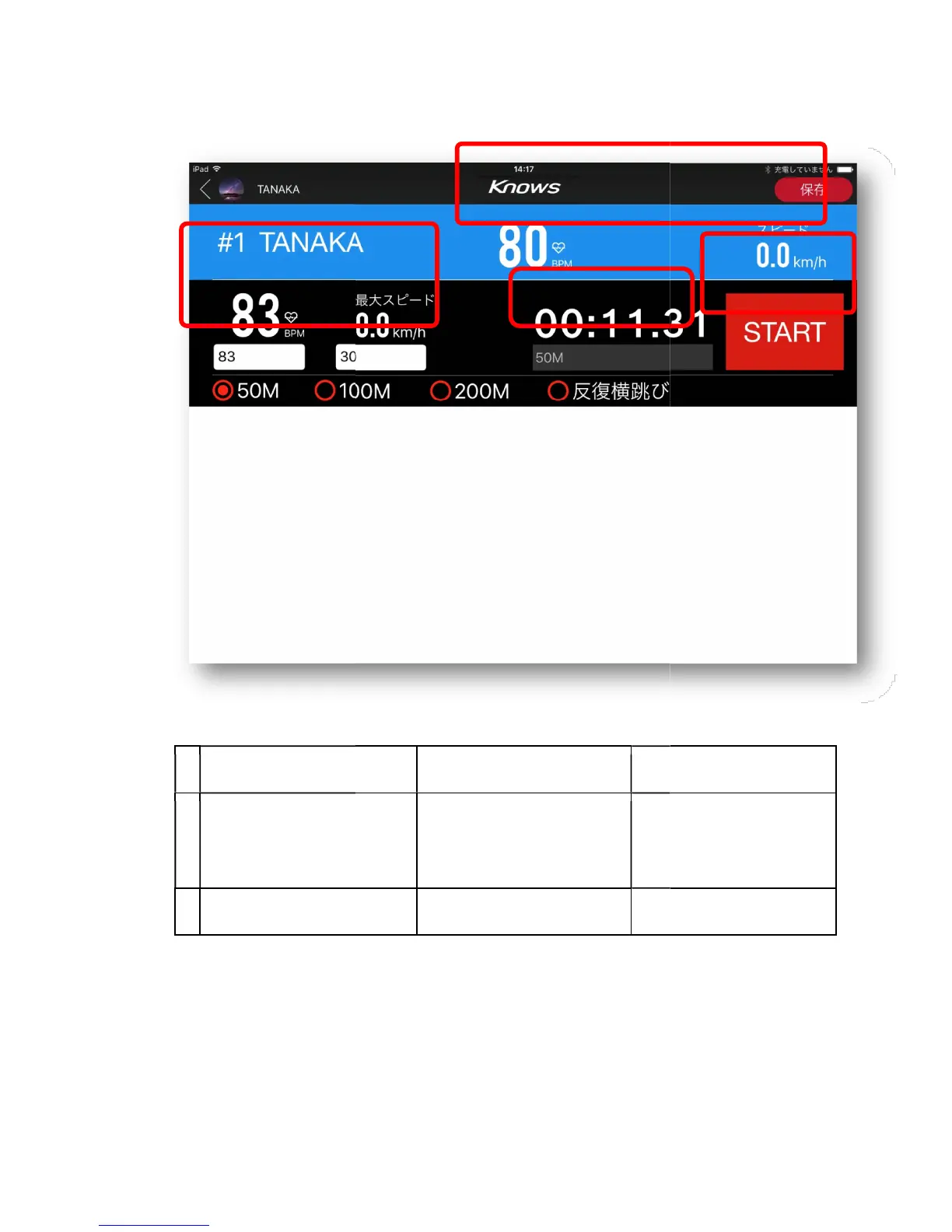
Knows KS-01 - Physical measurement mode (player individual setting screen)

Knows KS-01
65 pages
Print Icon
To Next Page IconTo Next Page
To Previous Page IconTo Previous Page
Loading...
Physical measurement mode (player individual setting screen)
explanation
A
Please select the
measurement item of the
player
B
start
Select the start and the coach will choose "stop" when finishing the distance specified
by the athlete.
D
Physical measurement mode (player individual setting screen)
Next screen
Error message
measurement item of the
“50M”“100M“200
Selection screen of
"Repetitive Landing Jump"
The timer is activated
Select the start and the coach will choose "stop" when finishing the distance specified
A
C
Error message
Select the start and the coach will choose "stop" when finishing the distance specified
B