When installing the device in dedicated smartware, training sports and playing
matches, you can check various information such as heart rate and speed of th
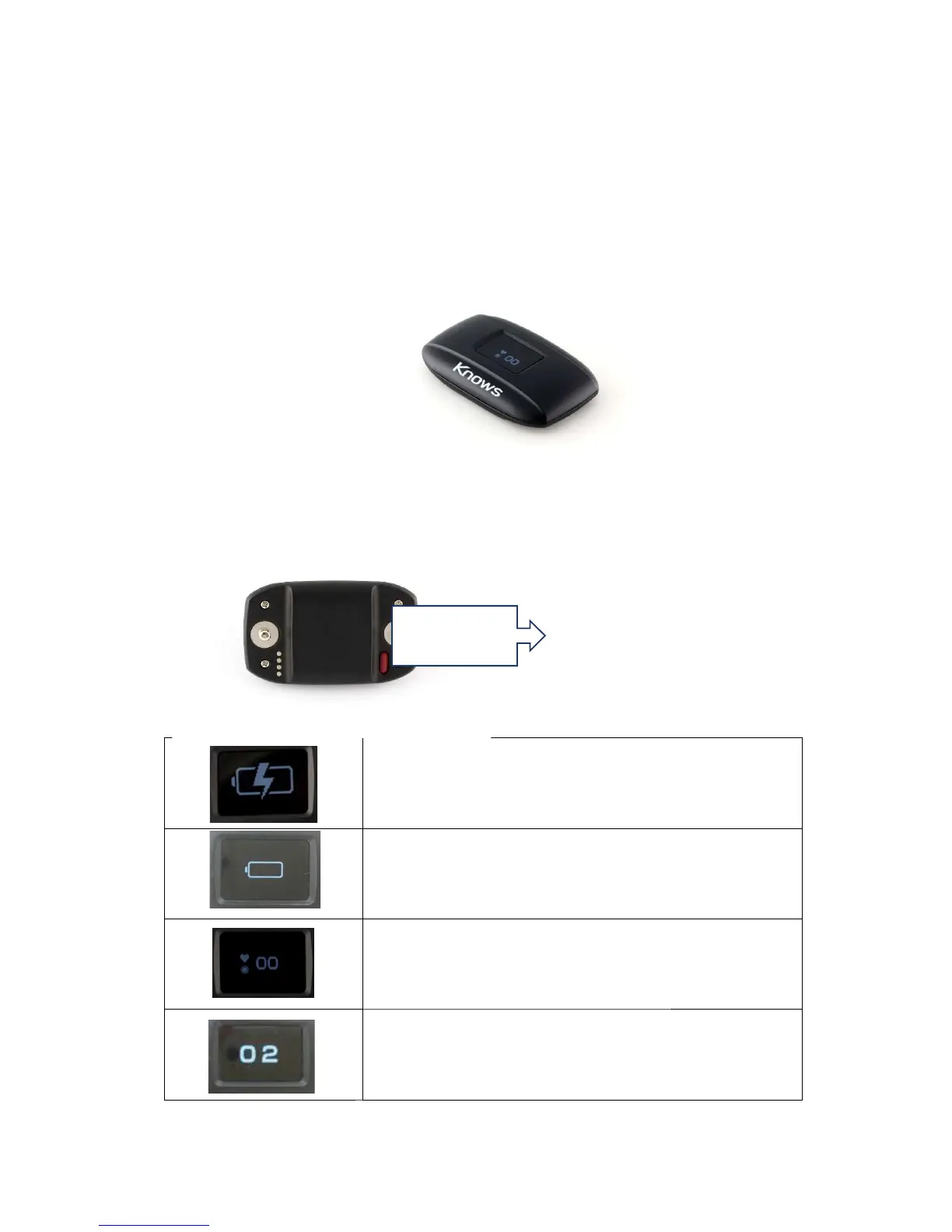
Device buttons and functions
There is a power button on the back of
When installing the device in dedicated smartware, training sports and playing
matches, you can check various information such as heart rate and speed of th
Device buttons and functions
There is a power button on the back of
the device
Charging Display
Battery level is below 10% Display
※
Device
will notify you by warning sound that the battery
level is too low, Please to charge it.
Normal State。
When the heart rate can be measured, the number is
Press the power button on the device once to display the
player's number.
Power button
When installing the device in dedicated smartware, training sports and playing
matches, you can check various information such as heart rate and speed of th
will notify you by warning sound that the battery
When the heart rate can be measured, the number is
Press the power button on the device once to display the


 To Next Page