Need help?
Do you have a question about the Kobo Wifi and is the answer not in the manual?
Initial setup and charging of the eReader.
Instructions on locating and accessing books within the eReader's library.
Guide to opening, navigating, and reading books on the device.
How to adjust font size for a more comfortable reading experience.
Guide to transferring books to your eReader via the desktop app.
How to purchase and download books directly from the eReader.
Steps to connect your eReader to a wireless network for internet access.
How to keep your library and reading progress updated across devices.
Basic troubleshooting steps to resolve common eReader issues.
Steps to restore the eReader to its original factory settings.
Minimum system specifications needed to run the Kobo Desktop Application.
Instructions for installing the Kobo Desktop Application on your computer.
Process for updating the Kobo Desktop Application and eReader firmware.
Details of the Apache Software Foundation License used in the software.
Information on the GNU General Public License (version 2) terms.
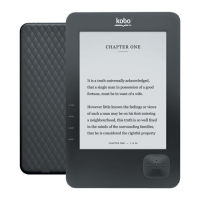
Identifies the specific model of the Kobo eReader.
 General
| Resolution | 800 x 600 |
|---|---|
| Connectivity | Wi-Fi 802.11 b/g |
| Storage Expandability | microSD card slot (up to 32 GB) |
| Weight | 221 grams |
| Display | 6-inch E Ink display |
| Dimensions | 120 x 10 mm |
| Supported Formats | EPUB, PDF, MOBI, TXT, HTML, RTF, CBZ, CBR, JPEG, GIF, PNG, BMP, TIFF |
| Storage | 1 GB (100 MB for system files) |


 To Next Page