EasyManua.ls Logo

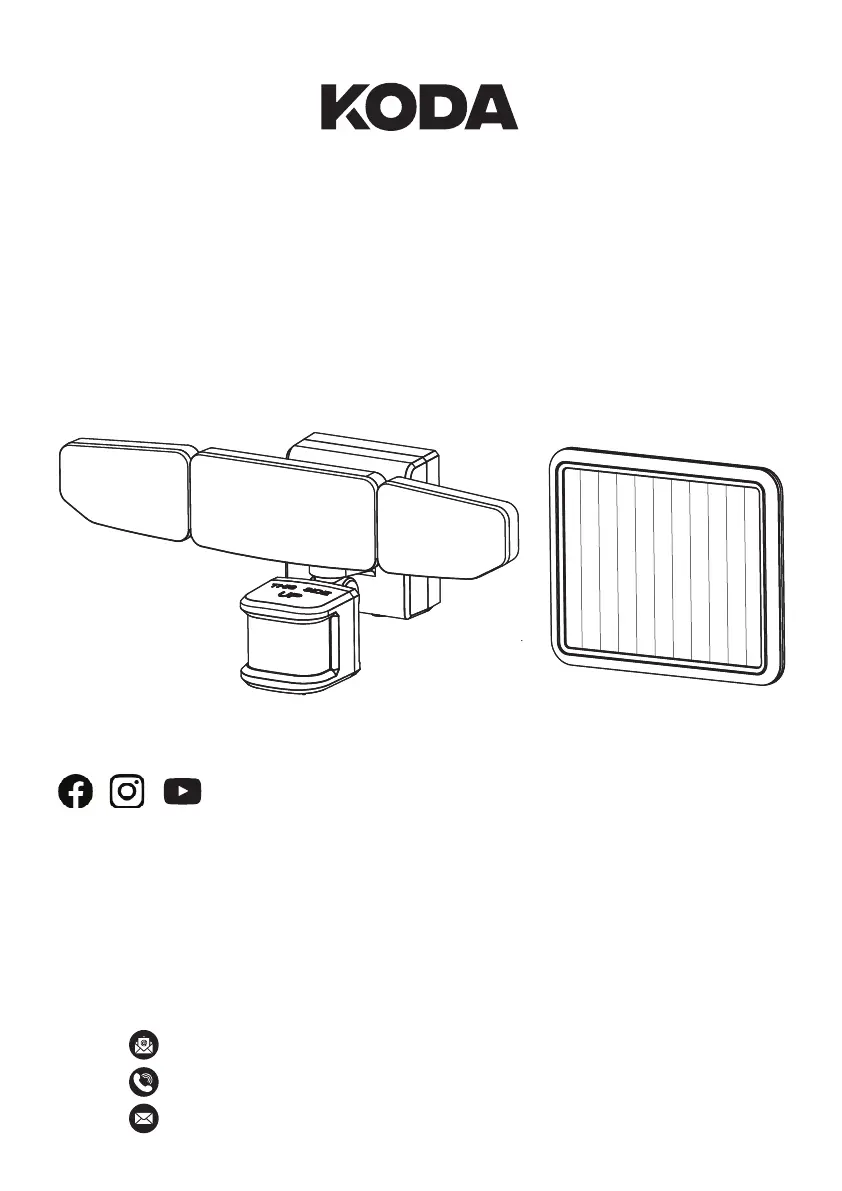
KODA 1718590 - User Manual

Default Icon
36 pages
Print Icon
To Next Page IconTo Next Page
Loading...
CARE & USE INSTRUCTIONS
ITM. / ART. 1718590
Model: LM030481
MOTION ACTIVATED
SOLAR LED FLOODLIGHT
TM / MC / MR
@KodaBuiltOfficial
IMPORTANT INFORMATION.
PLEASE READ CAREFULLY AND RETAIN
FOR FUTURE REFERENCE.
FOR OUTDOOR DOMESTIC USE ONLY, NOT FOR COMMERCIAL USE
For assistance with assembly, installation, parts or customer service,
please contact us:
info@kodabuilt.com
1-866-294-9244, Monday to Friday, 8am to 5pm Pacific Time
2975 Red Hill Ave., Suite 100, Costa Mesa, CA 92626, USA

Questions and Answers

  • B
    brian46Aug 8, 2025
    Why does my KODA 1718590 Flood Light come on for no apparent reason?
    • M
      Marissa RichardsonAug 8, 2025
      If your KODA Flood Light comes on for no apparent reason, it might be sensing small animals, rain, or automobile traffic. Try decreasing the 'Sensitivity' dial or repositioning the motion sensor to avoid these triggers.
  • J
    Jennifer LongAug 13, 2025
    What to do if my KODA Flood Light is charging but does not come on at night?
    • E
      Elizabeth LongAug 13, 2025
      If your KODA Flood Light is charging but doesn't come on at night, the motion sensor might be off. Ensure the light fixture's motion sensor is set to the ON (|) setting.
  • K
    kellyjohnsonAug 18, 2025
    Why is my KODA 1718590 Flood Light turning on during the day?
    • R
      Rebecca SandovalAug 18, 2025
      If your KODA Flood Light comes on during the day, the motion sensor control switch might be set to the TEST position. Slide the control switch to the OFF (O) or ON (|) position.
  • J
    Jonathan HaleAug 23, 2025
    Why won't my KODA 1718590 Flood Light come on?
    • B
      Brittany BauerAug 23, 2025
      There are several reasons why your KODA Flood Light might not come on: 1. The motion sensor control switch could be in the OFF (O) position. If so, toggle the control switch to the ON (|) position. 2. The rechargeable battery might be dead. Slide the control switch to the OFF position and allow the battery to charge in full sunshine for 3 to 7 days before testing. 3. The daylight turn-off (photocell) feature may be active. Recheck after dark. 4. The surrounding air temperature may be outside the operational range (greater than 40° C (104° F) or less than 0° C (32° F)). The light will operate normally within the specified temperature range. 5. The motion sensor might need to be reset. Rotate the motion sensor in different directions, then return it to the desired position.
  • M
    Michael JacksonAug 28, 2025
    What to do if my KODA Flood Light flashes ON and OFF repeatedly?
    • C
      Christopher PowellAug 28, 2025
      If your KODA Flood Light flashes ON and OFF repeatedly, it could be due to the following reasons: * The light fixture is in TEST mode. Set the light fixture motion sensor to the OFF (O) or ON (|) setting. * The motion sensor may be sensing shadows. Relocate the light fixture to an area away from shadows.
  • B
    Brandon BartonSep 2, 2025
    How to fix a KODA Flood Light that is not charging?
    • M
      morrisonbrandonSep 2, 2025
      If your KODA Flood Light fixture isn't charging, ensure the solar panel cord’s male connector is fully inserted into the light fixture’s female receptacle. There should be no gap.

Summary

Safety Instructions

Battery Replacement Instructions

Cleaning and Maintenance

Package Contents

Product Specifications

Installation Instructions

Pre-Installation Procedures

Prepare for installation by understanding solar panel charging and placement needs.

Installation Procedures

Test the Motion Sensor

Test the motion sensor before final installation to ensure functionality.

Mounting Locations

Optimal Mounting Height for Motion Sensor

Guidance on ideal sensor placement height and avoiding false triggers.

Operation

Adjusting the Detector

Learn how to set and aim the motion detector for optimal detection range.

Determining the Motion Sensor Detection Zone

Perform a walk test to establish and adjust the motion sensor's detection area.

Controls Instructions

Brightness

Adjust the dial to set the desired light brightness from maximum to minimum.

Timer

Set the duration the floodlight stays on after motion is detected (30-120 seconds).

Sensitivity Dial

Adjust the dial to increase or decrease the motion sensor's detection zone.

On;Off;Test Control

Operate the switch for OFF, TEST mode for calibration, or ON for normal use.

Battery Replacement

Troubleshooting

Warranty

KODA 1718590 Specifications

General IconGeneral
BrandKODA
Model1718590
CategoryFlood Light
LanguageEnglish

Related product manuals