EasyManua.ls Logo

KODA LM030022 - User Manual

KODA LM030022
16 pages
Print Icon
To Next Page IconTo Next Page
Loading...
CARE & USE INSTRUCTIONS
IMPORTANT, RETAIN FOR
FUTURE REFERENCE: READ CAREFULLY
For assistance with assembly, installation, parts and customer service, call us at 1-866-294-9244 (English),
Monday - Friday, 8am - 5pm Pacific Time, email us at info@kodabuilt.com
2975 Red Hill Ave., Ste. 100, Costa Mesa, CA 92626, USA
www.KodaBuilt.com
ITM. / ART. 1405190
Model: LM030022
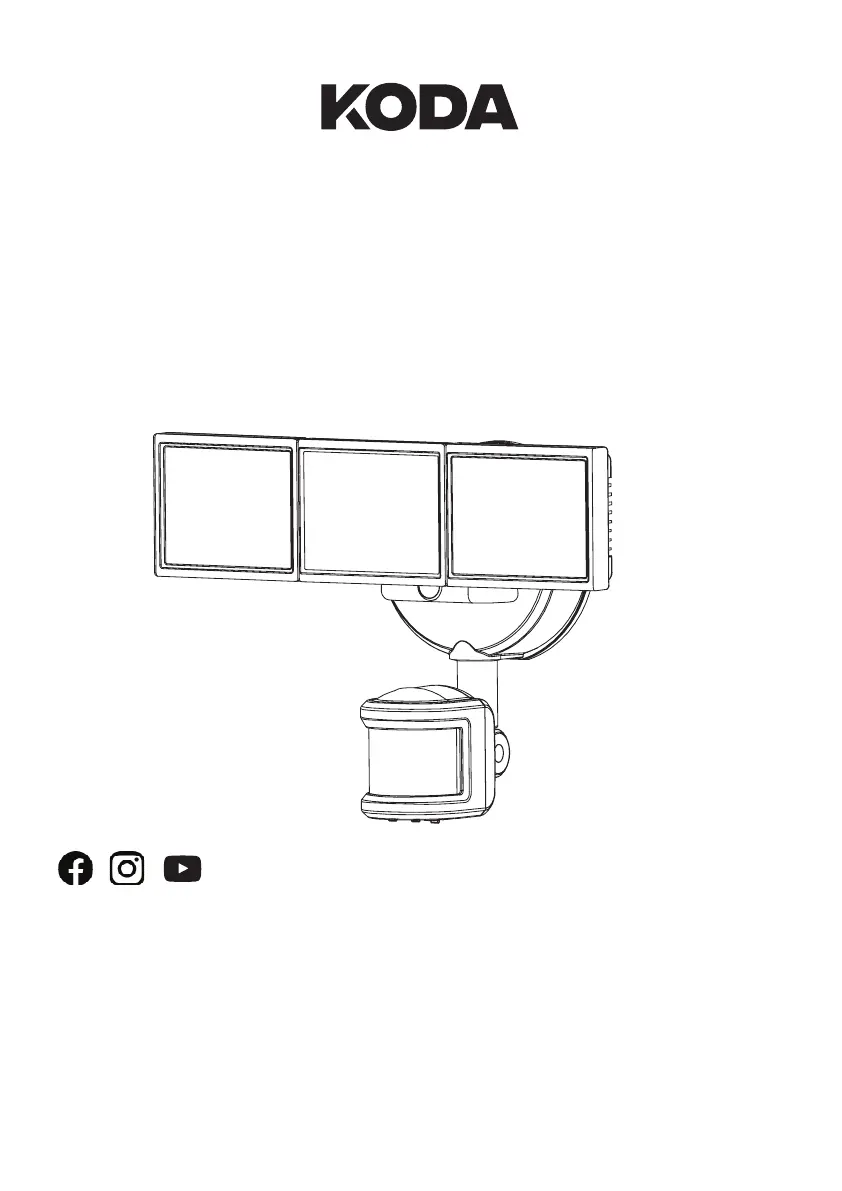
MOTION ACTIVATED
LED SECURITY FLOODLIGHT
LED UMBRELLA LIGHT
WITH SOLAR CHARGER
TM
@
KodaBuiltOfficial

Questions and Answers

  • J
    jennifer51Aug 6, 2025
    Why does my KODA Flood Light stay on all the time?
    • R
      Rodney RodriguezAug 6, 2025
      If your KODA Flood Light stays on continuously, consider these potential causes: 1. The bulb might be too close to the detector or pointed at objects that trigger it. Try repositioning the bulb. 2. The light fixture could be in Manual Override Mode. Switch it to Auto Mode. 3. The light fixture might be on the same circuit as a motor, transformer, or fluorescent bulb. Install it on a dedicated circuit. 4. Improperly color-coded home wires can cause issues. Check the wiring.
  • S
    sheilaholderAug 13, 2025
    Why does my KODA Flood Light turn on during the day?
    • K
      Kevin ThomasAug 14, 2025
      If your KODA Flood Light is activating during the day, here's what might be happening: * The detector might be in a dark location, which causes the light to operate normally under those conditions. * The Ambient Light Sensor (LUX) level setting could be incorrect. Adjust the Ambient Light Sensor (LUX) level setting to the correct position. * The light fixture might be on Manual Override Mode. Set the light fixture to Auto Mode.
  • N
    Nicholas BellAug 20, 2025
    Why does my KODA LM030022 Flood Light turn on for no apparent reason?
    • C
      Christine PatrickAug 20, 2025
      If your KODA Flood Light turns on unexpectedly, it could be due to: * Motion in the detection zone. Ensure the detector isn't picking up moving objects like trees or traffic, and re-aim the detector. * The light fixture being wired through a dimmer or timer. Avoid using dimmers or timers; replace them with a standard on/off wall switch.
  • E
    Erik CraigAug 29, 2025
    What to do if my KODA Flood Light will not come on?
    • T
      Tammy PerezAug 29, 2025
      If your KODA Flood Light isn't turning on, here are a few things to check: * Ensure the light wall switch is in the on position. * Verify that the fuse hasn't blown or the circuit breaker is on. Replace the fuse or switch the circuit breaker to the on position if needed. * Inspect the wiring to confirm all wires are correctly and securely connected. * Make sure the detector is aimed correctly to cover the desired area.

Summary

Important Safety Instructions

Warning: Risk of Electrical Shock

Caution: Risk of Product Damage

Caution: Risk of Injury

Warning: Risk of Burn

Package Contents

Tools Needed

Lists tools required for installation that are not included with the product.

Product Specifications

Installation Procedures

Mounting Locations

Guidance on choosing suitable places to mount the floodlight for optimal performance.

Installation

Step 1. Installing the Mounting Bracket

Instructions for attaching the mounting bracket to the electrical outlet box.

Step 2. Installing the Mounting Plate

Steps to secure the mounting plate to the bracket and outlet box.

Step 3. Marking the Electrical Connections

Step 4. Mounting the Security Floodlight

Step 5. Caulking Around the Security Floodlight

Operation

Adjusting the LED Lamp-Heads

How to position the light heads for desired illumination coverage.

Adjusting the Detector

Instructions for aiming the motion sensor for optimal detection range and coverage.

Rotating the Sensor Controls Downward

How to orient the sensor to access its control settings.

Sensor Detection Range (SENS) Switch

Explanation of how to adjust the SENS switch for desired detection range.

Dusk Level; Ambient Light Sensor (LUX) Setting

How to set the LUX sensor to control light activation based on ambient light.

Time Setting

How to configure the duration the light stays on after motion is detected.

Brightness Setting

Instructions for adjusting the light output brightness.

Manual Override Function

How to manually control the light's on/off state.

Blue LED Sensor Indicator

Information about the blue LED indicating sensor status.

Care and Cleaning

Guidelines for maintaining the fixture's appearance and functionality.

Troubleshooting

Warranty

Disclaimer of Warranties

FCC; IC Compliance Statement

KODA LM030022 Specifications

General IconGeneral
ModelLM030022
CategoryFlood Light
Wattage30W
Beam Angle120°
IP RatingIP65
MaterialAluminum
Luminous Flux3000 lumens
Lifespan50000 hours

Related product manuals