P.54 P.55
9. TROUBLESHOOTING
No Screen display, no light indicator
• Check the power plug to see if it is properly plugged
at your power socket.
• Check the DC connector to see if it is properly
plugged in the air puriier’s DC jack located under
the air puriier.
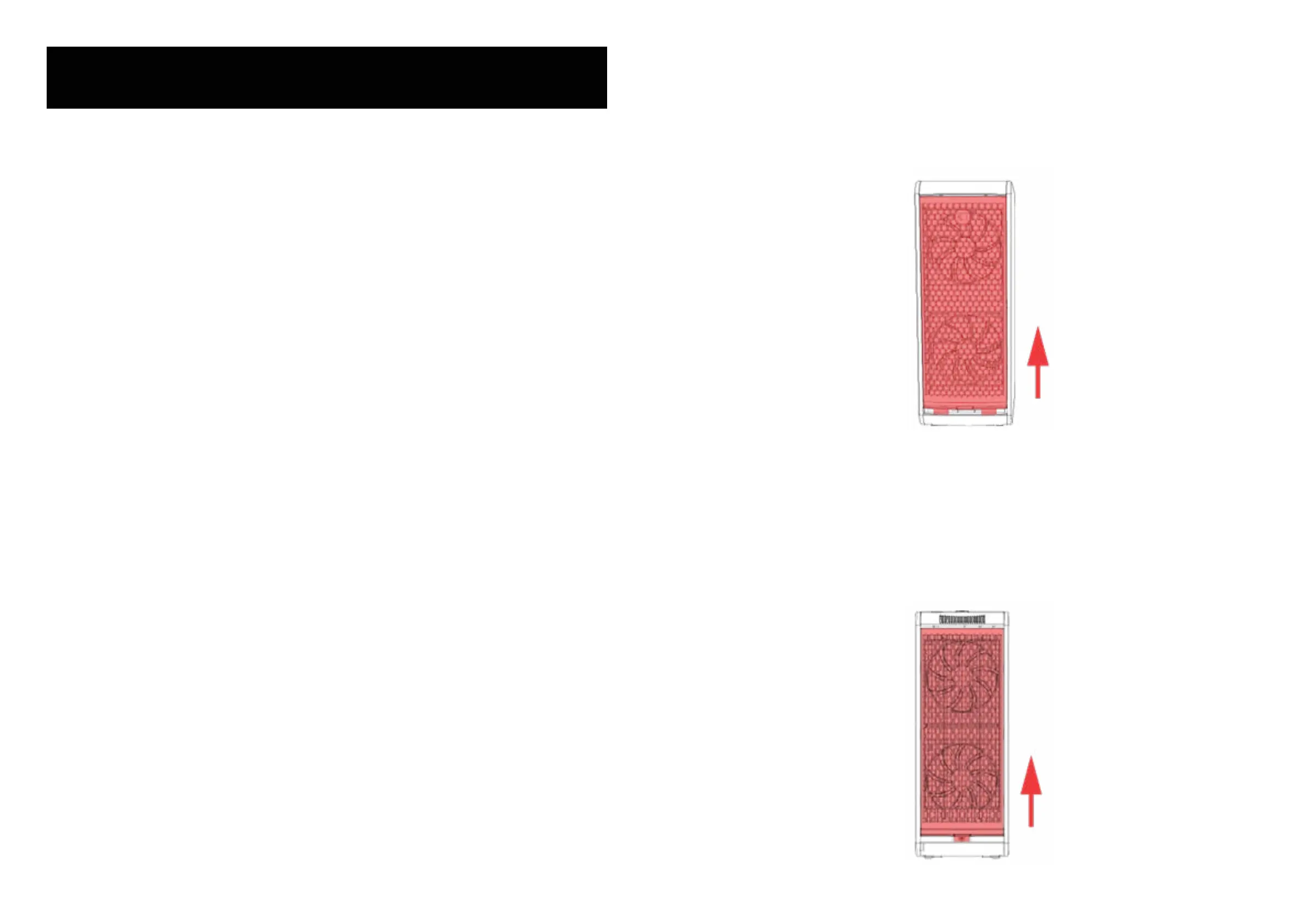
• Check the reusable ilter to see if it is properly in-
stalled in the air puriier. The reusable ilter should
be at same level as the front panel if it is properly
installed as shown.
• Check the front cover to see if it is properly in-
stalled. The front cover should be all the way up and
locked at the front of the air puriier, and the foam is
located underneath the front cover as shown.
• Check the back cover to see if it is properly in-
stalled. The back cover should be all the way up and
locked at the back of the air puriier, and the stopper
should be well screwed underneath the back cover
as shown.


 To Next Page