P.12 P.13
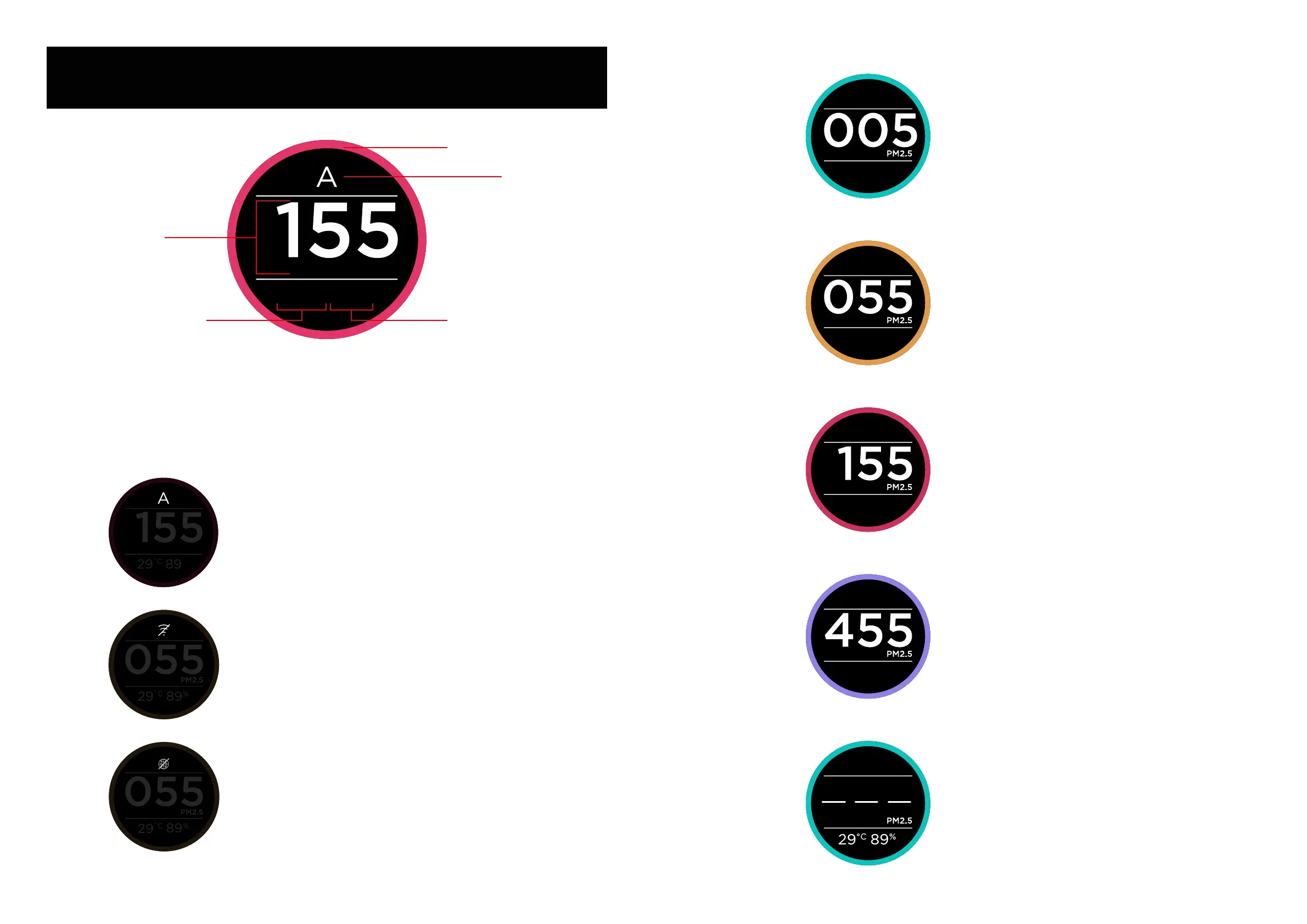
Mode Display
Air Quality Rings
29
˚C
89
%
Humidity Reading
PM2.5 Reading
Temperature
Reading
Mode Display
%
29
˚C
89
• Capital letter “A” indicates that the air puriier is in
Auto mode.
29
˚C
89
%
• “No WiFi connection icon” indicates that the air
puriier cannot connect to the WiFi (router)
29
˚C
89
%
• “No Internet connection icon” indicates that the
air puriier cannot connect to the Internet
Good
000-050
Moderate
051-100
Unhealthy
101-300
Hazardous
301-500
29
˚C
89
%
29
˚C
89
%
29
˚C
89
%
29
˚C
89
%
This view shows that the
device is not able to detect the
air quality correctly. Please Re-
set the device. If the problem
persists contact the KODAK
Smart Home Customer Support
team.
4. DISPLAY ICONS


 To Next Page