Taking pictures/videos
www.kodak.com/go/support
9
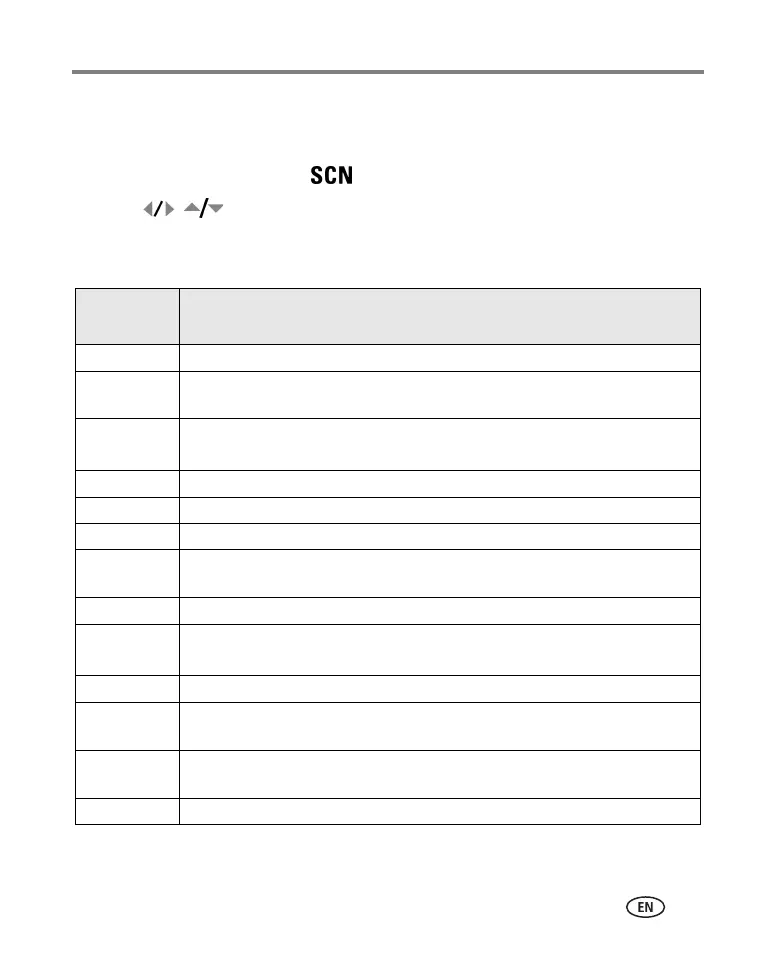
Scene modes
Choose a Scene mode—for great pictures in practically any situation!
1 Turn the Mode dial to Scene .
2 Press to display Scene mode descriptions.
If the mode description turns off before you finish reading it, press OK.
3 Press OK to choose a Scene mode.
Use this
SCN mode
For
Portrait Full-frame portraits of people.
Night
Portrait
Reducing red eye of people in night scenes or low-light conditions. Place the
camera on a flat, steady surface or use a tripod.
Landscape Far-away scenes. The camera uses infinity auto-focus. Auto-focus framing
marks are not available in Landscape.
Sports Subjects in motion.
Snow Bright snow scenes.
Beach Bright beach scenes.
Text/
Document
Documents. Focus is set to Auto Focus (see page 23).
Backlight Subjects that are in shadow or “backlit” (when light is behind the subject).
Manner/
Museum
Quiet occasions, like a wedding or lecture. Flash and sound are disabled.
Children Action pictures of children in bright light.
Flower Close-ups of flowers or other small subjects in bright light. Focus is set to Auto
Focus (see page 23).
Self-
Portrait
Close-ups of yourself. Assures proper focus and minimizes red eye.
Sunset Capturing the deep hues seen at sunset.
view single picture.









 To Next Page