EasyManua.ls Logo

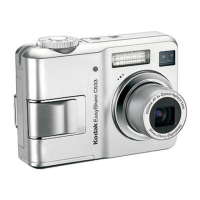
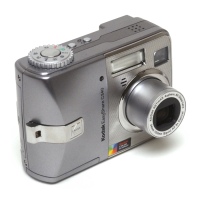
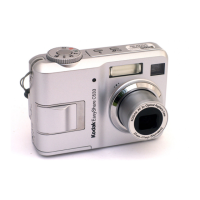
Kodak EasyShare C533 - User Manual

Kodak EasyShare C533
67 pages
Print Icon
To Next Page IconTo Next Page
Loading...
Kodak EasyShare C533/C503
zoom digital camera
User’s guide
www.kodak.com
For interactive tutorials, www.kodak.com/go/howto
For help with your camera, www.kodak.com/go/c533support or
www.kodak.com/go/c503support

Table of Contents

Questions and Answers

  • A
    ariasjenniferAug 14, 2025
    What to do if my Kodak EasyShare C533 Digital Camera says memory card full?
    • K
      Keith RichardsonAug 14, 2025
      If the memory card is full on your Kodak Digital Camera, you can insert a new card, transfer pictures to your computer, or delete pictures from the card. Alternatively, transfer the pictures to your computer and then format the card or internal memory. Be aware that formatting will erase all pictures and videos, including any protected files.
  • S
    Susan TorresAug 18, 2025
    Why is my Kodak Digital Camera picture too dark?
    • R
      randysaundersAug 18, 2025
      If your picture is too dark with your Kodak Digital Camera, turn on the flash. Move closer to the subject, ensuring you are no more than 7.9 ft (2.4 m) away. Use Fill flash or change your position so light is not behind the subject. You can also increase Exposure Compensation.
  • J
    Jason HughesAug 21, 2025
    How to fix a Kodak EasyShare C533 Digital Camera picture that is not clear?
    • G
      Gabriel Roberts Jr.Aug 21, 2025
      If your Kodak Digital Camera picture is not clear, clean the lens. Ensure you are at least 24 inches (61 cm) away from the subject. Place the camera on a flat, steady surface or use a tripod.
  • M
    Michael MurphyAug 25, 2025
    Why is my Kodak Digital Camera picture too light?
    • C
      Charles AlexanderAug 26, 2025
      If your Kodak Digital Camera picture is too light, move so there is at least 24 in. (61 cm) between the camera and subject. Decrease Exposure Compensation.
  • S
    Seth LesterAug 28, 2025
    Why is the shutter button not working on my Kodak EasyShare C533 Digital Camera?
    • W
      William CollinsAug 28, 2025
      If the shutter button on your Kodak Digital Camera isn't working, first ensure the camera is turned on and the ready light has stopped blinking red before attempting to take a picture. Transfer pictures to your computer, delete pictures from the camera, switch image storage locations, or insert a card with available memory. For best picture-taking practices, see the related information.
  • M
    Mikayla LawrenceAug 30, 2025
    What to do if Kodak Digital Camera freezes up when a card is inserted or removed?
    • J
      Janet AllenAug 30, 2025
      If your Kodak Digital Camera freezes when you insert or remove a card, turn the camera off and then back on. Always make sure the camera is turned off before inserting or removing a card.
  • M
    Michelle RamirezSep 3, 2025
    Why doesn't my Kodak EasyShare C533 recognize the SD/MMC card?
    • C
      carrkeithSep 3, 2025
      If your Kodak Digital Camera does not recognize the SD/MMC card, try purchasing a certified SD/MMC card. You can also reformat the card, but be aware that this will delete all pictures and videos, including protected files. Ensure the card is properly inserted into the slot by pushing it in to seat it.
  • T
    Terry MillerSep 6, 2025
    What to do if slide show does not run on external video device from Kodak EasyShare C533?
    • L
      Lisa SweeneySep 6, 2025
      If the slide show does not run on an external video device connected to your Kodak Digital Camera, adjust the camera's Video Out setting to either NTSC or PAL. Also, consult the user guide for the external device.
  • J
    Jason JonesSep 10, 2025
    Why does my Kodak EasyShare C533 Digital Camera show a blue or black screen in Review mode?
    • B
      Brandon McleanSep 10, 2025
      If a blue or black screen is displayed instead of a picture in Review mode on your Kodak Digital Camera, transfer the picture to the computer, then format the card in the camera. Note that formatting a card deletes all pictures and videos, including protected files.

Summary

Setting up your camera

Storing pictures on an SD or MMC card

Information on using memory cards for storing photos and videos.

Taking pictures and videos

Taking a picture

Step-by-step guide to capturing still photographs with the camera.

Taking a video

Instructions on how to record video clips with sound using the camera.

Using the flash

Instructions on selecting and using different flash modes for optimal lighting.

Transferring and printing pictures

Transferring pictures with the USB cable

Instructions for connecting the camera to a computer via USB for data transfer.

Printing pictures

Overview of options for printing photos directly from the camera or computer.

Doing more with your camera

Using optical zoom

Guide to using the camera's optical zoom feature to get closer to subjects.

Using digital zoom

Instructions on utilizing the digital zoom for increased magnification.

Using exposure compensation to adjust brightness

How to adjust exposure settings to make pictures brighter or darker.

Using the self-timer

Instructions for using the self-timer for delayed picture capture.

Troubleshooting

Camera problems

Solutions for common issues such as the camera not turning on or off.

Picture exposure issues

Troubleshooting steps for pictures that are too light, too dark, or unclear.

Camera ready light status

Interpreting the camera's ready light colors and their meanings.

Camera;computer communications

Solutions for problems when the computer does not recognize the camera.

LCD screen messages

Explanation and solutions for various error messages displayed on the LCD.

Memory card troubleshooting

Resolving issues related to memory card recognition, locking, and usability.

File format and camera error troubleshooting

Solutions for unrecognized file formats and general camera error codes.

Getting help

Helpful links

A list of useful web links for product support, FAQs, and software downloads.

Telephone customer support

Contact information and required details for customer support via phone.

Appendix

Camera specifications

Detailed technical specifications for the Kodak EasyShare digital camera.

Picture storage capacity

Table showing the number of pictures that can be stored based on resolution and memory size.

Video storage capacity

Table showing video recording time based on resolution and memory size.

Important safety instructions

Critical safety warnings and precautions for using the camera and its accessories.

Battery safety and handling

Essential safety guidelines for handling and using camera batteries.

Battery life

Information on expected battery life with different Kodak battery types.

Additional care and maintenance

Guidance on cleaning, protecting, and maintaining the camera.

Limited warranty coverage

Details on the warranty period, coverage, and repair/replacement policy.

Warranty limitations

Conditions and exclusions that limit the scope of the product warranty.

Regulatory compliance overview

General information regarding compliance with regulatory standards.

FCC compliance and advisory

Details on FCC compliance for the digital device and potential interference.

Kodak EasyShare C533 Specifications

General IconGeneral
Resolution5.0 MP
Optical Zoom3x
Digital Zoom5x
LCD Screen Size1.8 inches
Storage MediaSD/MMC card
Camera TypeCompact
Focal Length36 - 108 mm
Image Sensor Size1/2.5 inch
Sensor TypeCCD
Battery TypeAA batteries

Related product manuals