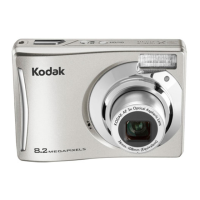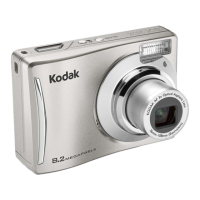
EasyManua.ls Logo

Kodak EASYSHARE CD80 - User Manual

Kodak EASYSHARE CD80
63 pages
Print Icon
To Next Page IconTo Next Page
Loading...
KODAK EASYSHARE CD80
Digital Camera
Extended user guide
www.kodak.com
For interactive tutorials:
www.kodak.com/go/howto
For help with your camera:
www.kodak.com/go/CD80support

Table of Contents

Other manuals for Kodak EASYSHARE CD80

Questions and Answers

  • L
    lwilsonJul 29, 2025
    How to fix Kodak EASYSHARE CD80 that does not turn on?
    • D
      Darrell LawrenceJul 29, 2025
      If your Kodak Digital Camera does not turn on, make sure the batteries are charged and installed correctly. If that doesn't work, try turning the camera off and then on again.
  • P
    Phillip MartinAug 3, 2025
    What to do if my Kodak EASYSHARE CD80 Digital Camera does not turn on?
    • K
      Kayla BurnettAug 3, 2025
      Ensure that the batteries are charged and installed correctly. See page 1 for detailed instructions.
  • R
    Robert LewisAug 8, 2025
    What to do if my Kodak EASYSHARE CD80 Digital Camera memory card is full?
    • P
      Paul EvansAug 8, 2025
      If the memory card in your Kodak Digital Camera is full, transfer the pictures to your computer. Alternatively, delete pictures from the card or insert a new card.
  • D
    David GreenAug 14, 2025
    Why does the 'pictures remaining' number not decrease on my Kodak Digital Camera?
    • E
      elizabethsandersAug 14, 2025
      If the 'pictures remaining' number on your Kodak Digital Camera does not decrease after taking a picture, continue taking pictures. The camera estimates the number of pictures remaining after each picture is taken, based on picture size and content, so the camera is operating normally.
  • B
    Brian TranAug 18, 2025
    Why is the battery life so short on my Kodak Digital Camera?
    • K
      kaylashahAug 18, 2025
      To extend the battery life of your Kodak Digital Camera, ensure you are using the correct battery type. Clean the battery contacts with a dry cloth before inserting the battery. You may also need to insert new or fully charged batteries.
  • J
    jessica81Aug 23, 2025
    Why does the flash not fire on my Kodak EASYSHARE CD80?
    • H
      hansenmichelleAug 25, 2025
      If the flash on your Kodak Digital Camera is not firing, first check the flash setting and change it as needed. Also, be aware that the flash does not fire in all modes.

Summary

Setting up your camera

Loading Camera Batteries

Step-by-step guide on correctly inserting AA batteries into the KODAK EASYSHARE CD80 for power.

Powering On the Camera

Procedure for activating the KODAK EASYSHARE CD80 digital camera using the power button.

Taking pictures;videos

Capturing Photos

Explains the process of composing and taking clear, focused pictures using the camera's shutter button.

Adjusting Zoom for Framing

How to use optical and digital zoom to get closer to or further from your subject when taking photos.

Selecting Shooting Modes

Guidance on choosing the best camera mode (Auto, Close-Up, Sport, Scene, etc.) for various shooting situations.

Working with pictures;videos

Viewing Captured Media

How to access and play back pictures and videos taken with the camera.

Doing more with your camera

Transferring, printing, tagging

Moving Photos and Videos

Methods for transferring pictures and videos from the camera to a computer using USB or card readers.

Troubleshooting

Resolving Camera Issues

Common camera problems, such as power issues or unresponsive controls, and their solutions.

Improving Picture Quality

Tips and solutions for common picture quality issues like blurriness, darkness, or overexposure.

Appendix

Safety Precautions and Warnings

Crucial safety information regarding product handling, battery use, and potential hazards.

Kodak EASYSHARE CD80 Specifications

General IconGeneral
Image Sensor1/2.5-inch CCD
Optical Zoom3x
Camera typeCompact
Digital zoom5x
Sensor TypeCCD
Effective Pixels8.2 MP
StorageInternal memory + SD card
Video RecordingYes, 640 x 480 at 30 fps
Screen size2.4 inches
Storage MediaSD/SDHC card
LCD Screen2.4 in.
Battery TypeLithium-ion

Related product manuals