Setting up your camera
www.kodak.com/go/support
5
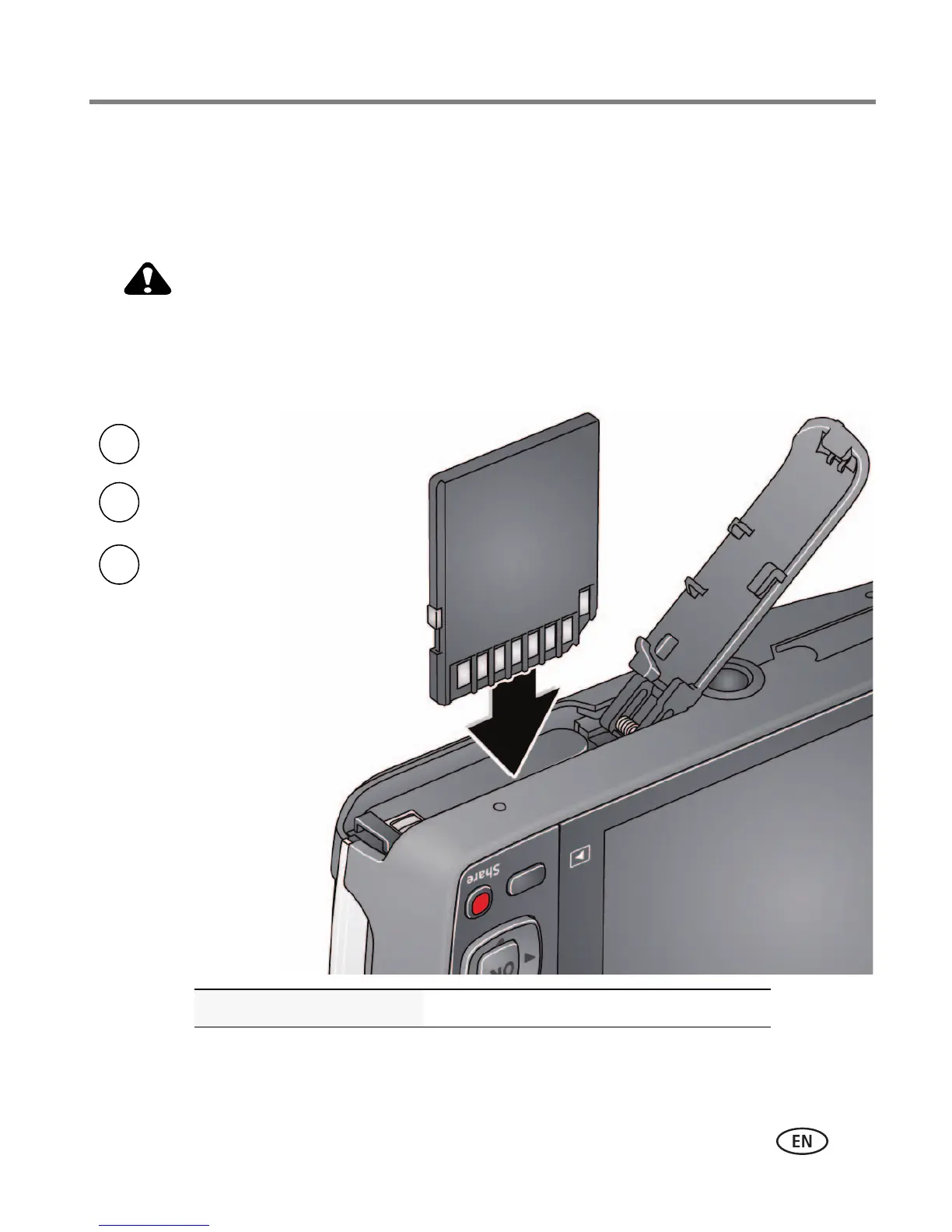
Storing pictures on an optional SD or SDHC Card
Your camera has internal memory. We recommend purchasing an SD or SDHC Card to
conveniently store more pictures/videos.
A card can only be inserted one way; forcing it may cause
damage. Inserting or removing a card while the camera is on may
damage the pictures, the card, or the camera.
Purchase accessories www.kodak.com/go/m575accessories
1
Turn off the camera.
2
Insert or remove the
optional card.
3
Turn on the camera.



 To Next Page
 Loading...