Chapter 3 How to use the system menu MDC-2000BB Series
3-7 0093120012-01
5 Press the [
] key to display the NMEA
monitoring menu.
If the external equipment is connected at the
correct transmission speed, the received
NMEA sentence is displayed.
For the NMEA sentence, refer to 5.6
List of Input/Output sentence.
Connection with the KODEN GPS
compass
Incase KGC-1/KGC-222 is connected to CH1
(J5), the best performance can be achieved by
executing [KGC-1 SETTING],
1 Press the [MENU] key.
2 Move to the system menu.
Refer to 3.1 Display of System Menu.
3 Select [NMEA] → [KGC-1 SETTING], and
press the [ ] key.
4 Press the [ENT] key.
5 Select [Yes] with the [ ] and [
] keys.
6 Press the [ENT] key.
Both the Display unit and the KGC-1/KGC-222
are properly set.
The HDT, GGA and VTG signals are outputted
from the KGC-1/KGC-222, and baud rate is set
to 38,400.
3.5 Preset
In the Preset of the system menu, the radar is
customized.
NAV Display Select
When [DISPLAY SELECT] is set to [PPI/NAV],
set the content to be displayed on the NAV
display.
Language Select
Select the language used in the menu.
[F1]-[F6] Key Set
Select the function assigned to F1-F6 keys.
Select Range S/M/L
Select the range to be set with the [- RANGE +]
key.
Echo Color Set
Set an arbitrary color to the video color.
Trail Color Set
Set an arbitrary color to the trail color.
Display Color Set
Set an arbitrary color to the color of cursor and
numerals.
Camera Position Correction
The CCD camera video displayed by pressing
the [STC/FTC] knob may be shifted.
By performing [CAMERA POSITION], the display
position of CCD camera video can be corrected
in the upper and lower directions.
3.6 Maintenance
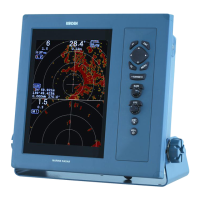
The self-diagnosis of the system menu is the
menu for maintenance. Normally, it is not used.
Perform the self-diagnosis of the Display unit and
the antenna.
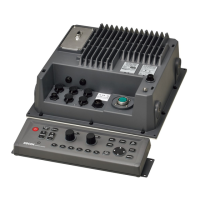
Processor Unit
The state of the Processor unit is displayed.
The version of the system program is displayed.
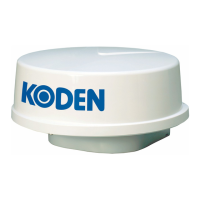
Antenna
The state of the antenna is displayed.
The type of antenna connected and the state of
voltage are displayed.
Panel Test
Testing the operation block is performed.




 To Next Page