3
OVERVIEW
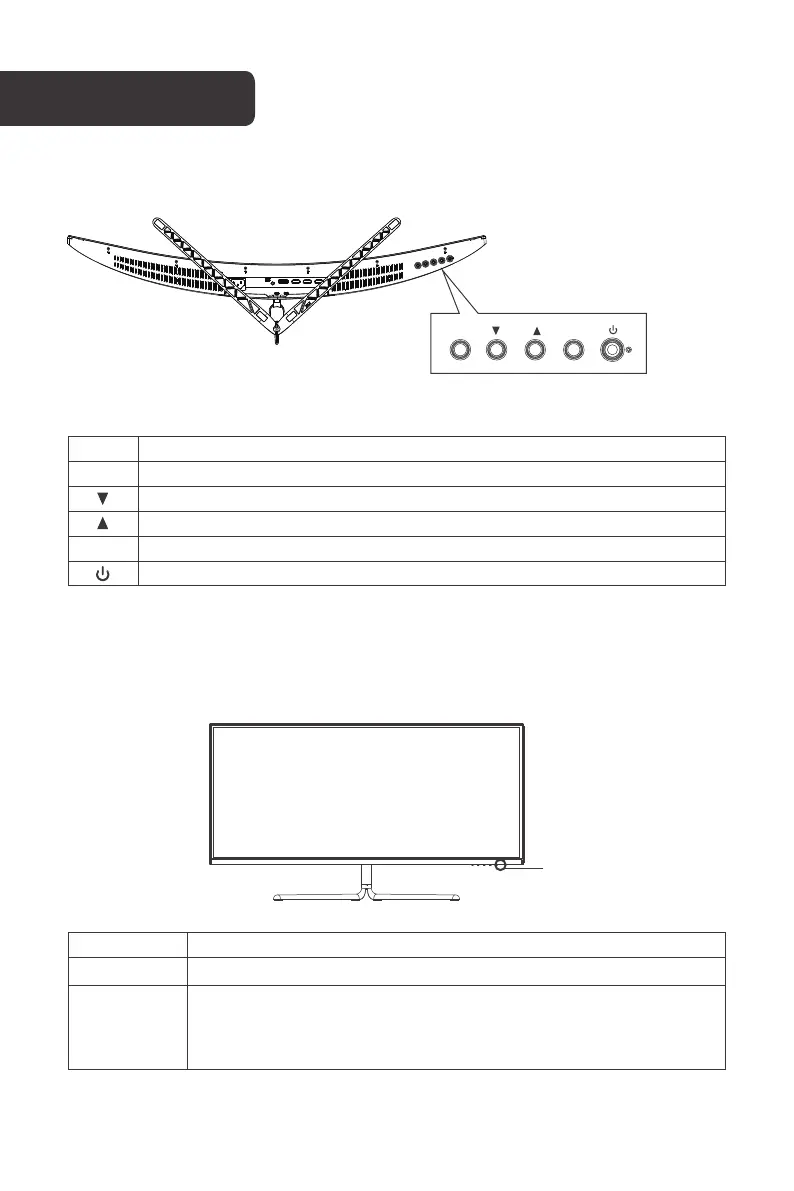
Indicator
Solid Blue Power is on and the monitor operating normally.
Flashing Blue
Indicator Status
M
E
Button Function
Menu button: Confirm/call up the main menu.
Down button: Move down in the menu/quickly enter the GamePlus.
Up button: Move up in the menu/quickly enter the ECO.
Exit button: Exit/return to the previous menu/quickly enter the RGB Range.
Power button: Turn on/o the monitor.
M E
Indicator
No video input signal or the monitor is in standby.
Ensure your computer is turned on and operates normally and check
that all video cables are fully plugged in and/or connected to the
monitor.



 To Next Page