4
1.
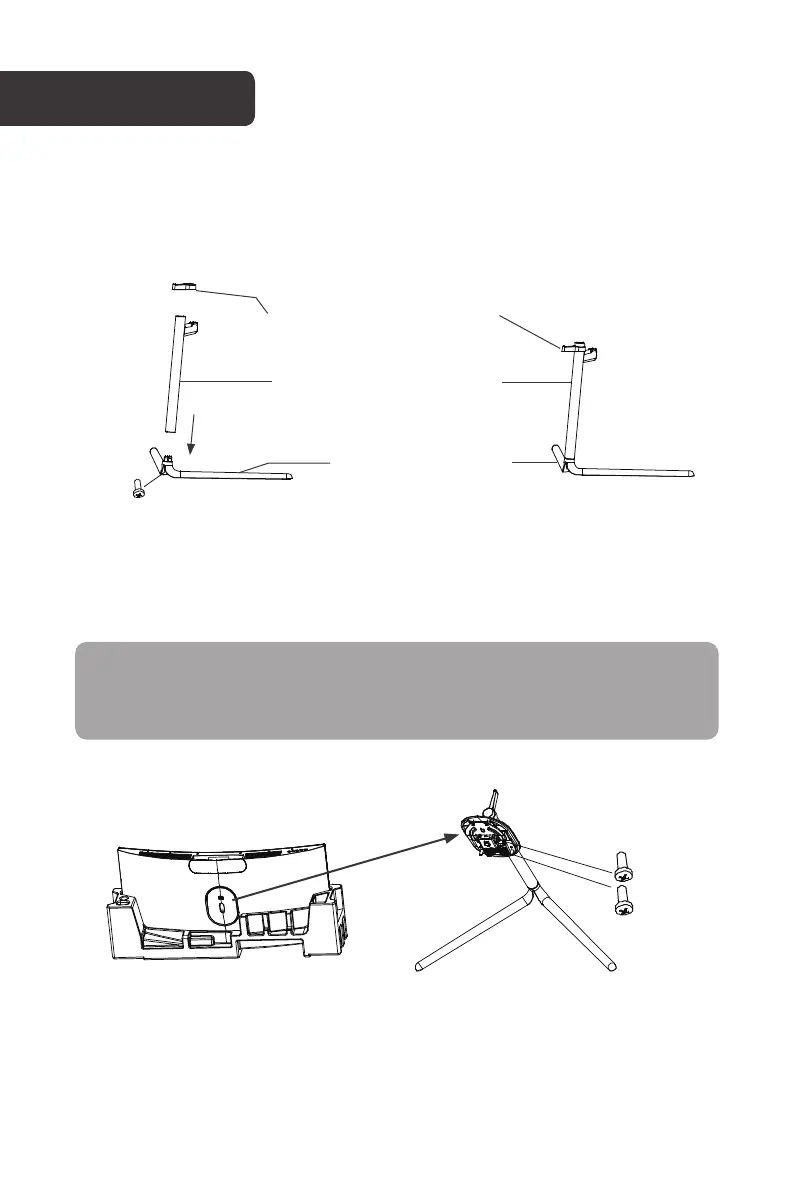
Open the carton, remove the stand arm, base and headphone stand. Leave the monitor
in foam.
Secure the stand arm to the base using one of the screws.
Attach the headphone stand to the stand arm.
2.
Remove the bottom half of the protective foam from the monitor.
Press the quick release button and remove the stand plate then attach it to the stand
assembly using two screws.
ASSEMBLY
Headphone stand
Headphone
stand
Screw
Screws
Stand Plate
Stand arm
Stand
arm
Stand
base
Stand
base
Note:
When handling the monitor, do not pinch the screen with your hand to avoid
damaging the display.



 To Next Page