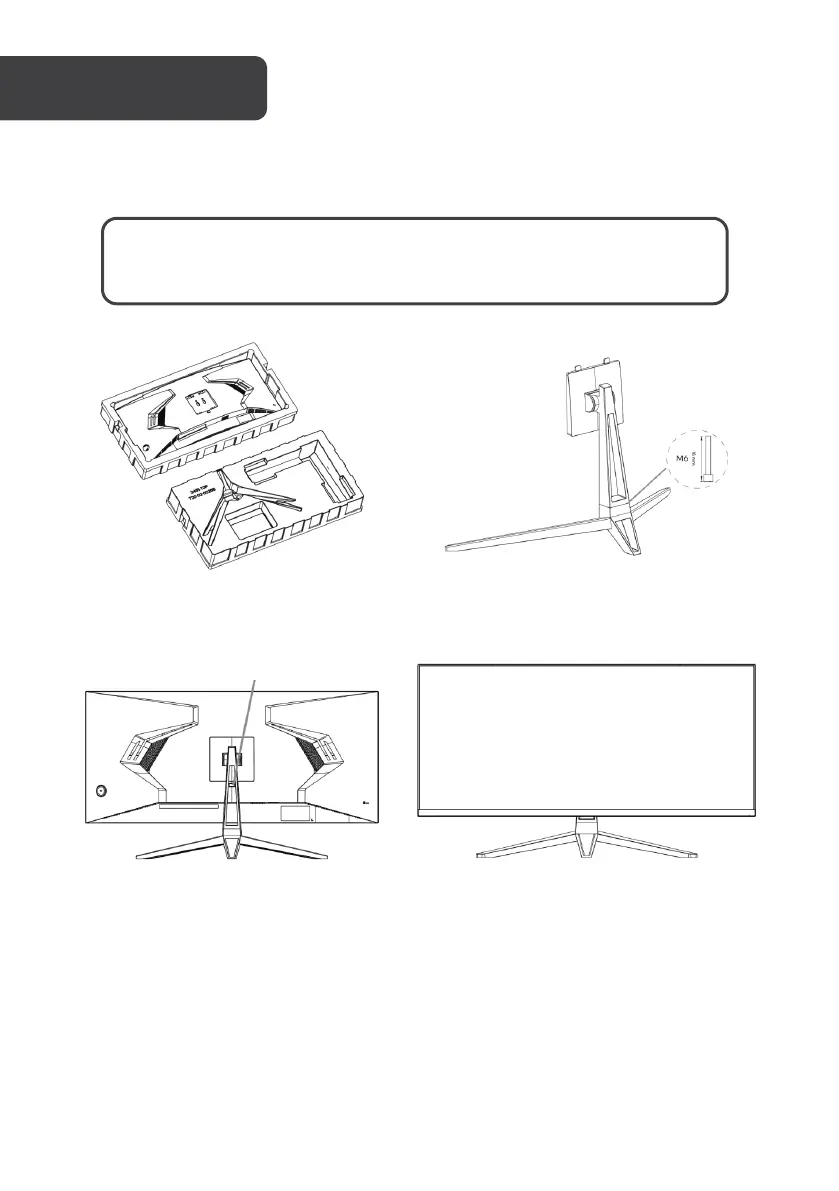
Before disposing of any packaging, place all items on a soft, clean and flat surface to
ensure all components are accounted for.
Carefully remove the monitor, stand
arm and stand base from the box.
Attach the stand base to the stand
arm using the provided M6 screw.
Insert the stand arm into the rear of
the monitor and push down until it
is firmly connected.
Lift the monitor up straight and
remove the bottom foam. Stand the
monitor up on the installed base.
WARNING: The panel of the monitor is fragile. Keep the foam
underneath the monitor screen while assembling the stand.


 To Next Page