Need help?
Do you have a question about the Kogan NC35 and is the answer not in the manual?
Identifies and describes the physical components of the headphones, including buttons, ports, and indicators.
Details the components and connections of the provided audio cable for wired use.
Instructions on how to power the headphones on and off using the power button and status LED.
How to activate and deactivate the Active Noise Cancellation (ANC) feature using the ANC switch.
Steps for charging the headphones via USB-C, including LED indicator status and a warning.
Guide to pairing the headphones with Bluetooth devices, including entering pairing mode and confirmation.
Instructions for connecting and using the headphones with a 3.5mm audio cable, including notes on Bluetooth and battery.
Explains the functions of the volume buttons and the multifunction button for playback, calls, and mode switching.
Lists detailed technical specifications including Bluetooth version, driver size, impedance, battery, and more.
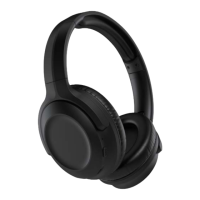
This document is a user guide for the Kogan NC35 Noise Cancelling Headphones (Black), model KANC35HRABLK. It provides an overview of the headphone components, operation instructions, and general functions.
The Kogan NC35 Noise Cancelling Headphones are designed to provide an immersive audio experience with active noise cancellation (ANC) capabilities. They can be used wirelessly via Bluetooth or wired using a 3.5mm audio cable. The headphones feature a built-in microphone for calls and voice assistant interaction. The active noise cancellation function helps reduce ambient noise, allowing for clearer audio playback and calls.
To power on the headphones, press and hold the Power button (9) until the Status LED (3) blinks BLUE and RED. To power them off, press and hold the Power button again until the Status LED blinks RED.
The headphones are equipped with an ANC switch (2). A short press of this switch will turn noise cancellation on, indicated by the LED indicator (3) lighting up GREEN. Another short press will turn ANC off, and the ANC LED will extinguish.
The headphones are charged via a USB-C charging port (4). Connect the supplied USB-C cable to the charging port on the headphones and the other end to a USB power adapter or computer. During charging, the LED will turn RED and will turn off once the battery is fully charged. If the battery level is low, the LED will flash RED. It is important not to use the headphones while they are charging.
Before pairing, ensure the headphones are turned off. To enter pairing mode, press and hold the Power button (9) for 5 seconds; the Status LED (3) will flash BLUE and RED. Then, enable Bluetooth on your device and search for "Kogan NC35 Headphones." Select the headphones when found. Some devices may require confirmation for the headset connection after pairing. A successful pairing is indicated by the status LED blinking BLUE. If no Bluetooth devices are paired within 3 minutes, the headphones will automatically turn off.
The headphones can also be used with a 3.5mm audio cable. To use line-in mode, first turn off Bluetooth. Connect the microphone end of the supplied audio cable to the audio input socket (5) on the headphones and the other end to your audio source. If Bluetooth mode has been activated, you must turn the headphones off before connecting the cable. If the battery is depleted, the noise cancellation function will be unavailable when using the 3.5mm audio cable.
Volume and Track Control: The headphones feature "+" and "-" buttons (6 & 8) for volume adjustment. Pressing and holding these corresponding buttons allows you to skip to the next track or go back to the previous track.
Multifunction Button (7):
The user guide does not explicitly detail maintenance features such as cleaning instructions or battery replacement. However, the charging instructions imply battery care by advising against using the headphones while charging to potentially prolong battery life. The general nature of the device suggests standard electronic device care, such as keeping it dry and avoiding extreme temperatures. The inclusion of a USB-C charging port and a 3.5mm line-in socket indicates versatility in connectivity and charging, which can contribute to the longevity of the device by offering multiple usage options. The warning against using the headphones while charging is a key maintenance instruction to ensure safety and potentially extend battery lifespan.
 General
| Type | Over-Ear |
|---|---|
| Impedance | 32Ω |
| Driver Diameter | 40mm |
| Frequency Response | 20Hz - 20kHz |
| Bluetooth Range | 10m |
| Cable Length | 1.2m |
| Foldable | Yes |
| Connectivity | Bluetooth |
| Noise Cancellation | Active Noise Cancellation (ANC) |
| Microphone | Yes |

 To Next Page