EasyManua.ls Logo

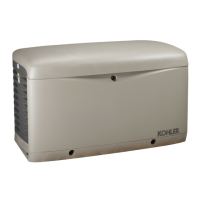
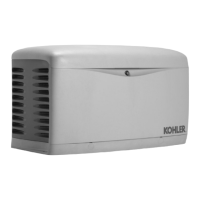
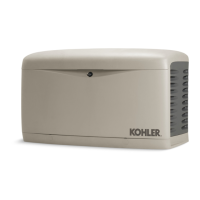
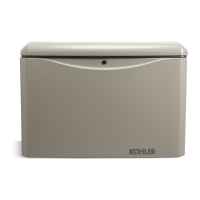
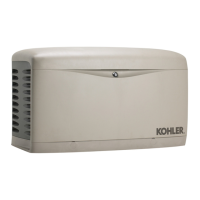
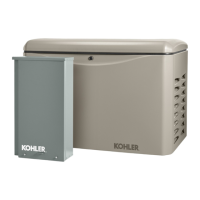
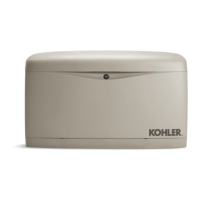
Kohler 14/20RESAL - User Manual

Kohler 14/20RESAL
72 pages
Print Icon
To Next Page IconTo Next Page
Loading...
Residential/Commercial Generator Sets
Models:
14/20RESA
14/20RESAL
Controllers:
RDC2
DC2
TP-6804 12/11
Operation

Table of Contents

Other manuals for Kohler 14/20RESAL

Questions and Answers

  • L
    lopezwilliamJul 31, 2025
    How to fix no AC output on my Kohler Portable Generator?
    • N
      nweberJul 31, 2025
      If your Kohler Portable Generator has no AC output, check if the line circuit breaker is in the OFF position and switch it to the ON position. Also, reduce the load on the generator if the circuit breaker is tripping due to an overload. If the line circuit breaker is tripping because of a short circuit or if the auxiliary winding circuit breaker tripped, contact an authorized Kohler distributor/dealer for service. If the auxiliary winding circuit breaker trips repeatedly after you reset it (it is located in the controller’s service access area), contact an authorized Kohler distributor/dealer for service.
  • S
    Sarah PattonAug 4, 2025
    What to do if my Kohler 14/20RESAL cranks but won't start?
    • L
      Latasha HannaAug 4, 2025
      If your Kohler Portable Generator cranks but doesn't start, starts hard, lacks power, or operates erratically, try the following: * Clean and/or replace the air cleaner. * Recharge or replace the battery if it's weak or dead. * Clean and tighten the battery connections if they are poor. * Check the spark plug wires to ensure they are properly connected. * Check for oil leaks and add oil if the level is low. * Check the fuel supply and valves to ensure sufficient fuel pressure. If these steps don't resolve the issue, contact an authorized Kohler distributor/dealer, as it may indicate an engine malfunction.
  • F
    fhardingAug 12, 2025
    How to troubleshoot a Kohler 14/20RESAL that won't crank?
    • P
      Phyllis CochranAug 13, 2025
      If your Kohler Portable Generator doesn't crank, the following could be the reasons: * A weak or dead battery: Recharge or replace the battery. * Reversed or poor battery connections: Check the connections. * A fault shutdown: Check the controller display for fault messages, correct the fault condition, and reset the controller. * The generator set being in the OFF mode: Press the RUN button to start the engine or press AUTO to allow remote starting.
  • D
    dawncooperAug 17, 2025
    What causes low output voltage on my Kohler 14/20RESAL Portable Generator?
    • R
      Ryan HayesAug 17, 2025
      Low output or excessive voltage drop in your Kohler Portable Generator is often caused by the generator set being overloaded. Reduce the load to resolve this issue.
  • C
    Charles ValenciaAug 21, 2025
    Why is the controller display off on my Kohler 14/20RESAL Portable Generator?
    • J
      jrodriguezAug 21, 2025
      The controller display on your Kohler Portable Generator might be off due to low or no battery voltage. Check the connections and the generator set battery.
  • M
    mariodunlapAug 26, 2025
    Why is the backlight off on my Kohler 14/20RESAL Portable Generator's controller display?
    • E
      Eric LopezAug 26, 2025
      The backlight on the controller display of your Kohler Portable Generator turns off after about 1 minute of inactivity. The backlight will turn on when a button is pressed or the generator set starts.
  • S
    Shane AyalaNov 7, 2025
    Why does my Kohler 14/20RESAL stop suddenly?
    • T
      Thomas RandallNov 8, 2025
      Your Kohler Portable Generator might stop suddenly due to several reasons: * Check for oil leaks and ensure the oil level is adequate, as a low oil pressure shutdown could be the cause. * Verify the fuel supply to rule out fuel shortage. * Reset the controller to address a potential overcrank shutdown. If the issue persists, contact an authorized Kohler distributor/dealer. * Reset the auxiliary winding circuit breaker (located in the controller’s service access area). Contact an authorized Kohler distributor/dealer if it trips repeatedly. * Check the controller display for fault messages, correct the fault condition, and reset the controller. * Ensure the generator set is not in the OFF mode by pressing the RUN button to start the engine or AUTO for remote starting. * Check ...

Summary

Product Identification Information

Identifying Generator, Controller, and Engine Numbers

Details for recording product identification numbers for generator sets, controllers, and engines.

Safety Precautions and Instructions

Accidental Starting and Battery Hazards

Covers risks of accidental starting, battery acid, and explosion hazards.

Fire, Exhaust, and Carbon Monoxide Hazards

Addresses risks related to battery gases, short circuits, engine backfire, exhaust, and carbon monoxide.

Fuel System, Noise, and Electrical Safety

Details safety precautions for fuel handling, noise exposure, and electrical hazards.

Welding and Heavy Equipment Safety

Provides safety guidelines for welding, electrical connections, and lifting heavy equipment.

Introduction

Manual Scope and Related Literature

Outlines the manual's purpose and lists related literature for generator set information.

Service Assistance

Contacting Kohler for Support

Provides contact information for regional offices and service support.

Section 1 Descriptions and Service Views

Generator Set Components Overview

Describes the generator set's engine, enclosure, alternator, and transfer switch.

Controller Features (RDC2 and DC2)

Details the features and capabilities of the RDC2 and DC2 controllers.

Optional Generator Set Accessories

Lists and describes optional accessories like heaters, OnCue, PIM, and LCM.

Service Views and Component Identification

Provides diagrams and labels for identifying generator set components.

Section 2 Generator Set Operation

Prestart Checklist and Exercising the Generator Set

Outlines prestart checks and introduces the generator set exercise procedure.

Generator Set Operation Modes

Explains local, automatic, and remote start/stop, crank cycles, and cooldown.

Automatic Operation with Transfer Switches

Details automatic operation with Model RXT, RDT, and RSB transfer switches.

Exercise Procedures, Diagnostics, and Fault Handling

Covers exercise modes, diagnostics, fault messages, warnings, and shutdowns.

Resetting the Controller After Faults

Provides step-by-step instructions to clear faults and reset the controller.

Controller Fault Messages and Conditions

Lists common fault messages, their conditions, and recommended checks.

Section 3 RDC2 Controller Operation

RDC2 Controller Overview, Interface, and Basic Functions

Introduces the RDC2 controller, its controls, LEDs, and LCD display.

Controller Power, Battery, Settings, and Exerciser

Covers controller power, battery charging, changing settings, and setting the exerciser.

RDC2 Controller Menu Navigation and System Information

Details menu structure and displays for engine, generator, ATS, and networking.

ATS, Networking, and Remote Device Management

Explains ATS status/config, networking, RBUS, PIM, LCM, and event logs.

Section 4 DC2 Controller Operation

DC2 Controller Overview, Interface, and Basic Functions

Introduces the DC2 controller, its controls, and user interface.

DC2 Keypad, Indicators, Display, and Power

Details DC2 keypad, LEDs, LCD, power source, and battery charging.

DC2 Exerciser, Event Log, and Password Management

Covers setting the exerciser, viewing the event log, and managing OnCue password.

Section 5 Scheduled Maintenance

Scheduled Maintenance Overview and Service Schedules

Explains how to schedule maintenance and provides schedules for models.

Engine Component Maintenance

Details maintenance procedures for lubrication, spark plugs, and air cleaners.

Cooling, Exhaust, and Battery Systems Maintenance

Covers maintenance procedures for the cooling, exhaust, and battery systems.

Storage Procedure

System Preparation for Storage

Covers lubricating, fuel, cylinder lubrication, and exterior prep for storage.

Battery Storage

Details how to properly store the generator set battery.

Section 6 Troubleshooting

Troubleshooting Introduction, Fault Messages, and Circuit Protection

Guides on using charts, understanding faults, and circuit protection.

Controller Service Access and General Troubleshooting Chart

Explains controller access and provides a comprehensive troubleshooting guide.

Kohler 14/20RESAL Specifications

General IconGeneral
BrandKohler
Model14/20RESAL
CategoryPortable Generator
LanguageEnglish

Related product manuals