EasyManua.ls Logo

Kohler 14/20RES - User Manual

Kohler 14/20RES
48 pages
Print Icon
To Next Page IconTo Next Page
Loading...
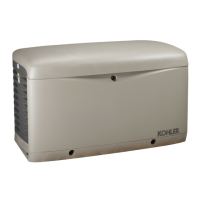
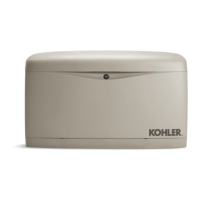
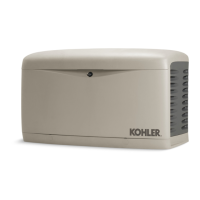
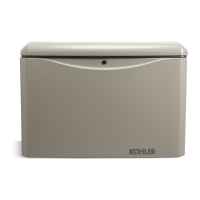
Residential/Commercial Generator Sets
Models:
14/20RES
14/20RESL
Controller:
RDC Residential Digital Control
DC Digital Control
TP-6734 5/10
Operation

Table of Contents

Questions and Answers

  • N
    Natalie NewmanAug 16, 2025
    What to do if my Kohler 14/20RES has no AC output?
    • J
      Jake CarrAug 16, 2025
      If your Kohler Portable Generator has no AC output, first ensure the AC circuit breaker is in the ON position. If it trips, reduce the load. If it continues tripping due to a short circuit, contact an authorized distributor/dealer for service. Also, check and reset the auxiliary winding circuit breaker, but if it repeatedly trips, seek professional assistance.
  • J
    James RichmondAug 19, 2025
    Why does my Kohler Portable Generator stop suddenly?
    • H
      holmeschristopherAug 19, 2025
      If your Kohler Portable Generator stops suddenly, check the oil level and look for leaks, ensure you have enough fuel, and reset the controller if it's an overcrank or overspeed shutdown. Also, verify the generator set master switch is in the correct position (RUN or AUTO) and check the remote switch position. If these steps don't resolve the issue, it could be due to a blown controller fuse (F3), in which case you should replace the fuse. If the fuse blows again, or if you suspect an engine malfunction or repeated tripping of the auxiliary winding circuit breaker, contact an authorized distributor/dealer.
  • C
    Carl FernandezAug 22, 2025
    What to do if my Kohler Portable Generator does not crank?
    • V
      vortizAug 22, 2025
      If your Kohler Portable Generator doesn't crank, check the controller display for a fault code. Ensure the battery isn't weak or dead by checking power to the battery charger and recharging or replacing the battery if necessary. Inspect battery connections for reversals or poor contact. Also, check and replace fuses F2, F3, and the battery charger fuse if blown, contacting a dealer if they repeatedly blow. Finally, ensure the controller isn't OFF by setting it to AUTO for remote start or RUN for local start.
  • T
    tjohnsonAug 25, 2025
    Why does my Kohler 14/20RES Portable Generator crank but not start?
    • D
      Daniel DavidsonAug 26, 2025
      If your Kohler Portable Generator cranks but doesn't start, starts hard, lacks power, or operates erratically, start by cleaning or replacing the air cleaner. Check the battery and its connections, ensuring they are clean and tight. Inspect the spark plug wires. Also, check the oil level and ensure sufficient fuel pressure. If problems persist, contact an authorized distributor/dealer, as there may be an engine malfunction.
  • C
    Caroline TaylorAug 28, 2025
    How to fix a Kohler 14/20RES with controller LED display off?
    • J
      Jacob CastilloAug 28, 2025
      If the controller LED display on your Kohler Portable Generator is off, first ensure the controller is not OFF by pressing RUN to start the generator or AUTO for automatic operation. If that doesn't work, check the controller fuse (F3) and replace it if blown. If it blows again, contact an authorized distributor/dealer. Lastly, check the battery connections and ensure there is sufficient battery voltage, inspecting both the engine starting battery and battery charger.
  • C
    Curtis SalinasAug 31, 2025
    Why does the red LED stay on for more than 24 hours on my Kohler 14/20RES?
    • A
      Amanda MorseAug 31, 2025
      If the red LED stays on for more than 24 hours on your Kohler Portable Generator, load test the battery and replace it if necessary, as it may have damaged cells. If that's not the case, remove any DC overload or short that may be causing the battery charger to reduce its output voltage. You can identify this by disconnecting the battery charger’s black (NEGATIVE) ring terminal from the battery and reapplying AC power, where only the green LED should light. Also, turn off all DC equipment while charging, as onboard DC systems might be drawing too much current.
  • J
    Jacob SullivanSep 3, 2025
    What causes low output voltage on a Kohler 14/20RES Portable Generator?
    • C
      Cory SchwartzSep 3, 2025
      If your Kohler Portable Generator experiences low output or excessive voltage drop, the generator set may be overloaded. Reduce the load to resolve this issue.
  • M
    Margaret CopelandSep 6, 2025
    Why are the red and green LEDs on for more than 24 hours on my Kohler 14/20RES?
    • D
      Desiree SmithSep 6, 2025
      If both the red and green LEDs stay on for more than 24 hours on your Kohler Portable Generator, turn off all DC equipment while charging, as onboard DC systems might be drawing between 1.5 and 5 amps. Also, load test the battery and replace it if necessary, as it may have damaged cells. Check that the AC voltage at the battery charger is not extremely low; if it is, apply a higher AC voltage source or reduce the length of the extension cord.
  • J
    Jennifer WrightSep 9, 2025
    Why does the green LED stay on when the battery is low on my Kohler 14/20RES?
    • L
      Laura FernandezSep 9, 2025
      If the green LED stays on when the battery is known to be low on your Kohler Portable Generator, replace the AGS-10 fuse if it's open. Also, clean, tighten, or repair all terminal connections if they are faulty or contaminated. Load test the battery and replace it if necessary, as it may have damaged cells.
  • C
    Christopher DavisSep 12, 2025
    What to do if neither LED turns on when AC power is applied to my Kohler Portable Generator?
    • D
      David MillerSep 12, 2025
      If neither of the LEDs turns on when AC power is applied to your Kohler Portable Generator, ensure there is AC power available at the battery charger by connecting AC power or resetting the AC breaker on the main panel. If power is available and the LEDs still don't turn on, the battery charger may need to be replaced due to component failure.

Summary

Product Identification Information

Generator Set Identification Numbers

Record product identification numbers from the generator set nameplate for future reference.

Controller Identification

Record the controller description from the operation manual, spec sheet, or sales invoice.

Engine Identification

Record product identification information from the engine nameplate for the generator set.

Safety Precautions and Instructions

Safe Starting and Battery Handling

Warnings and procedures to prevent accidental starting and safe handling of batteries.

Engine, Exhaust, and CO Hazard Safety

Safety guidelines for engine backfire, exhaust systems, and carbon monoxide hazards.

Fuel, Noise, and Electrical Hazard Safety

Safety information regarding fuel systems, noise exposure, and electrical hazards like voltage and grounding.

Equipment Handling and Component Safety

Safety precautions for lifting heavy equipment and handling hot components.

Introduction

List of Related Literature

Identifies available literature related to the generator sets covered in this manual.

Generator Set Nameplate Details

Illustrates a typical generator set nameplate and guides on recording its details.

14 RES;RESL Model Emission Compliance

20 RES;RESL Model Emission Compliance

Service Assistance

Worldwide Service Office Locations

Provides contact information for Kohler Power Systems regional offices worldwide for assistance.

Section 1 Descriptions and Service Views

Section 1.1 Introduction and Documentation

Outlines the manual's scope and directs users to other relevant specifications and manuals.

Section 1.2 Engine Features

Describes the four-cycle, twin-cylinder, air-cooled Kohler engine and its key features.

Section 1.3 Alternator Technology

Explains the PowerBoostâ„¢ voltage regulation system for instant response to load changes.

Section 1.4 Transfer Switch Integration

Details controller compatibility with Kohler RRT Automatic Transfer Switch (ATS).

Section 1.5 Controller Overview

Describes the features of the RDC (RES) and DC (RESL) controllers.

Section 1.6 Optional Accessories

Lists optional accessories like the carburetor heater and OnCueâ„¢ system.

Section 1.7 Service Views for Maintenance

Provides visual diagrams of generator set components for maintenance reference.

Section 2 Operation

Section 2.1 Prestart Checklist

Lists essential checks to perform before starting the generator set for safe and satisfactory operation.

Section 2.2 Exercising the Generator Set

Instructions for weekly generator set operation to maintain engine and alternator condition.

Section 2.3 RDC;DC Controller Functionality

Explains how RDC/DC controllers manage the generator set and RRT transfer switch.

Section 2.4 Controller Power Supply

Details that controllers are powered by the engine starting battery, supported by a battery charger.

Section 2.5 Controls and Indicators

Illustrates user interfaces for RDC and DC controllers, detailing buttons, displays, and LEDs.

Section 2.6 Generator Set Operation Modes

Covers local starting/stopping and automatic operation with RRT and RDT/RSB transfer switches.

Section 2.7 Exercise Procedures

Guides on performing unloaded and loaded exercises, including diagnostic tests and reset options.

Section 2.8 Test Procedures

Instructions for running unloaded and loaded tests on the generator set and transfer switch.

Section 2.9 Faults and Error Handling

Details fault codes, warnings, shutdowns, ATS communication errors, and controller reset procedures.

Section 2.10 Model RRT Transfer Switch Operation

Explains source availability, ATS control sequences, and time delays for the RRT transfer switch.

Section 2.11 Event History Viewing

Describes how to access and view the last ten controller faults and their occurrence.

Section 3 Scheduled Maintenance

Section 3.1 Scheduled Maintenance Overview

Guides on scheduling routine maintenance based on operating hours and time intervals.

Section 3.1.1 Service Schedule, 14 RES;RESL

Provides a detailed service schedule for 14RES/RESL model generator sets.

Section 3.1.2 Service Schedule, 20 RES;RESL

Provides a detailed service schedule for 20RES/RESL model generator sets.

Section 3.2 Lubrication System Maintenance

Covers oil checks, recommendations, oil changes, and oil cooler service.

Section 3.3 Spark Plug Service

Instructions for checking, adjusting, and replacing spark plugs for optimal engine performance.

Section 3.4 Air Cleaner Service

Details procedures for servicing air cleaner elements and precleaners for both 14RES/RESL and 20RES/RESL models.

Section 3.5 Cooling System Checks

Emphasizes keeping cooling system inlets and outlets clean and unobstructed to prevent overheating.

Section 3.6 Exhaust System Inspection

Outlines periodic inspection of the exhaust system for cracks, leaks, and obstructions.

Section 3.7 Battery Maintenance and Cleaning

Provides guidance on battery care, cleaning terminals, and handling battery acid safely.

Section 3.8 Battery Charger Operation

Explains the 6-amp float/equalize battery charger operation and LED indicators.

Section 3.9 Circuit Protection Components

Covers the line circuit breaker and fuses that protect the generator set's electrical controls.

Section 3.10 Storage Procedure

Outlines steps for preparing the generator set for long-term storage, including fuel and lubricating systems.

Section 4 Troubleshooting

Section 4.1 Troubleshooting Introduction

Guides users on diagnosing and correcting common generator set problems using charts and records.

Section 4.2 Controller Service Access

Explains how to access controller fuses and the alternator winding circuit breaker.

Section 4.3 Generator Set Troubleshooting Guide

Provides a chart for diagnosing common generator set problems like no crank or no AC output.

Section 4.4 Battery Charger Troubleshooting

Offers solutions for battery charger operation issues based on LED indicators and common problems.

Appendix A Abbreviations

Kohler 14/20RES Specifications

General IconGeneral
BrandKohler
Model14/20RES
CategoryPortable Generator
LanguageEnglish

Related product manuals