BASIC OPERATION
Using the LCD screen
The objects displayed in the LCD screen can be chosen with a light touch of the fi ngertip.
If they are pressed with excessive force, they may fail to respond, or the screen may
malfunction. If a displayed object is shown in gray, it is not possible to select that object.
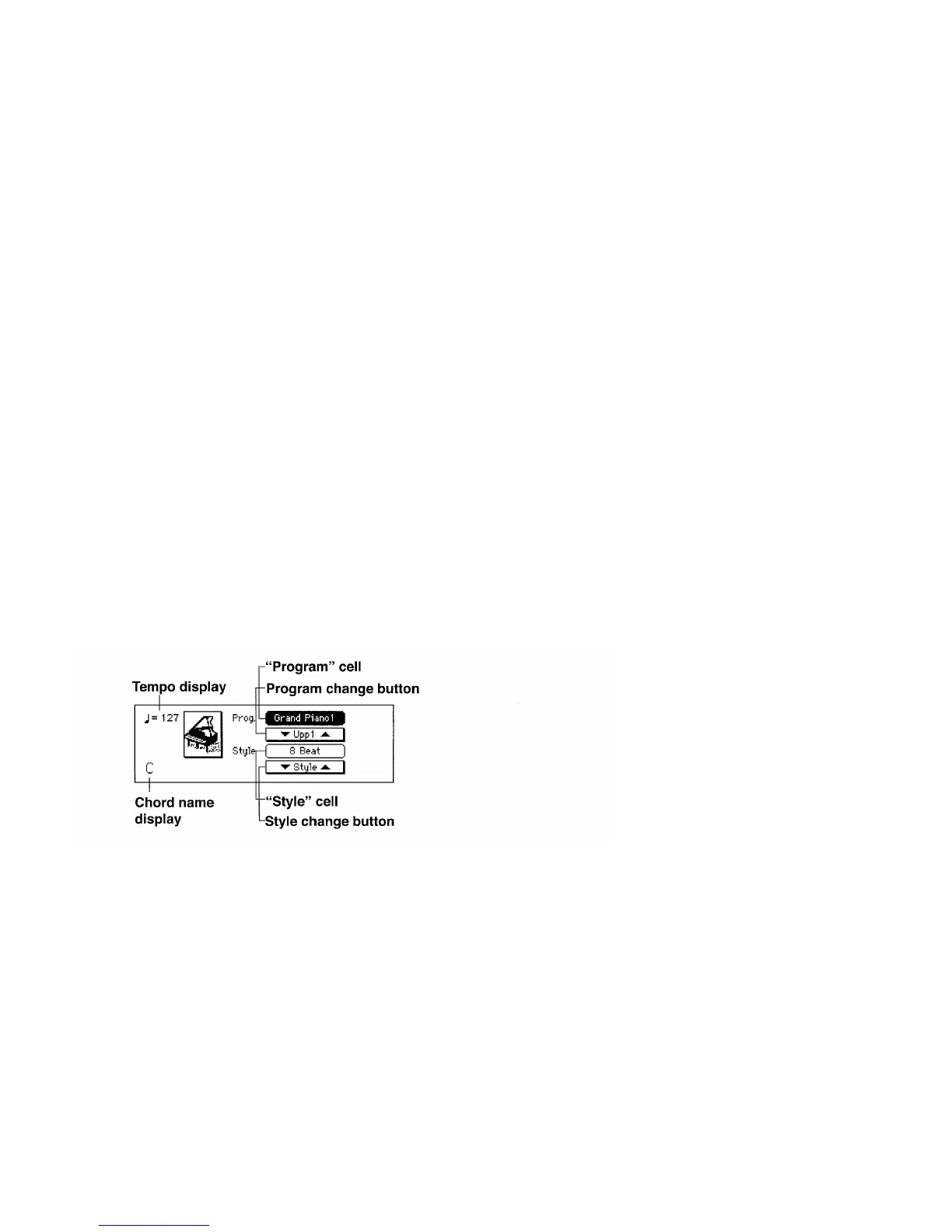
The main screen
This is the page that is displayed when the power is turned on. Most of the time, you
will be playing the KD-140/KD-50/KD-30 in this main screen.
——1


 To Next Page