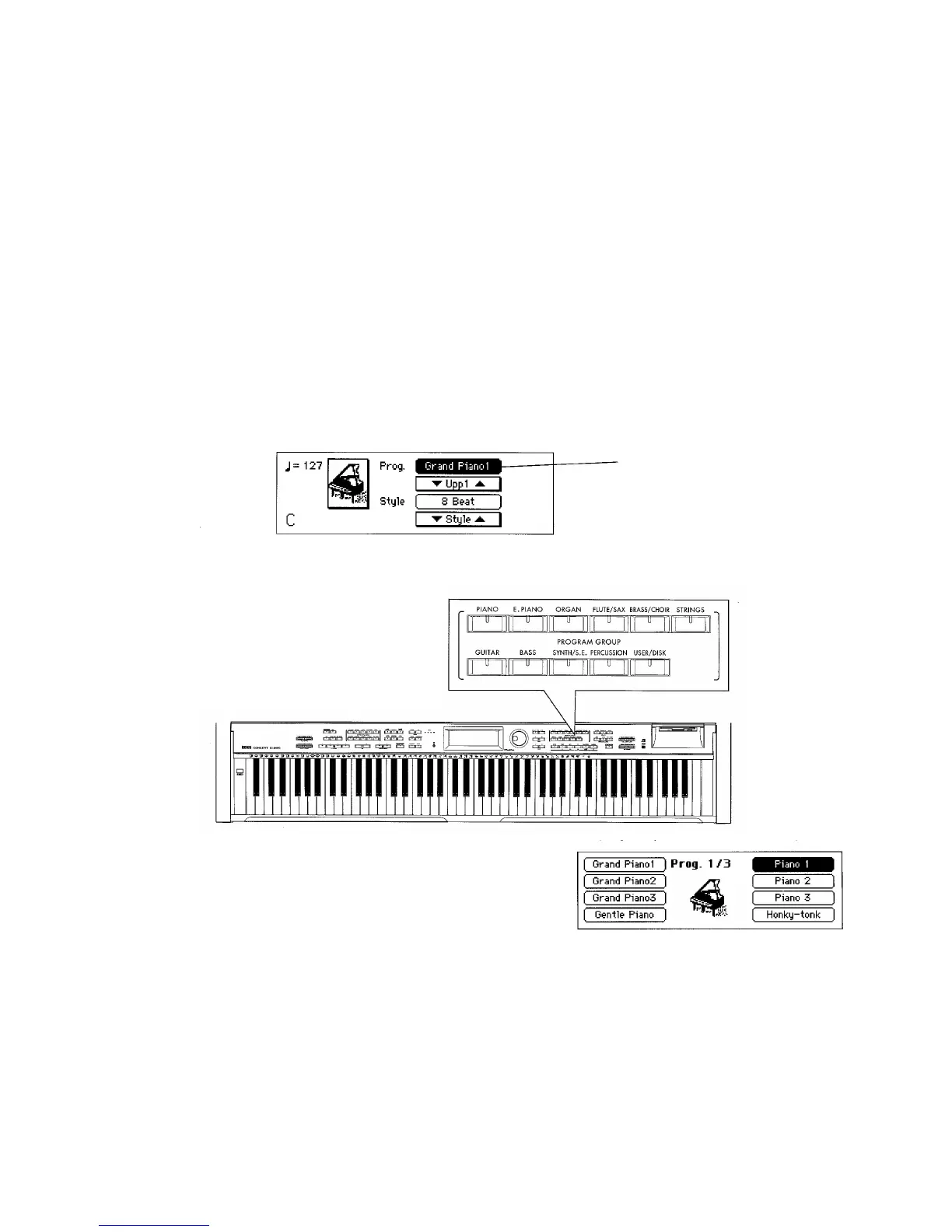
To change programs:
Select the program group,
then press the program group
that contains the sound you
wish to play.
Select a program
1.Selecting sounds
This piano contains 346 sounds organized into 10 groups. Each of the sounds stored in
these groups is called a Program.
PLAYING
Name of the current program
——3


 To Next Page