EasyManua.ls Logo

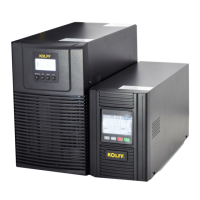
KOLFF Black 1K - User Manual

KOLFF Black 1K
35 pages
Print Icon
To Next Page IconTo Next Page
Loading...
USER MANUAL
ONLINE UPS
1-3K/220Vac LCD
Uninterruptible Power Systems

Questions and Answers

  • J
    Julie KellyAug 15, 2025
    What to do if KOLFF UPS emergency supply period is shorter than nominal value?
    • R
      robert30Aug 15, 2025
      If the emergency supply period of your KOLFF UPS is shorter than expected, the batteries may not be fully charged or may be defective. Charge the batteries for at least 1 to 2 hours and then check the capacity. If the problem persists, consult your dealer.
  • D
    David MaldonadoAug 18, 2025
    What to do if KOLFF Black 1K UPS status indicates battery mode with audible alarm?
    • M
      Michael ThorntonAug 18, 2025
      If your KOLFF UPS status indicates it is in battery mode and an audible alarm sounds every 4 seconds, it means the mains power supply has failed, or the input power and/or frequency are out of tolerance. Check the input power source. If the issue persists, inform your dealer.
  • M
    Melissa FullerAug 21, 2025
    What to do if KOLFF Black 1K UPS shows fault code 07 and warning tone?
    • S
      Sarah HoAug 21, 2025
      If your KOLFF UPS displays fault code 07 with a warning tone, this indicates an overload. Remove some of the loads from the UPS output and restart the system.
  • M
    Michael HarveyAug 25, 2025
    What to do if KOLFF Black 1K shows warning code 09?
    • M
      Michael AdamsAug 26, 2025
      If your KOLFF UPS shows warning code 09, it means the phase and neutral conductors at the input of the UPS system are reversed. Rotate the mains power socket by 180 degrees or reconnect the UPS system.
  • D
    Daniel MitchellAug 28, 2025
    What to do if KOLFF Black 1K indicates no output or bypass mode?
    • M
      Mr. Michael CooperAug 28, 2025
      If the status of your KOLFF UPS indicates it is in no output or bypass mode, even when power is available, the inverter may not be switched on. Press the “ON” button to turn on the UPS.
  • M
    Matthew RochaAug 31, 2025
    What to do if KOLFF Black 1K UPS shows warning code 13 and warning tone?
    • Z
      zachary09Sep 1, 2025
      If your KOLFF UPS shows warning code 13 and a warning tone sounds once a second, it indicates that the charger or batteries are damaged. Notify your dealer.
  • R
    Robert HendersonSep 4, 2025
    What to do if KOLFF UPS shows fault code 05, 06, or 08 with a permanent warning tone?
    • A
      anna39Sep 4, 2025
      If your KOLFF UPS displays fault code 05, 06, or 08 with a permanent warning tone, this indicates a UPS fault. Notify your dealer.
  • C
    Courtney KelleySep 7, 2025
    What to do if KOLFF Black 1K UPS shows warning code 10?
    • C
      cynthiahumphreySep 7, 2025
      If your KOLFF UPS shows warning code 10, it indicates that the fan is locked or not working. Check the fans and notify your dealer.
  • S
    susan64Sep 10, 2025
    How to troubleshoot KOLFF UPS with no indication and no warning tone?
    • J
      joannaheathSep 10, 2025
      If your KOLFF UPS has no indication and no warning tone, even when connected to the mains power supply, it suggests there is no input voltage. Check the building wiring socket outlet and the input cable.

Summary

Safety and EMC Instructions

Installation

Guidelines for safe and correct installation of the UPS unit to prevent damage or hazards.

Operation

Instructions for the safe and correct operation of the UPS system during normal use.

Maintenance, Servicing and Faults

Procedures for maintenance, servicing, and handling of faults, emphasizing safety precautions.

Panel Description

The Display Panel

Description of the physical layout and components of the UPS display panel.

The LCD Display

Explanation of various display elements on the LCD screen and their meanings.

Connection and Operation

Connection

Instructions on how to properly connect the UPS input and output power sources.

Turn On the UPS

Detailed steps for turning on the UPS system, with and without utility power.

Turn Off the UPS

Procedures for safely turning off the UPS system in different operating modes.

Operation Procedure of External Battery

Instructions for connecting and operating external batteries for extended backup time models.

Operating Modes

Setting by LCD Module

Troubleshooting

Maintenance

Software

KOLFF Black 1K Specifications

General IconGeneral
CategoryUPS
Capacity1000VA/600W
Frequency50/60 Hz
WaveformSimulated Sine Wave
Communication InterfaceUSB
Battery TypeSealed Lead Acid

Related product manuals