EasyManua.ls Logo

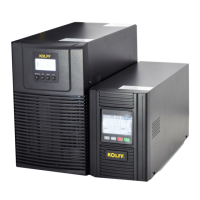
KOLFF Black 3K - User Manual

Default Icon
35 pages
Print Icon
To Next Page IconTo Next Page
Loading...
USER MANUAL
ONLINE UPS
1-3K/220Vac LCD
Uninterruptible Power Systems

Questions and Answers

Summary

Safety and EMC Instructions

Installation Safety Precautions

Essential safety guidelines for installing the UPS unit, covering environmental and electrical considerations.

Safe Operation Guidelines

Key practices for safe operation of the UPS, including handling electrical hazards and proper shutdown.

Maintenance and Fault Safety

Safety measures for maintenance, servicing, and handling faults, emphasizing electrical shock risks.

Panel and Display Overview

Front Panel Controls

Description of the UPS front panel buttons (ON, OFF, Select, Enter) and their functions.

LCD Screen Indicators

Detailed explanation of the LCD screen sections: Battery, Input, Output, UPS Status, and Load Information.

Load and Battery Status Displays

Understanding load percentage, battery voltage/current/capacity, and charging/discharging indicators.

UPS Setting Information

Information on UPS settings displayed, including voltage, frequency, and bypass status.

Connection and Operation Procedures

UPS Input and Output Connections

Guide to correctly connecting the UPS input power cord and output sockets/terminal blocks.

Battery Charging Process

Instructions for fully charging the UPS batteries for optimal performance and backup time.

Powering the UPS On and Off

Detailed steps for turning the UPS system on and off in different modes (utility power, battery).

External Battery Setup

Connecting external battery packs for extended backup time on 'S' models, including wiring and safety.

LCD Module Settings

Troubleshooting Guide

Technical Specifications

Monitoring Software

KOLFF Black 3K Specifications

General IconGeneral
BrandKOLFF
ModelBlack 3K
CategoryUPS
LanguageEnglish

Related product manuals