-15-
6. Operating mode for all models
6.1Linemode
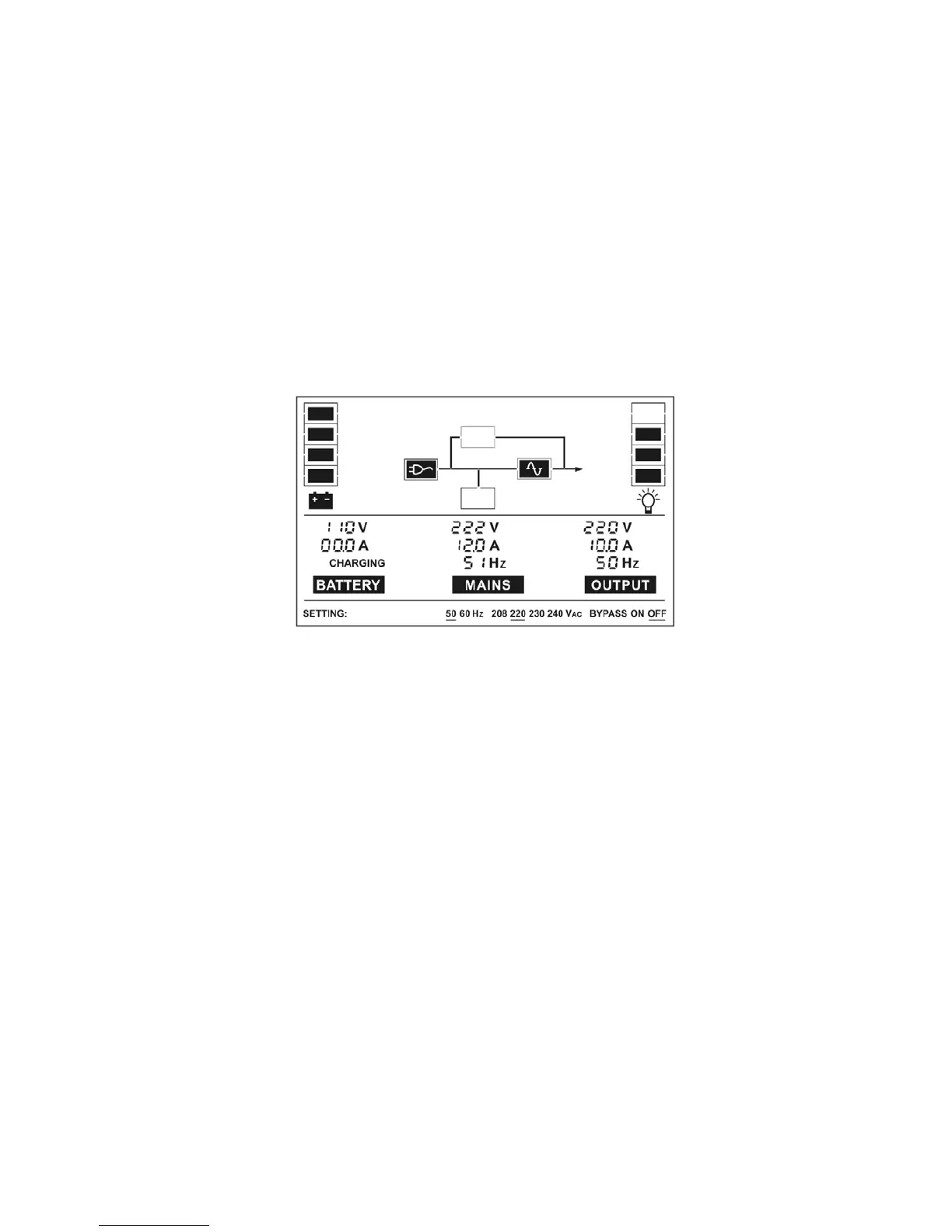
The LCD display in Line mode is shown in the following diagram. The
information about the utility power, the battery, the UPS output and
the load could be displayed.
If output overloaded, the load percent is shown and alarm will keep
twice every second. You should get rid of some unnecessary loads
one by one to decrease the loads connected to the UPS less than
90% of its nominal power capacity.
Note: Please follow the following steps to connect the generator
Activate the generator and wait until the operation is stable before
supplying power of the generator to the UPS (be sure that the UPS
is in idle mode). Then turn on the UPS according to the start-up
procedure. After the UPS is turned on, then the loads can be
connected to the UPS one by one.
The power capacity of the AC generator should be at least twice of
the UPS capacity.



 To Next Page