REMARK
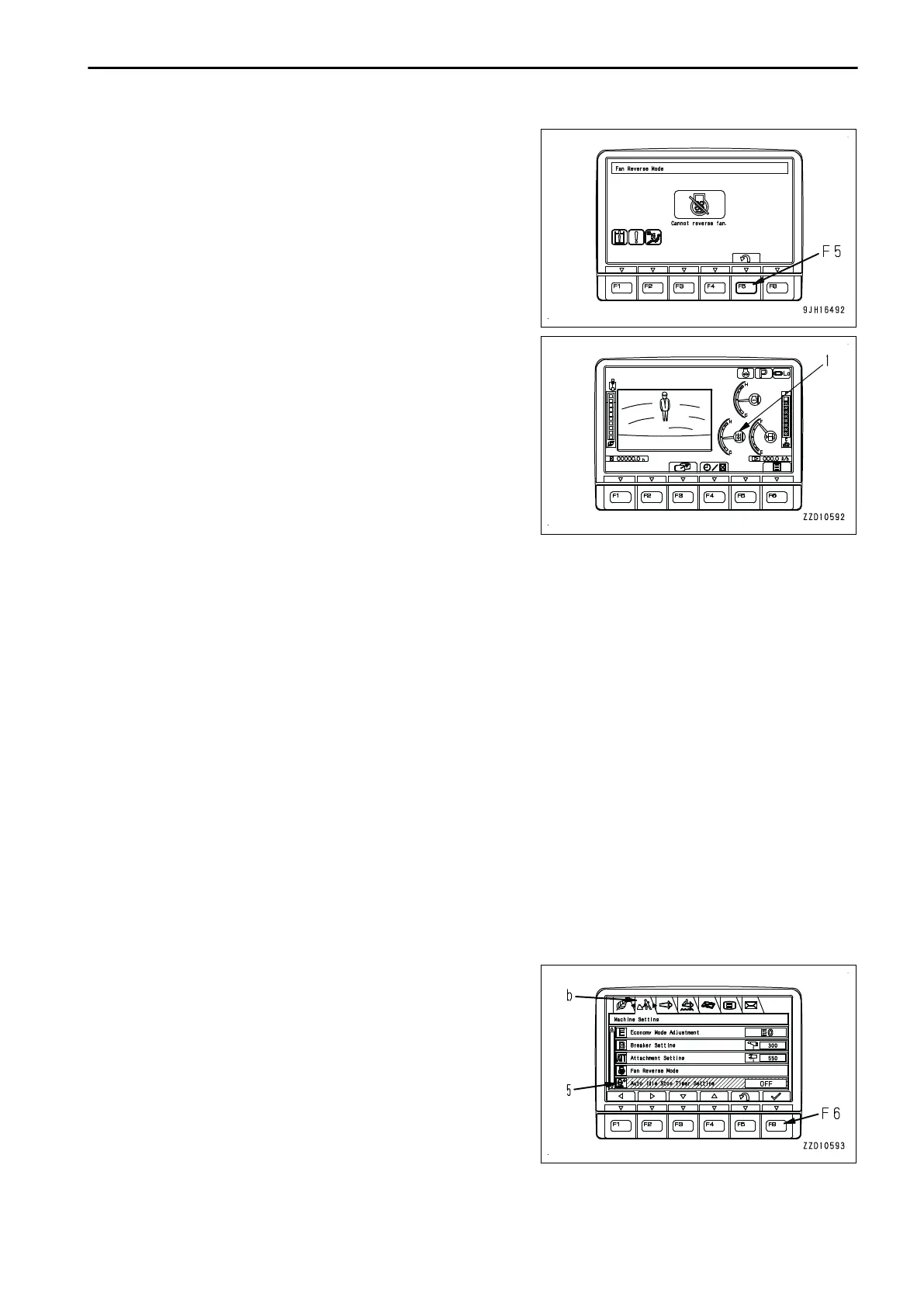
• In some cases, the screen in step 3 does not change to
that in step 4 and the screen shown in the figure is dis-
played and the fan does not rotate in reverse. This hap-
pens when the fan rotation is controlled not to be reversed
for the hydraulic oil temperature condition to protect the
components.
• To reverse the fan rotation, press switch F5 to return to the
standard screen. Then, run the engine at low idle to warm-
up.
• If background color of hydraulic oil temperature caution
lamp (1) is blue or red on the standard screen, the fan can
be rotated in reverse. Perform the procedure in order from
step 1.
• While the fan is rotating in reverse, the work equipment is
so controlled that it will move little even if it is operated.
The purpose of the fan reverse function is to clean the ra-
diator. When performing the actual work, including the
work equipment operation, set the fan rotation to the nor-
mal direction.
• If the fan rotation is reversed while KDPF system caution
lamp or KDPF soot accumulation caution lamp is lit, the
engine speed and fan speed may not increase even when
the fuel control dial is set to High idle (MAX) position, but
this is not a failure.
• In a cold circumstance, perform the cleaning by fan re-
verse rotation within less than 5 minutes. If reverse rota-
tion of the hydraulic fan is performed for a long time, DEF
hose may be frozen.
AUTO IDLE STOP TIMER SETTING
The auto idle stop function stops the engine automatically when the engine is operated continuously at idle with
the lock lever in LOCK position for a set time.
The auto idle stop function operates only when the following conditions are satisfied.
• The engine is running normally.
• The lock lever is in LOCK position.
• The engine coolant and hydraulic oil are not overheating.
• The engine is not in warm-up operation.
• The machine is not in L mode.
You can set the time to operate the auto idle stop function on the Auto Idle Stop Timer Setting.
1.
Select “Auto Idle Stop Timer Setting” (5) on the “Machine
Setting” menu (b) screen, and then press switch F6.
OPERATION EXPLANATION OF COMPONENTS
3-75





 To Next Page