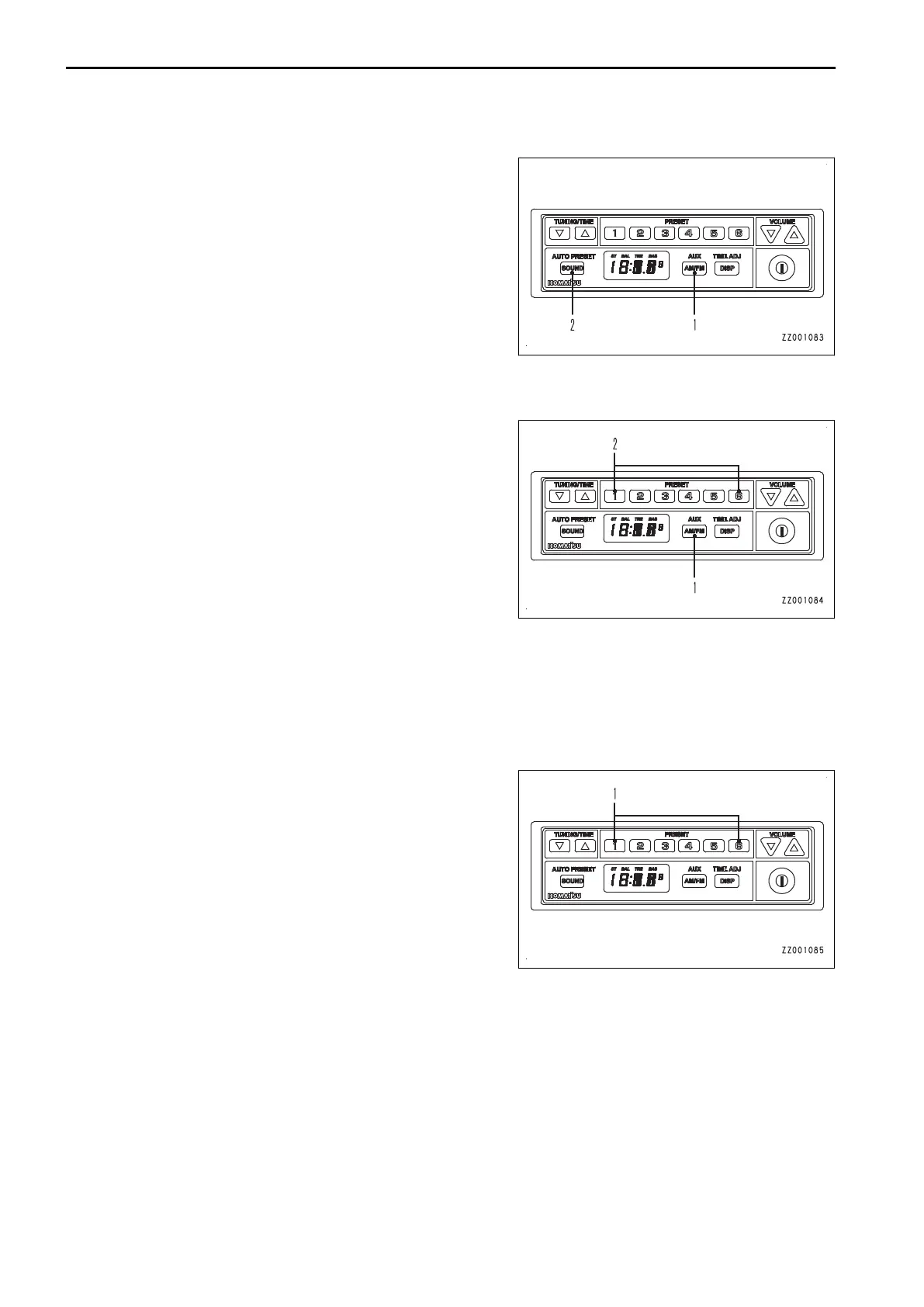
METHOD FOR ADJUSTING FREQUENCY (AUTO PRESETTING)
1.
Press band/AUX selector button (1) and select FM or AM.
2.
Hold down sound control button (2).
When a proper frequency is picked up, it is automatically registered to preset memories 1 to 6.
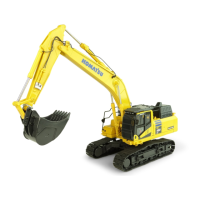
METHOD FOR CALLING PRESET
1.
Press band/AUX selector button (1) and select FM or AM.
2.
Press one of 1 to 6 of preset button (2).
The frequency registered in the preset number of the pressed button is called up and received.
“Example”
While a frequency is displayed, press button 1 of preset button (2), and the preset number “P-1” appears on the
display.
The preset number is shown for 0.5 seconds, and then the frequency is displayed.
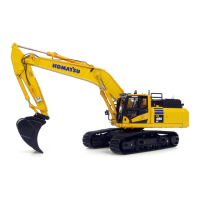
METHOD FOR REGISTERING PRESET
Hold down one of 1 to 6 of preset button (1) while listening to
the radio.
The currently received frequency is registered to the preset number corresponding to the pressed button.
“Example”
While a frequency is displayed, keep pressing button 1 of preset button (1), and the preset number “P-1” is dis-
played.
After the preset number flashes 3 times, the frequency is displayed and then registered to preset number “P-1”.
HANDLING RADIO OPERATION
3-234



 To Next Page