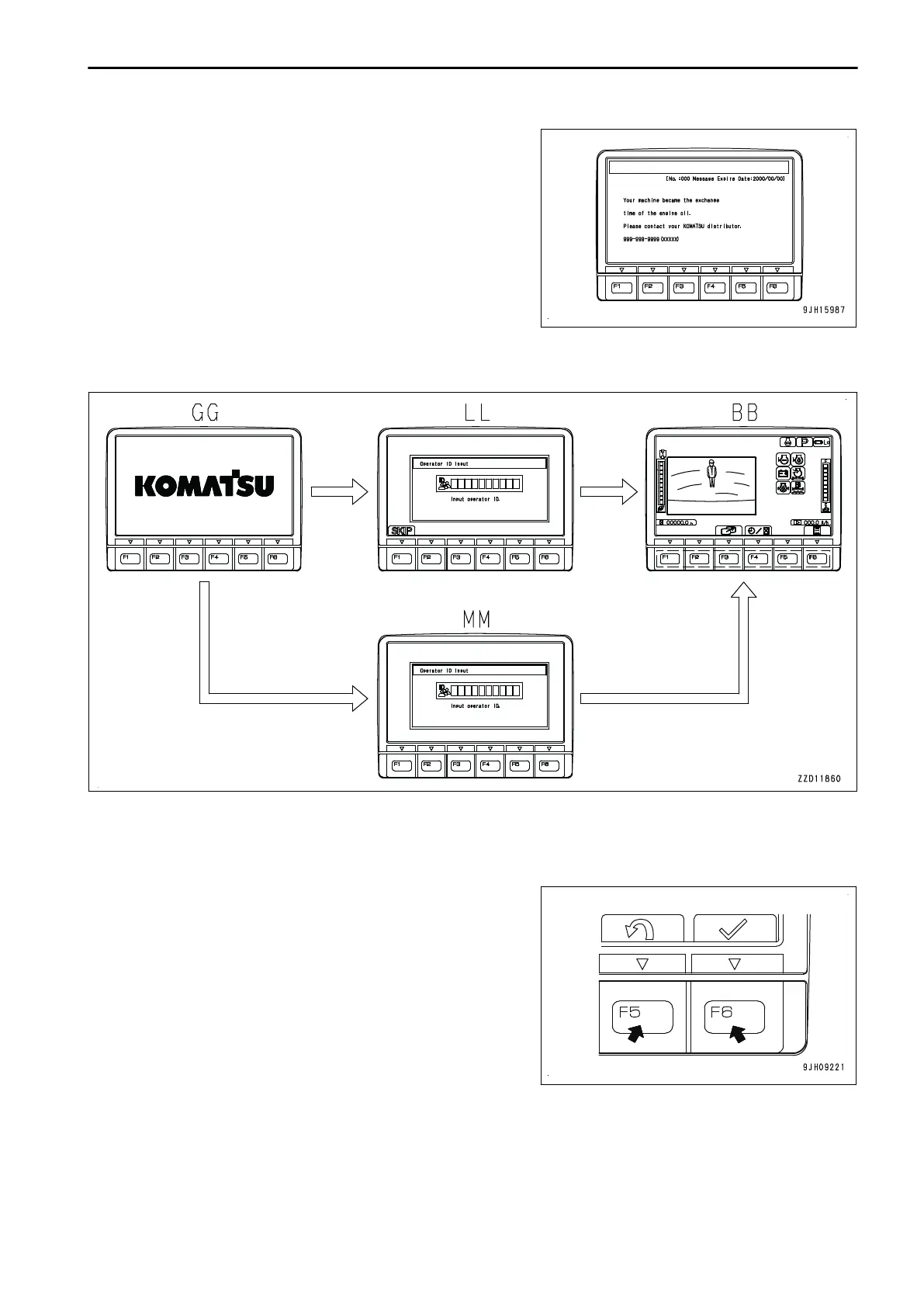
End screen when any message has been re-
ceived.
If there is any message from your Komatsu distributor, it is dis-
played on the end screen.
In this case, turned the starting switch to ON position to re-
check the message, and if the message is requesting a re-
sponse, make a reply to it.
For the method of displaying and replying KOMTRAX messag-
es, see “MESSAGE DISPLAY (3-88)”.
BASIC OPERATION OF MACHINE MONITOR WHEN STARTING SWITCH IS ON
WHILE OPERATOR ID INPUT IS SET
• If inputting ID number for operator identification function (with SKIP) is set, the opening screen GG switches
to ID number input screen LL (with SKIP) when the starting switch is turned to ON position.
• If inputting ID number for operator identification function (without SKIP) is set, the opening screen GG
switches to ID number input screen MM (without SKIP) when the starting switch is turned to ON position.
• On the ID number input screen LL (with SKIP) or MM
(without SKIP), input the already registered ID number,
and press switch F6. The screen changes to the Check
Before Starting screen BB. If you input an incorrect ID
number, press switch F5, and clear an input character at a
time.
OPERATION EXPLANATION OF COMPONENTS
3-13



 To Next Page