• If any abnormality occurs during operation, the standard screen AA changes to warning screen FF-(1) or
the error screen EE.
• After displaying warning screen FF-(1) for 2 seconds, the screen automatically changes to warning screen
FF-(2).
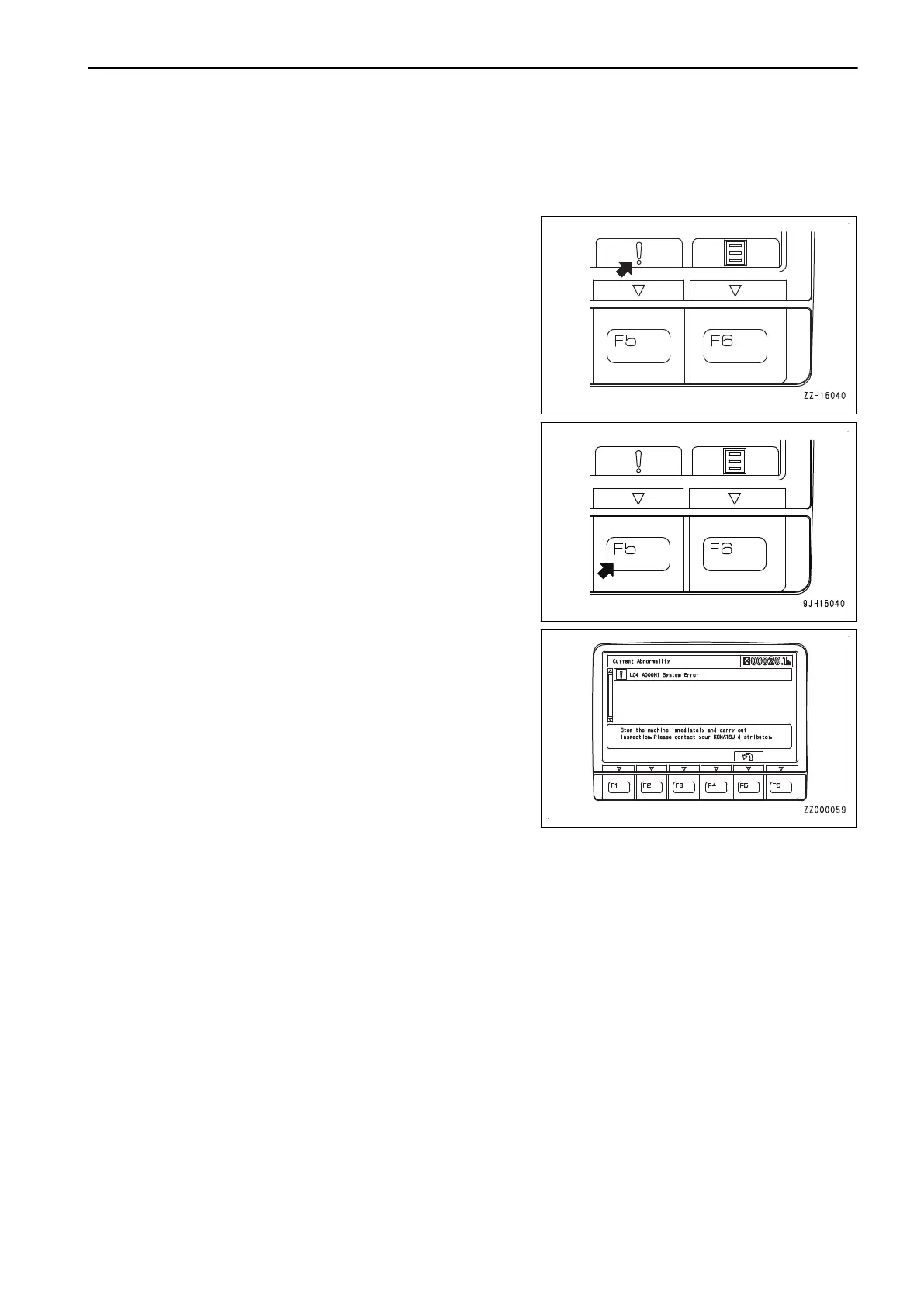
If there is any abnormality currently generated, “!” is displayed
on top of switch F5.
Press switch F5 to check the detail of the current abnormality.
Current Abnormality screen is displayed.
WARNING DISPLAY
NOTICE
Appearance of any of action levels L01 to L04 on the machine monitor indicates presence of an abnor-
mality the machine.
Take appropriate actions following the list of action level displays and remedies.
The caution lamp that lights up in red when an action level is displayed warns operator to stop the ma-
chine urgently, stop or pause the current operation.
If no action is taken, the machine can be seriously affected. Take necessary actions immediately.
OPERATION EXPLANATION OF COMPONENTS
3-17



 To Next Page