Innovative technology only for a better vision world
Hunan Bowan Technology Co.,Ltd. www.kommander.com.cn/en/
PS: STUDY VERSION CANNOT OUTPUT; YOU CAN ONLY USE THEM TO
EXPERIMENT DIFFERENT FUNCTIONS AND CREATE A PROJECT
2.7Create a new project
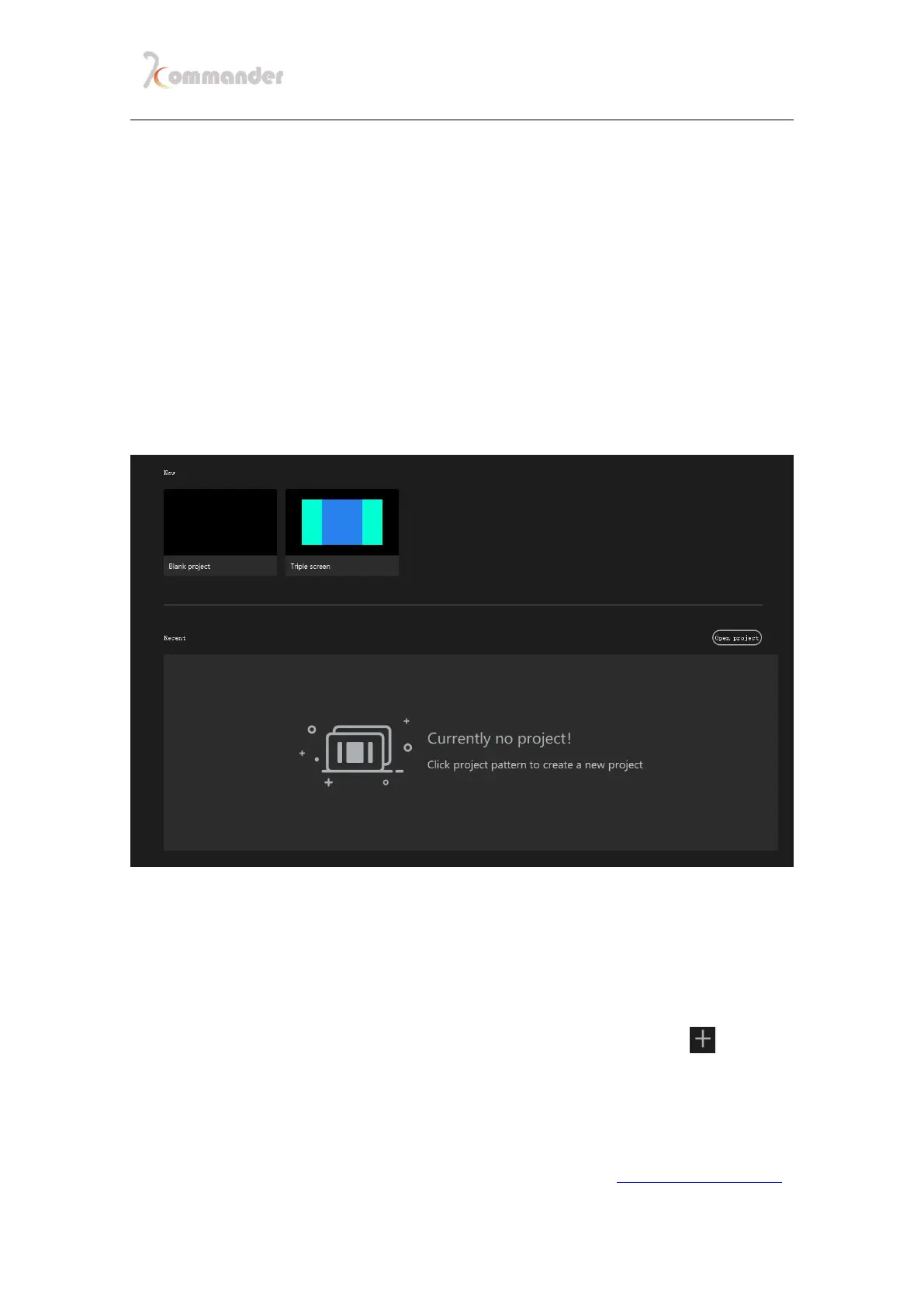
Click "New" to create a project file, enter the project name and select the save
path, then click "OK" to complete the new project file.
Under New, you can see saved screen management template, it
comes with a triple screen template
Under Recent, you can see your latest project
(Project name and save path can be changed)
2.8Add materials into media library
After creating a new project, enter the software interface, click " " at the
right upper corner of media library to add the playback material, and select the
corresponding one according to the type of material you need to add. You can also
just drag a whole folder into software just like any software


 To Next Page